This resource provides information and instructions for running common Financial Aid queries using Query Viewer.
Introduction
Queries in MyBU Student are reports. This resource describes some frequently used queries used for Financial Aid, which can be run using Query Viewer in MyBU Student. For each query included below, the system’s Query Name, Title/Short Description, search prompts, and report data fields are listed, along with additional helpful details and screenshots.
ⓘ New to queries? Be sure to check out the Introduction to Queries resource first for foundational concepts, detailed instructions on how to find and run a query, and support information. Support and query request information is also available via that resource.
Please note that this resource includes information related to Federal Financial Aid policies which are liable to change. Staff maintaining this documentation will update terminology, links, or processes in accordance with new information as it becomes available in conjunction with Student Information System updates. The information here identifies salient details regarding the usage of MyBU Student and is designed to be used in conjunction with Financial Aid Procedures and Processes.
⚠︎ Screen options, menus, and reports will vary by user; please note that displays may differ for you based on access that has been granted. All screens shown are for training purposes only.
SF/FA COMMENT
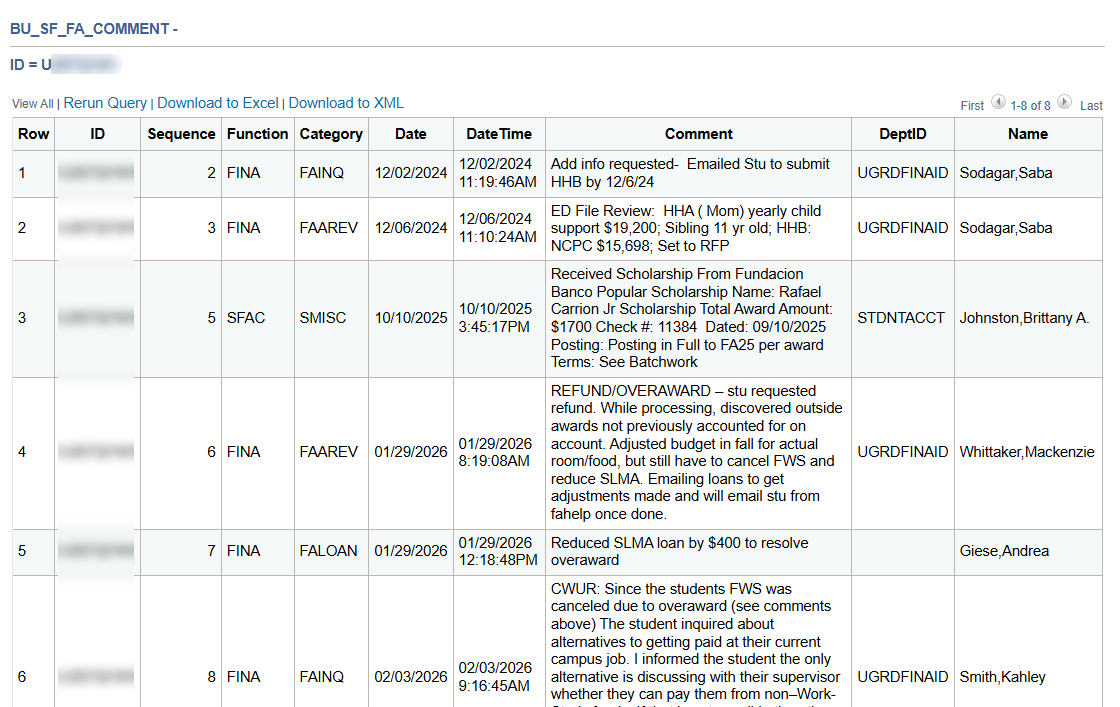
This query generates a report of all the Financial Aid (FINA) and Student Financials (SFAC) comments that have been made on an individual student’s record.
System Details:
Query Name: BU_SF_FA_COMMENT
Query Title/Short Description: N/A
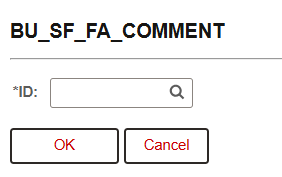
Search Prompts: The student’s UID is all that’s needed to run this query.
Additional Info & Tips:
Results display by sequence number – NOT necessarily by date. Sequence numbers are automatically generated upon input, but can be adjusted if needed by SF/FA staff.
The ‘Name’ field in the report is the name of the user who made the comment. The student’s name is not included in the results.
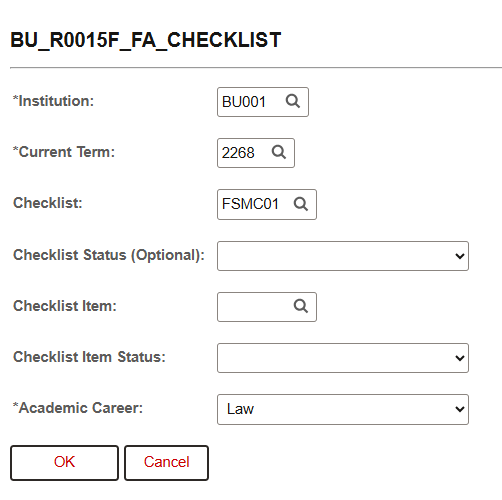
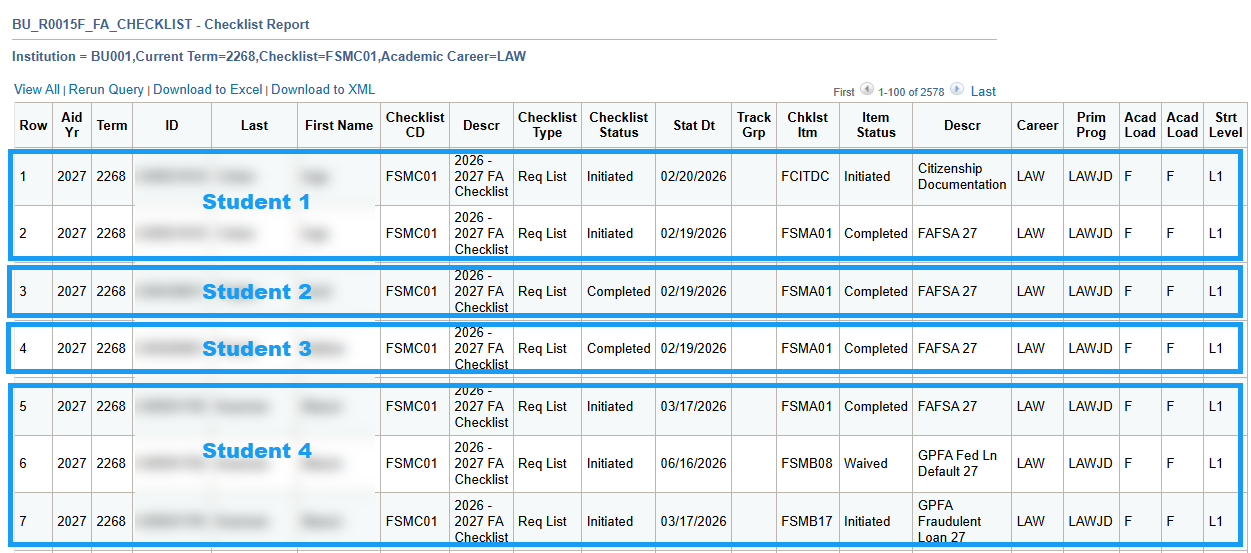
For a specified Term, Checklist Code (i.e., the Checklist for that Aid Year), and student Career group, this query shows a list of students with their checklist items and item statuses. The prompts can be used to narrow down to a specific checklist item and/or status, if desired. Also shows the students’ primary program and academic load and level information.
ⓘ NOTE: The ‘Checklist’ search prompt may be auto-filled with the Checklist code from the incorrect aid year. Be sure to input the correct Checklist code; if needed, use the lookup for codes in the ‘FINA’ Administrative Function.
In the example shown below, the prompts will generate a report of all LAW students enrolled in the Fall 2026 term, with all applicable 2026 – 2027 FA Checklist items.
Additional Info & Tips:
If searching for a particular Checklist item, don’t forget that certain Checklist item codes are specific to aid year. Be sure to input (or select from the lookup) the code from the correct aid year where applicable.
Results will show one line for each applicable checklist item applied to the student, meaning one student may have multiple data rows.
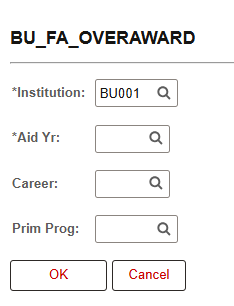
This query generates a report of all the students who are currently overawarded for the specified aid year, along with relevant Federal and Institutional data. The prompts allow for the results to be narrowed to specific Career and/or Primary Academic Program.
System Details:
Query Name: BU_FA_OVERAWARD
Query Title/Short Description: Overaward Report
Search Prompts(Asterisks indicate required field): Institution*, Aid Year*, Career, Prim Prog
Additional Info & Tips:
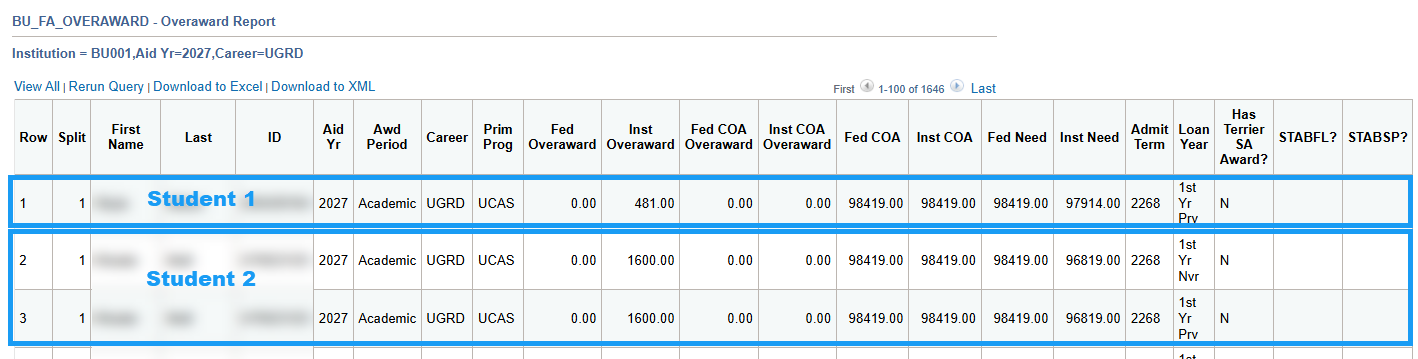
One student may display multiple data rows based on Loan Year data.
Results will display in order of Split (as applicable) and then alphabetically by last name.
Related Query: BU_FA_OVERAWARD_BY_TRM (Overaward by term and aid year)
Please refer to departmental policies and procedures regarding awarding and over-awarding processes.
Data Fields Displayed in Results:
Split
First Name
Last
ID
Aid Yr
Awd Period
Career
Prim Prog
Fed Overaward
Inst Overaward
Fed COA Overaward
Inst COA Overaward
Fed COA
Inst COA
Fed Need
Inst Need
Admit Term
Loan Year
Has Terrier SA Award?
STABFL? / STABSP?
Example of Results:
Click on the screenshot above to view larger (then click the browser ‘Back’ button to return to this page).
GRAD STUDENT FILE REVIEW
This query generates a report of all the students in a specified program who have completed ISIRs for a particular Aid Year. The results include helpful FM/IM data and academic information, which can be used to support awarding for those students.
System Details:
Query Name: BU_FA_GRAD_FILE_REVIEW
Query Title/Short Description: Grad students with ISIR COMPLT
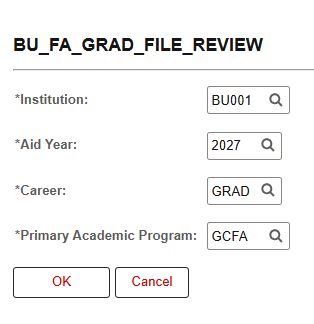
In the example shown below, the prompts entered will pull a report of all students in Graduate CFA programs for Aid Year 2027 (2026-2027).
Additional Info & Tips:
Even though the Career prompt field is auto-populated with ‘GRAD’, it can be modified to pull students from other Careers if needed.
Please refer to departmental policies and procedures regarding awarding processes.
Data Fields Displayed in Results:
Aid Yr
Email
ID
Last Name
First Name
School/College
Program
Student Level
Fed COA
SAI
SAI (EFC) Status
SARC Flag
Citizenship Status
VA Status
Verif Track Flg
Dual Program
Dual Prog(2)
ISIR Received Date
In Progress
Current
Load
Summer Scholarship
Summer Direct Loan
Scholarship
Direct Loan
Term
Fin Aid Progress Units Taken
ALL ENROLLED STUDENTS
This query generates a report of all the students who are enrolled in a specified Term, with the option to specify by Career and/or Primary Academic Program. The results include data related to students’ academic progress as well as basic aid data.
System Details:
Query Name: BU_FA_REGISTERED_BY_TERM
Query Title/Short Description: All enrolled students
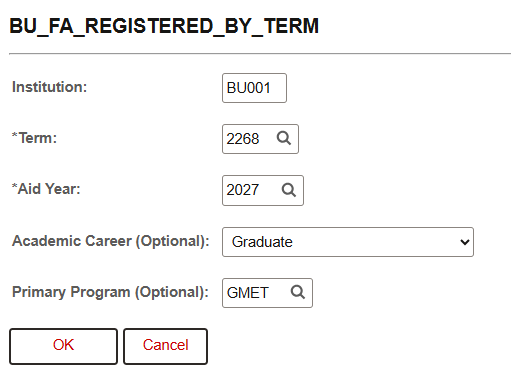
Search Prompts(Asterisks indicate required field): Institution*, Term*, Aid Year*, Academic Career, Primary Program
In the example shown below, the prompts will pull all graduate MET students who are enrolled in the Fall 2026 term, with data from the 2026-2027 Aid Year.
Data Fields Displayed in Results:
ID
Last
First Name
Career
Primary Academic Program
Degree(s)
Term
Units Taken for Progress
Student Enrollment Status
Int Ind
SAI Status
Cumulative GPA
Attempted Units
Completed Units
Completion Rate
BU Email
Offered Fed Loan
FB3 Status
FB3 End Term
Page last updated October 2026. For a PDF copy, print this webpage as a PDF. Other resource formats can also be accessed via the relevant icons below.