Staff View of Student Account
This resource explains how authorized staff can view a student’s Student Account page in MyBU Student.
The Student Account page displays any balance owed and allows users to review a complete history of the student’s charges, payments, and credits. Staff users who have been granted appropriate security access can view a student’s Student Account page using Lookup Student and then Act As User mode.
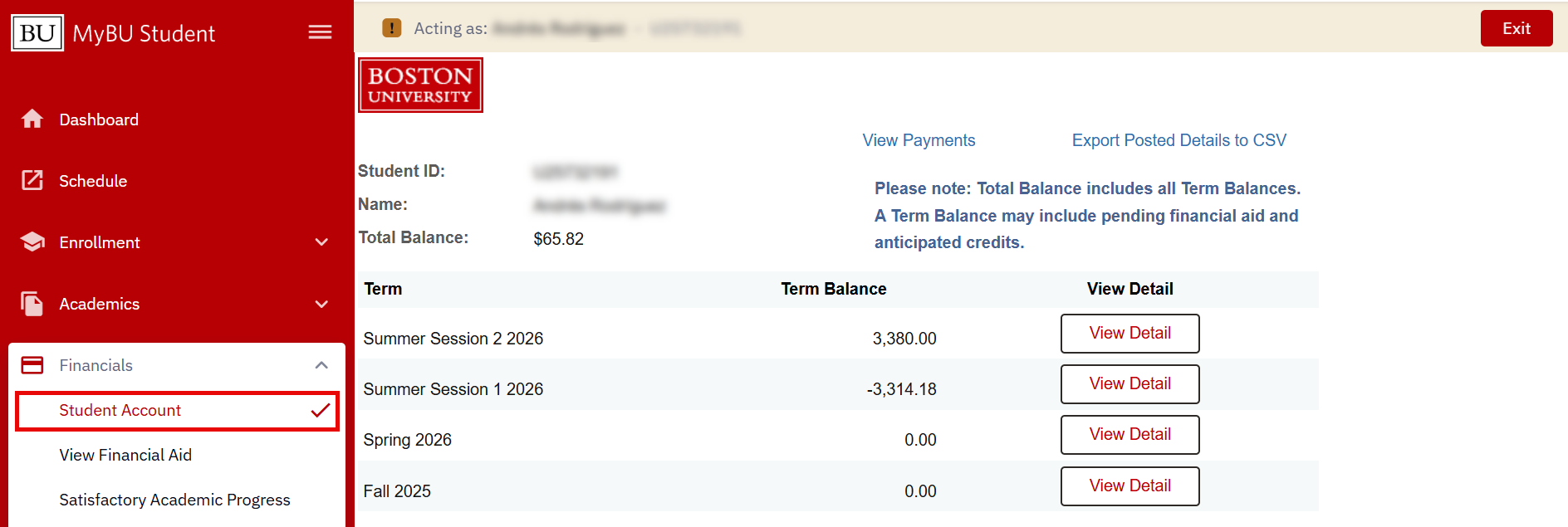
The Student Account page in Act As User will be nearly identical to how the student see it, which includes the following features:
- View Total Balance and all applicable Term Balances
- View Payments
- Export Posted Details to CSV
- View Term Detail (breakdown of all charges and credits, including pending/anticipated amounts) for all available terms
Navigation
- Log into MyBU Student.
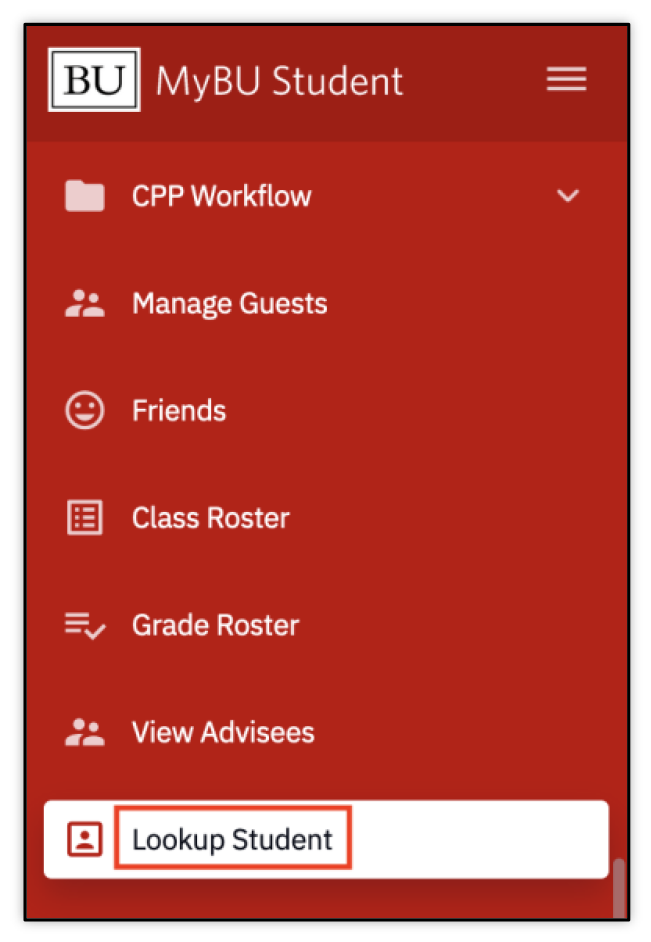
- In the left menu, navigate to Lookup Student.
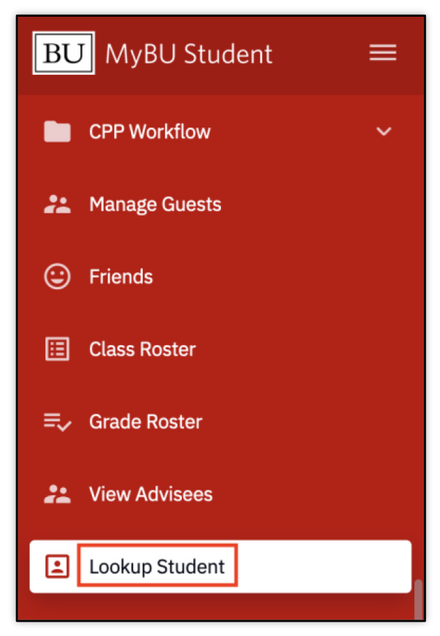
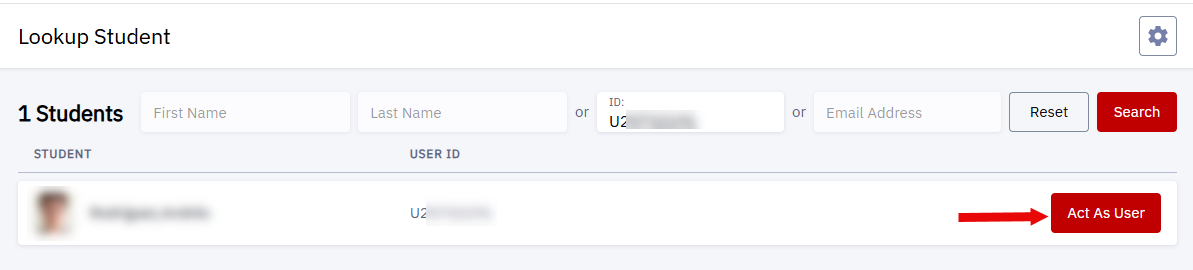
- Search for the student and then select Act As User.
- Review the FERPA disclaimer pop-up and click Continue.
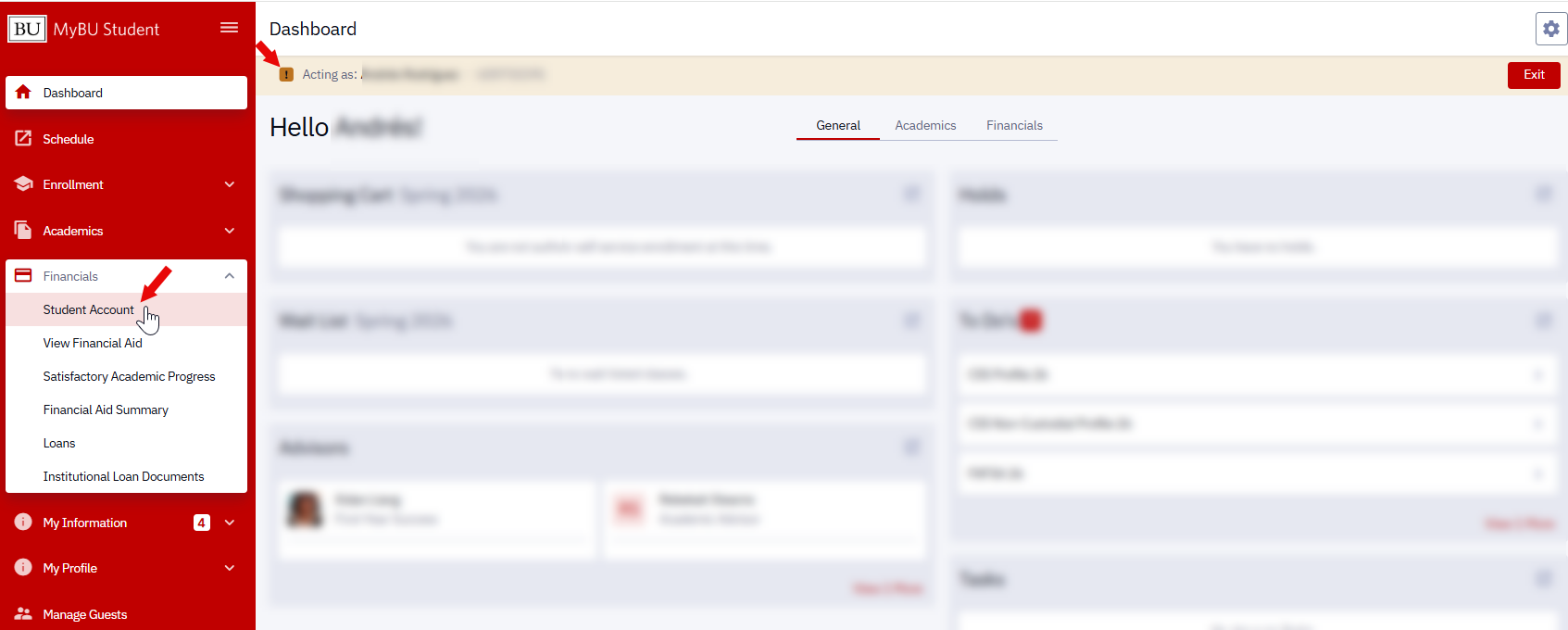
- Now in Act As mode, use the left menu to select Financials and then Student Account.
- The Student Account page will display.
- The primary difference between the staff view and student view is that students have button to click through to Nelnet services to make payments; the staff view does not include this button.
- Please refer to the Student Account resource for students for a detailed breakdown of the page.
ⓘ NOTE: If you have a business need to view Student Account information but are unable to access the Student Account page via Act As User, contact your Departmental Security Administrator (DSA). Even if access to Act As has been granted, security to view specific pages may still vary.
Related Resources:
This page was last updated May 2026. To download a PDF copy of this resource, print this webpage as a PDF.
