Academic Level
Academic Level is a classification referring to a specific stage within a student’s academic program. It is commonly used to track a student’s progress and determine their eligibility for certain courses, privileges, or academic requirement.

Introduction
Academic Level tracks a student’s progression in their BU Degree Program, typically indicated by their Term Progression. There are specific instances where students follow unit progression.
This potentially impacts things like eligibility for classes, Financial Aid, reporting, and other important processes. This resource provides information on the three different types of levels – Term Start, Term End, and Projected – and where they display for staff, students, and faculty in MyBU Student.
⚠︎ Screen options, menus, and reports will vary by user; please note that displays may differ for you based on access that has been granted. All screens shown are for training purposes only.
Academic Level Summary
There are three types of levels defined in MyBU Student:
| Academic Level | BU Description & Usage | Display Locations |
|---|---|---|
| Term Start | The student’s academic level as of the beginning of the current term. It does not include any courses currently in progress or future enrollments. This is the baseline level for the term. | Staff: Student Services > Academics tab
Students: value doesn’t explicitly display but determines the Enrollment Appointment assigned on Enrollment Dates page. Advisors: Student Details > Academics tab Faculty: Class Roster |
| Projected | The student’s anticipated academic level will be defined to match their Term Start Level value*.
This value is used for enrollment appointments, eligibility checks, etc. |
Staff: Student Services > Academics tab
Students: Enrollment Dates Page > Term section |
| Term End | The academic level the student will have at the end of the current term, assuming successful completion of all in-progress courses. It reflects the student’s status after the term concludes. | Staff: Student Services > Academics tab |
*The system will initially determine the Projected Academic Level based on the assumption that the student will pass all current courses. Shortly after that is set, a process will run to ensure that the Projected value will reflect the Term Start value.
ⓘ NOTE: This process to match the Projected and Term Start values will run daily. Additionally, the matching procedure applies to students in most Careers, however Med, Law, and Dental are excluded from this process at this time.
TRANSFER STUDENT PROCESS
There is a process in place for managing Academic Level for incoming undergraduate transfer students:
- An Academic Level of ‘Sophomore’ or ‘Junior’ is initially applied via batch process managed by OUR.
- Prior to the opening of enrollment for the next term, their transfer credit amount will be assessed to determine the appropriate Academic Level. Assessment occurs approximately in July and September.
- Based on evaluation, the student will maintain the initial value, or if appropriate, some students who were initially assigned ‘Sophomore’ will be adjusted to or ‘Junior’.
Academic Level evaluation for incoming undergraduate transfer students is determined by unit thresholds set by BU. This threshold is reviewed annually.
LEAVES OF ABSENCE
Academic Level values can vary depending on specifics of the Leave scenario, including the data made available upon the processing of the LOA and when it is processed. For example:
- If a student is Term Activated for the term that they withdraw from, and they have a return date entered on their record for the next term, then their Academic Level value may progress.
- If a student’s Leave is not processed with a return date or has a return date for a more future term, then their Academic Level may not progress.
The previous examples are not exhaustive; they are meant to demonstrate how various factors can impact the display of the student’s Academic Level value when they are on LOA.
Staff View
Staff can view all three level types in the Student Services Center. Appropriate security must be assigned.
- Student Services Center can be accessed via multiple navigations.
- If originating in the Dashboard: scroll to find the Student Services Center item in the left menu
- If originating in the Full Site Staff Homepage: click the compass at top right in Nav Bar > Menu > Campus Community > Student Services Center
- Search for the student.
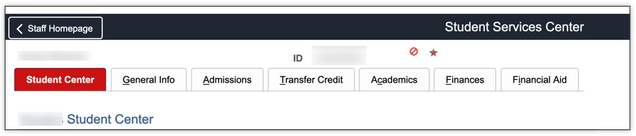
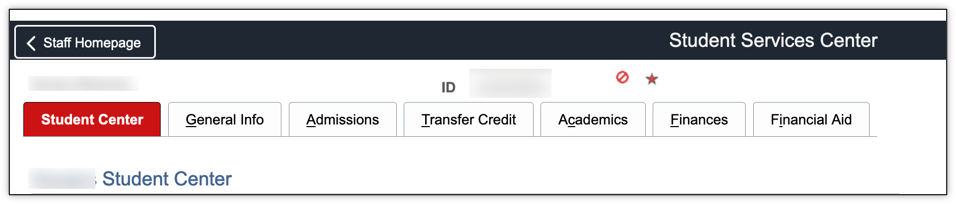
- Upon selecting the student, the Student Center tab will open.
- Click on the Academics tab.
- The initial section is titled, Institution/Career/Program.
- Scroll down to the second section, Term Summary.
- Clicking on a Term on the left displays the information specific to that Term on the right.
- If there are multiple Careers for the student, those options will also be listed.
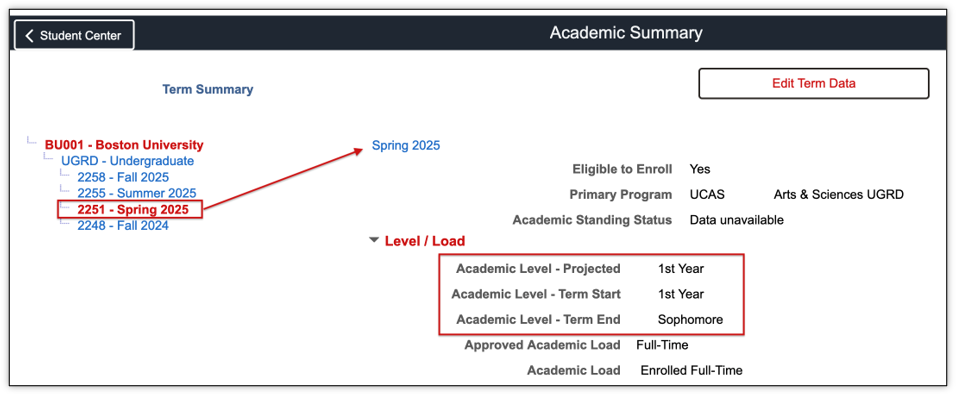
In this example, notice Spring 2025 is selected. The details listed to the right reflect the student’s Spring 2025 data. This includes the three Academic Level Types:
- Academic Level – Projected: 1st Year
- Academic Level – Term Start: 1st Year
- Academic Level – Term End: Sophomore
Refer to the Student Services Center-Academics resource for additional information on the Academics tab.
Additionally, staff with access to ‘Act As’ can also see a student’s view of their Academic Level data on the student’s Enrollment Dates page.
QUERIES
Numerous queries display the three Levels; below are summaries for two commonly used reports. Please review additional instructions for both reports via the Staff Queries resource.
Navigation: Left menu > Reporting Center
Student Term Activated By Term
QUERYNAME: BU_R0010H_SR_TERMACT_STUDXPROG
ABOUT: This report lists students that are term activated by program, college, or career for a given term. Or, search by ID if looking for an individual student. Optional drilling links are available to view a student’s entire program stack history from the list of results.
By Career/Program/Plan/Subplan
QUERY NAME: BU_R0010M_SR_CPP_PROG_BY_TERM
ABOUT: This report searches for students who are Term Activated for a given Term by Career/Program/Plan/SubPlan.
Student View
Students can view their Academic Level data on the Enrollment Dates page in MyBU Student.
Academic Level tracks a student’s progression in their BU Degree Program, typically indicated by their Term Progression. There are specific instances where students follow unit progression. Undergraduate students can refer to the Registrar Academic Level site for additional details.
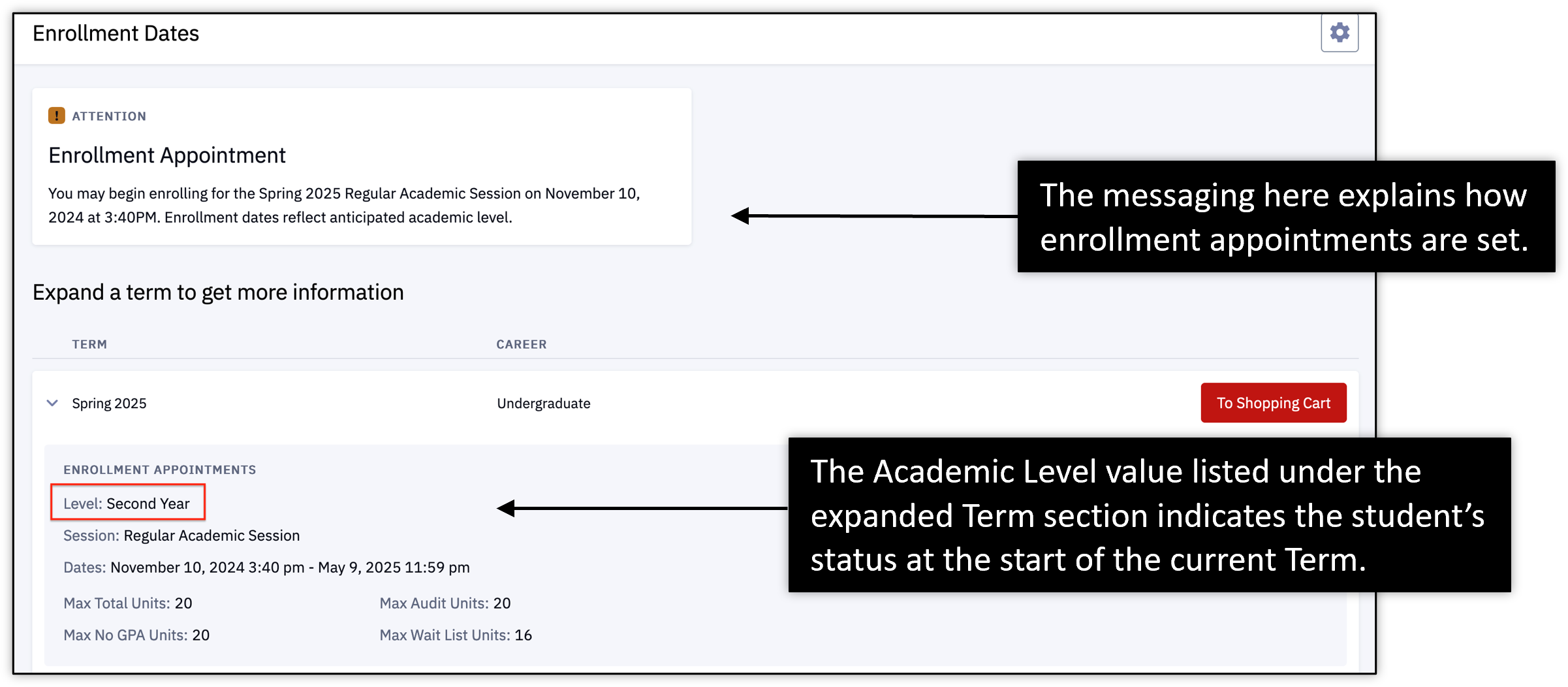
A student can view their Term Start Academic Level on the Enrollment Dates page. This Level value indicates the student’s stage as of the beginning of the current Term.
- Classes currently in progress this Term or any enrolled classes in future Terms will not yet be reflected.
Navigation: Enrollment > Enrollment Dates > Expand Term > Displays on Enrollment Appointments Section

When enrollment appointments are assigned, those details appear at the top of the Enrollment Dates page. Projected Academic Level dictates the student’s enrollment appointment and will match their Term Start Academic Level.
Students should go to their advisor with any Academic Level questions. Advisors/Staff can submit possible issues to ithelp@bu.edu.
TIP for Staff/Advisors! Staff with access to ‘Act As’ can also see this data on the student’s Enrollment Dates page.
Advisor View
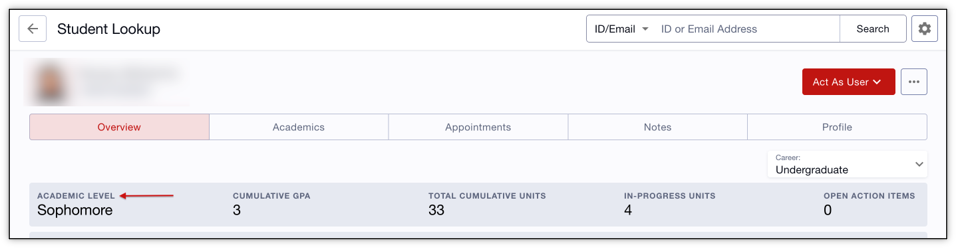
Advisors with access to ‘Act As’ can see a student’s view of their Academic Level data on the student’s Enrollment Dates page. It also displays for advisors in the Student Details page.
- Navigation: Advisor > Advisees & Student Lookup.
- Click Open on needed student.
- The Student Details page opens, defaulting to the Overview tab.
- For the selected Career, the Term Start Academic Level displays, indicating the student’s stage as of the beginning of the current Term.
Faculty View of Academic Level
For students enrolled in their classes, faculty can see the Term Start Academic Level, indicating the student’s stage as of the beginning of the current Term.
Navigation: Class Roster > Select Class > View Students
View Term Start Level in the data column.

Academic Level Values
| Academic Level Description | Undergrad or Grad Student |
|---|---|
| First Year | Undergrad |
| Sophomore | Undergrad |
| Junior | Undergrad |
| Senior | Undergrad |
| Graduate First Year | Grad |
| Graduate Second Year | Grad |
| Graduate Third Year | Grad |
| Graduate Fourth Year | Grad |
| Graduate Fifth Year | Grad |
| Graduate Sixth Year | Grad |
| Graduate Seventh Year | Grad |
| Graduate Eighth Year | Grad |
| Graduate Ninth Year | Grad |
Page last updated October 2026. For a PDF copy, print this webpage as a PDF.