Managing Guests
This information explains how students can use the Manage Guests page in MyBU Student to add new guest users and modify/revoke access for existing guest users. Students can also use the Manage Guests page to authorize Consent to Disclosure, which allows the University to communicate with parents/guardians/others in certain limited circumstances.

Introduction
OCTOBER 2026 NOTICE: Boston University has updated the sign-in process for authorized guests in MyBU Student. To help previously authorized guests continue accessing their account, add their mobile number and send them a new password.
- Detailed instructions for how to update existing accounts (created before October 20, 2026) is included in the below section, Update Existing Guest Account Access. If adding a new guest, skip to the Add a New Guest User section.
The Manage Guests page in MyBU Student allows students to grant guest access for third parties, such as family members, to view certain aspects of their student information. Guest users will have a view of MyBU Student similar to the student’s, but limited to the permissions they’ve set.
Students can designate which permissions each guest user has, including any or all of the following:
- Consent to Disclosure
- View Financial Aid
- View Unofficial Transcript
- View/Pay Student Account
Instructions for guests on how to access and navigate their guest account can be found here: MyBU Student for Guest Users.
The ability to manage guest users and consent to disclosure in MyBU Student is in accordance with Boston University’s obligations under the federal Family Educational Rights and Privacy Act (FERPA). Additional information about FERPA, including the University policy on the release of student information can be found here: https://www.bu.edu/reg/academics/ferpa.
⚠︎ Screen options and menus will vary by user; please note that displays may differ for you based on access that has been granted. All screens shown are for training purposes only.
Update Existing Guest Account Access
- From the MyBU Student Dashboard menu, select Manage Guests.
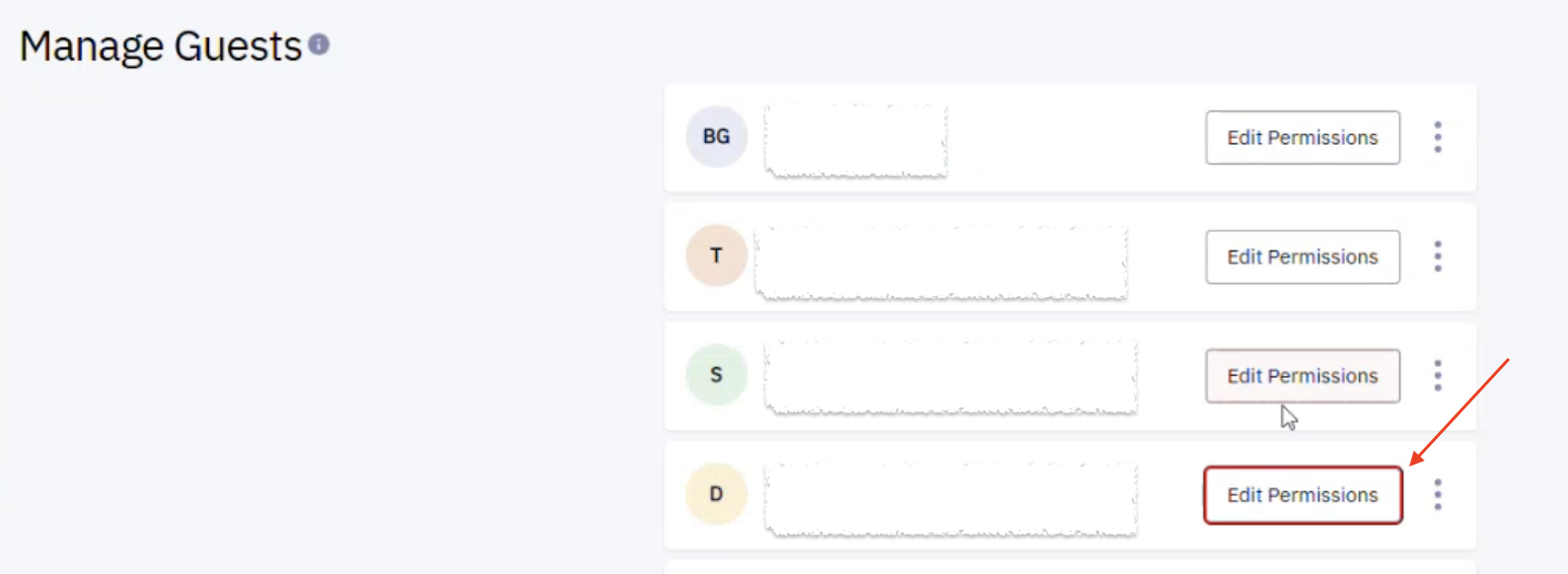
- On the Manage Guests page, all existing guest users are listed. Click the Edit Permissions button.
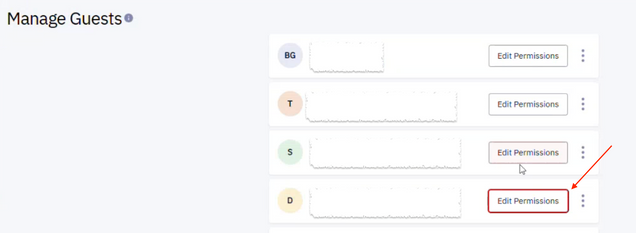
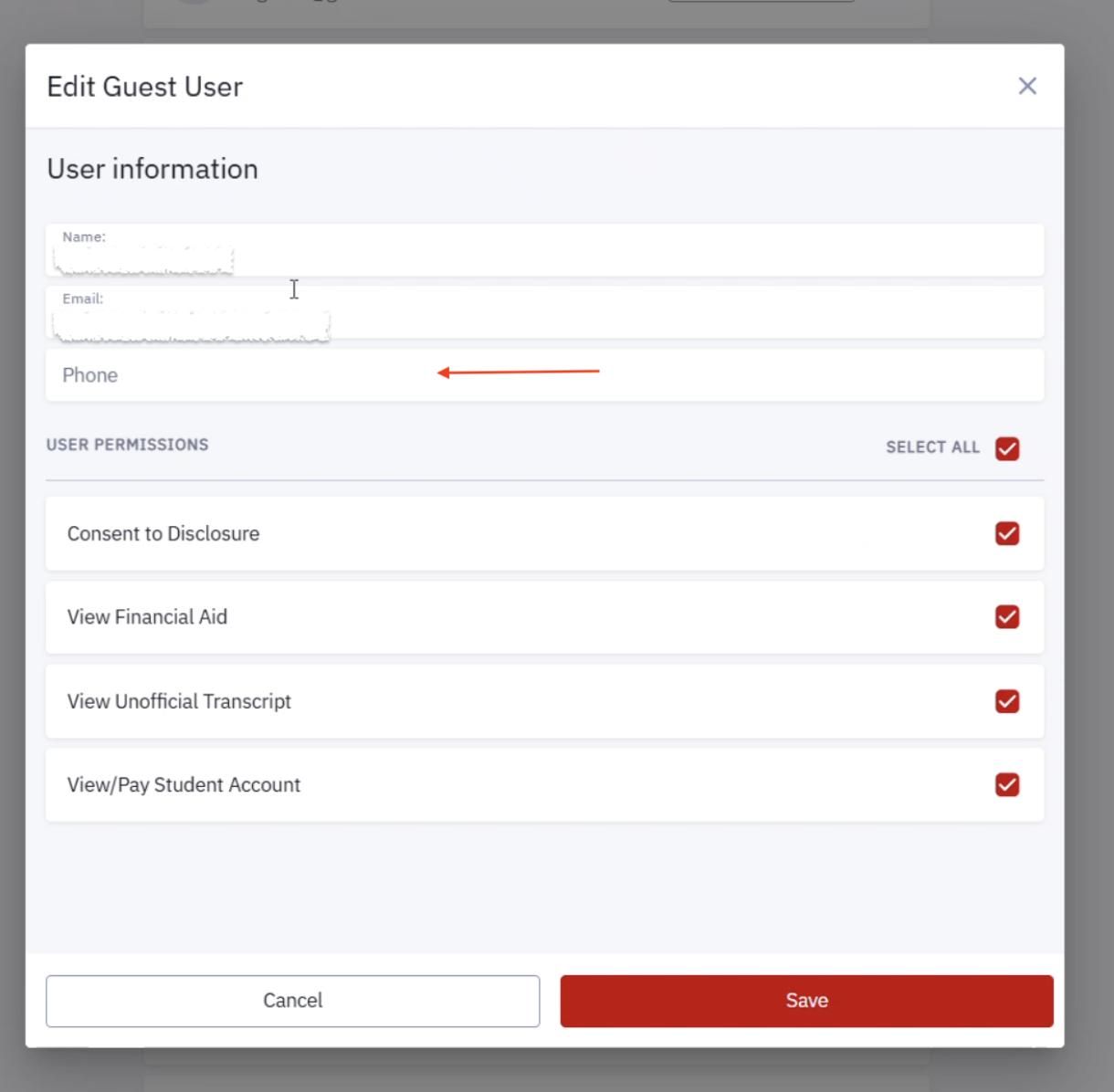
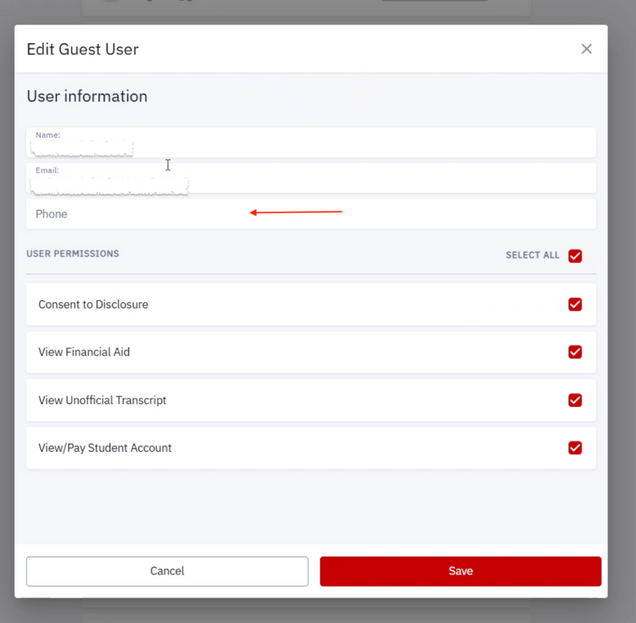
- Follow the on-screen prompts, including the FERPA acknowledgement. The guest’s name and email will be listed. Add their mobile phone number; this must be entered to save.
- Edit permissions if needed, otherwise keep selections the same. Click Save.
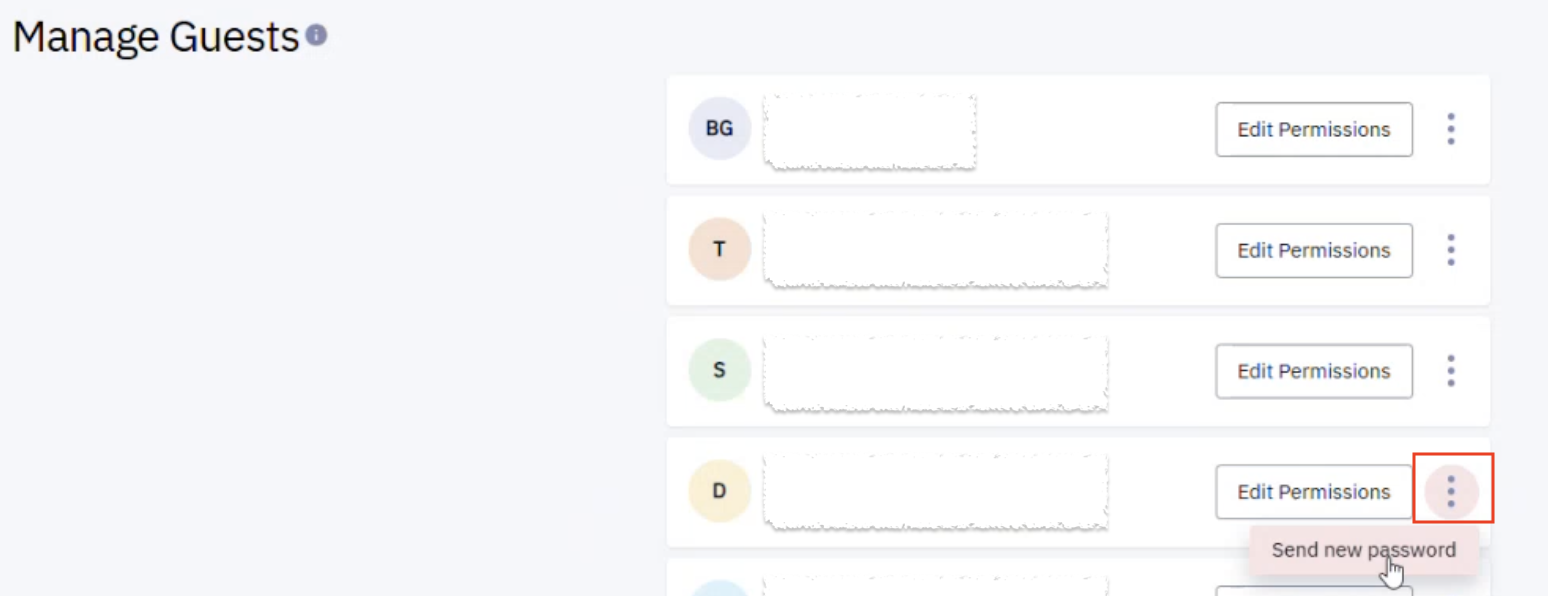
- Back on the Manage Guests page, click the three dots menu next to that guest’s name. Then select Send new password.

The authorized guest will receive an email with a temporary password and sign-in instructions. They will be prompted to verify their identity by sending a verification code to the mobile number provided. They will also be asked to create their own password and recovery question immediately. Those instructions are detailed in the MyBU Student for Guest Users resource.
Add a New Guest User
- From the MyBU Student Dashboard menu, select Manage Guests.
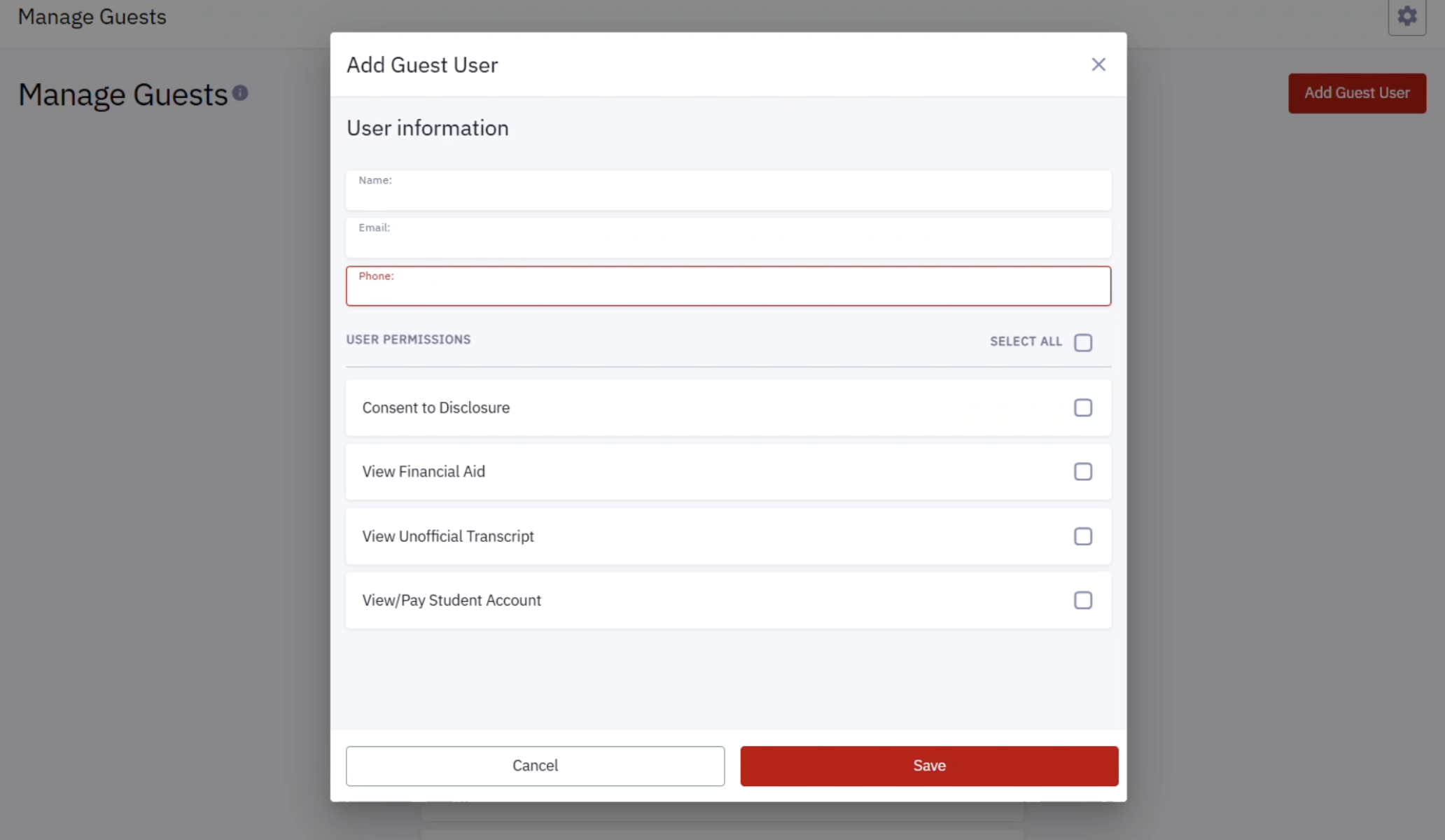
- On the Manage Guests page, click the Add Guest User button in the top right corner.
- Follow the on-screen prompts, including the FERPA acknowledgement. Enter the guest’s name, email address, and phone. All must be entered to save.
- Select which permissions to grant to this user. These selections can always be changed later.
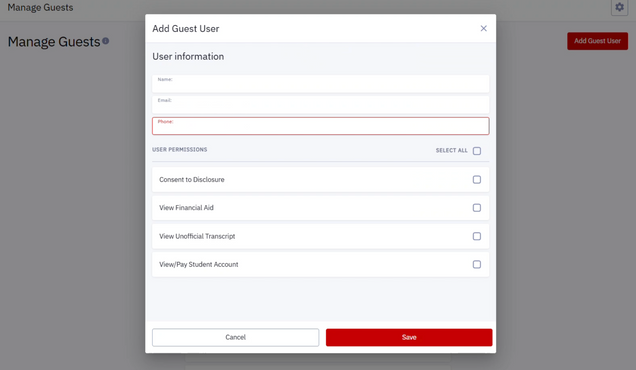
- Upon clicking Save, an email will be sent to the Guest User containing their User ID and temporary password and link to log in.
The Guest User will have a view of MyBU Student similar to the student view, but limited to the permissions defined here.
Edit Guest Permissions
All existing Guest Users will display on the Manage Guests page.
Click ‘Edit Permissions’ to modify access, or to change/edit the Guest’s name or email address.
- To revoke all access, uncheck all the boxes under User Permissions.
- Be sure to click Save.
- Both the student and the Guest User will receive an email notification confirming any changes or revocation.
Password Reset
To reset the password for a Guest User, click the three-dot icon and select ‘Send the Email Communication’. This creates a new auto-generated password and emails it to the Guest User.
Consent to Disclosure Explained
What is Consent to Disclosure? This designation allows the University to communicate with parents/guardians/others in certain limited circumstances, including the following:
- The student voluntarily withdraws or takes a leave of absence
- The student is suspended or dismissed from the University
- The student is required to leave University housing
- The permitted person has questions or concerns about the student’s financial aid or student account
- The student is placed on academic probation (a school or college official may notify parents)
Page last updated October 2026. To download a PDF copy of this resource, print this webpage as a PDF.