Advisee/ Student Lookup & Student Detail Pages
Advisors can view assigned advisees and their associated academic and demographic data. For additional details on these pages, please refer to the Advisee & Student Lookup and Student Details Processes resource.
NAVIGATION
- From the Dashboard: Advisor Tab > My Advisees widget.
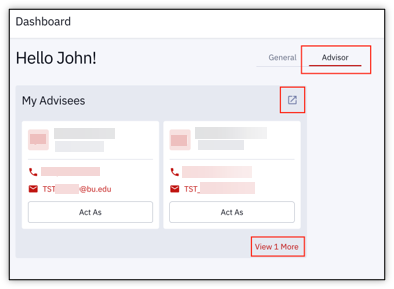
- From the Left Menu: Advisor > Advisee & Student Lookup.

ADVISEE & STUDENT LOOKUP
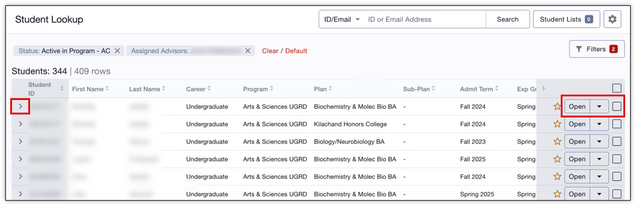
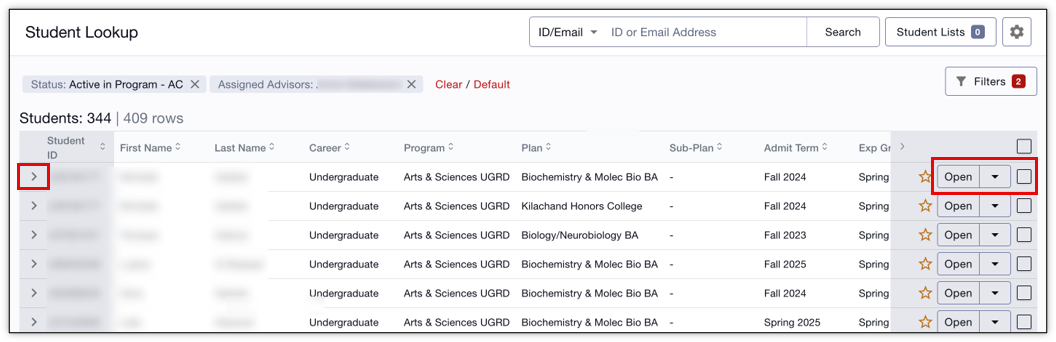
- Initial view displays high-level academic information.
- Click the left arrow to expand a student row and view more data.
- On the right side of a student row, click the down arrow for a menu to:
- Add Note
- Add to Student List
- Act As
- Release Holds (if allowed)
- On the right side of the window, select checkboxes to perform these actions for multiple students at once.
STUDENT DETAILS
Click Open on the right side of a student row (see previous image) to open a Student Details page that displays multiple data tabs:
- Overview: by Career, view Academic Level & Stats summary, Program/Plan, Advisors, Holds, Student Lists.
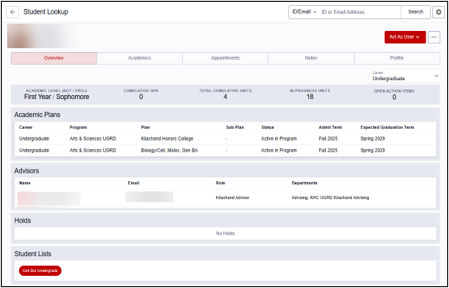
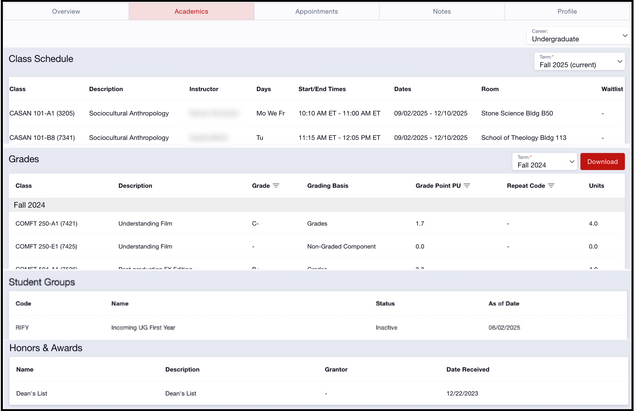
- Academics: by Career, View Schedule, Grades/Transcripts, Student Groups, Honors & Awards.
- Appointments: Manage and complete advisee appointments. See the Schedule Advising Appointments resource for complete instructions.
- Notes: Create, view, and update notes.
- Profile: View bio/demo and contact information.

This page was last updated April 2026. To download a PDF copy of this resource, print this webpage as a PDF. Other resource formats can also be accessed via the relevant icons below.
