View Award Activity
This resource covers how staff users can view a student’s award information as financial aid is packaged, adjusted, and disbursed. Use the Award Activity page in MyBU Student to review changes to a student’s financial aid due to these actions.

Introduction
When students have changes to their award amounts due to actions such as Offer/Accepted, Authorization, or Disbursement, these actions are time-stamped and logged on the Award Activity page. This activity occurs as a student accepts or declines an offer (for loans) or when business processes run and the award is authorized and disbursed. Each of these actions is recorded in the Award Activity log.
ⓘ NOTE: This resource includes information related to Federal Financial Aid policies which are liable to change. Staff maintaining this documentation will update terminology, links, or processes in accordance with new information as it becomes available in conjunction with Student Information System updates. The information here identifies salient details regarding the usage of MyBU Student and is designed to be used in conjunction with Financial Aid Procedures and Processes.
⚠︎ Screen options and menus will vary by user; please note that displays may differ for you based on access that has been granted. All screens shown are for training purposes only.
Navigation & Overview
Navigation (FULL SITE): Menu > Financial Aid > View Award Activity
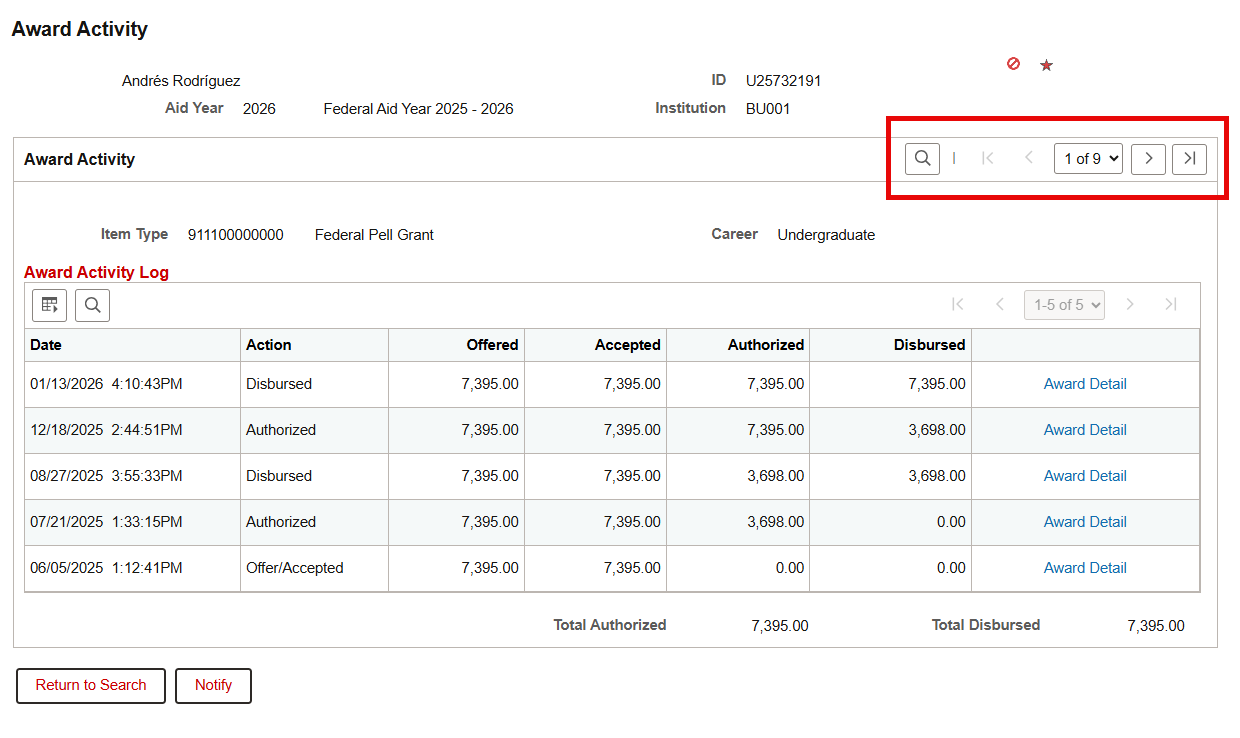
Search for the student by entering their UID and the applicable Aid Year. Use the magnifying glass to look up the Aid Year if needed.

The Award Activity page will default to display one item type (i.e., one element of the aid package) at a time. Item types are ordered by the numerical code associated to them.
Use the navigation arrows or dropdown to move between item types as needed. The magnifying glass can also be used to look up relevant values (e.g., “work study”, “scholarship”). Unfortunately there is no ‘View All’ option for this page.

Refer to the section below for more details and examples of Item Types that may display.
View Award Activity
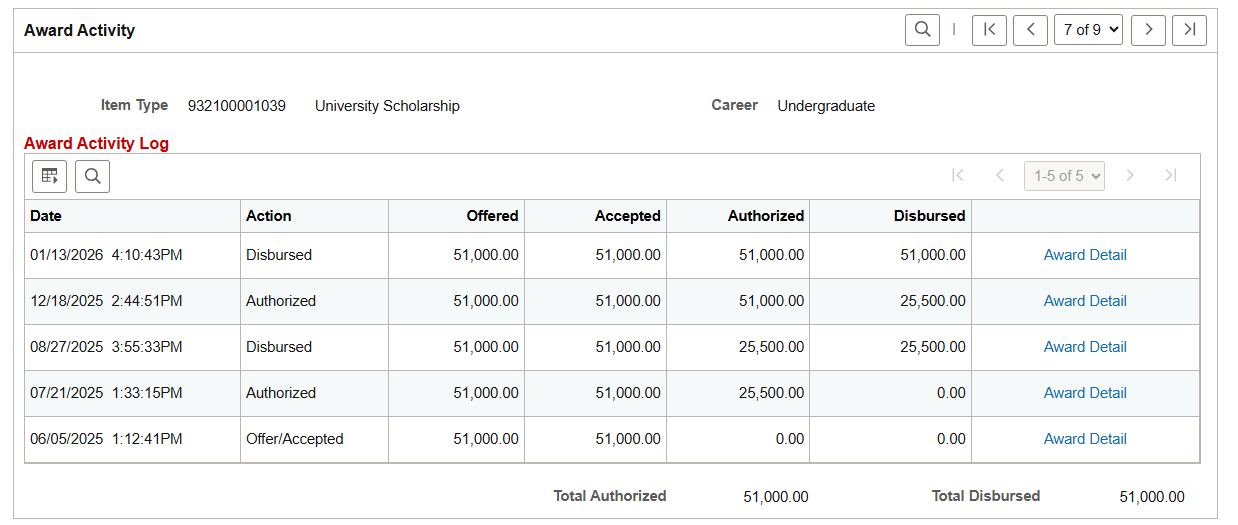
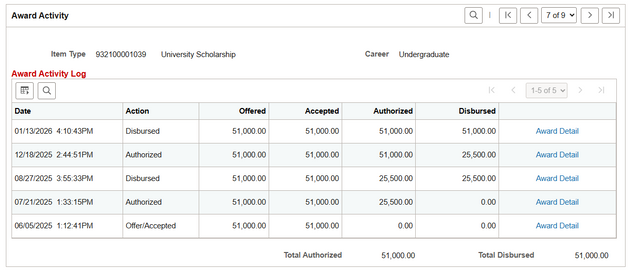
The Award Activity Log section displays the activity associated with the currently displayed Item Type (i.e., element of the aid package), and provides information on the actions associated with the date of activity. Each row of the table indicates an action taken for that Item Type, along with the date and applicable dollar amount that was offered, accepted, authorized and/or disbursed. The most recent action appears first.
The example below shows the activity log for student’s University Scholarship, which was offered to the student on June 5, 2025 . Since the item type is a scholarship, the action recorded on this date was ‘Offer/Accepted’. The scholarship was then authorized and disbursed in equal installments for each term of the aid year. The columns reflect the total amounts offered, accepted, authorized and/or disbursed as of that action.
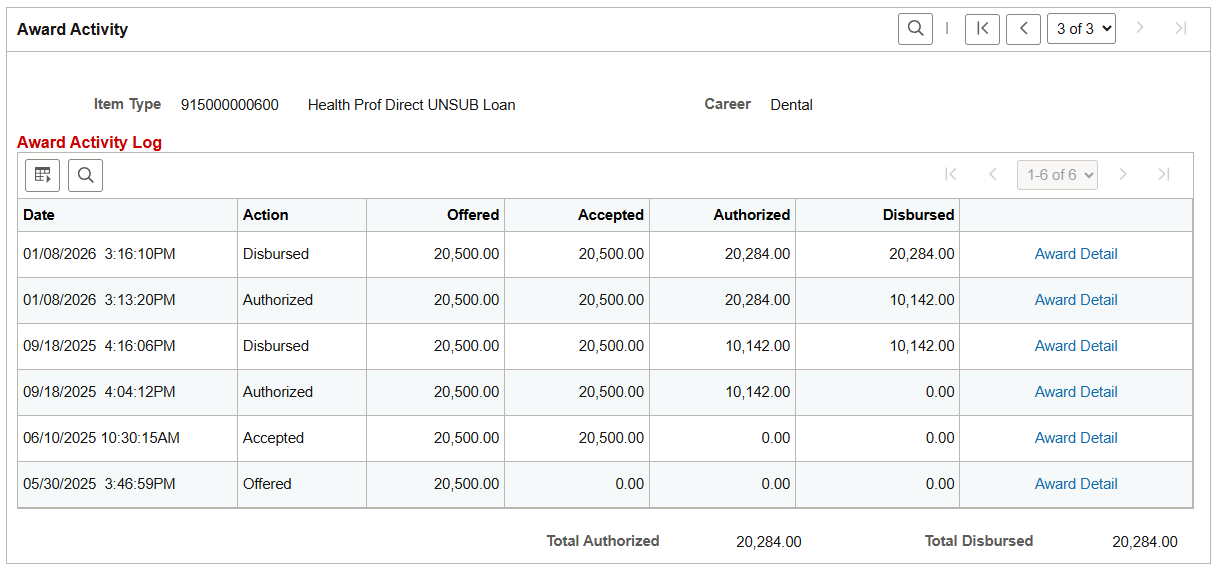
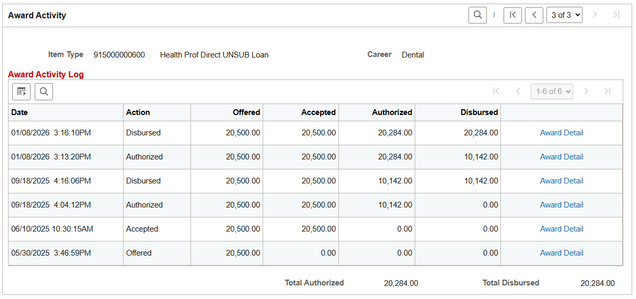
For a loan item type like the one shown below, the loan is first offered and then later accepted by the student before being authorized and disbursed for each term.
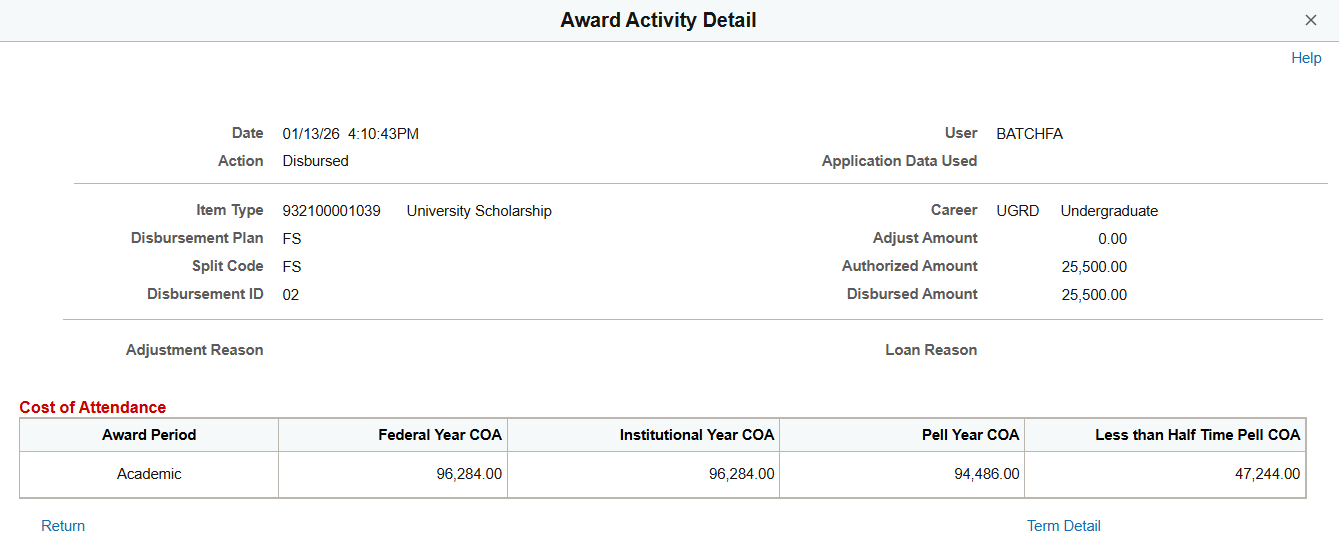
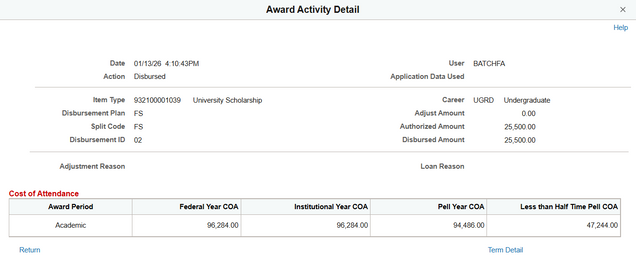
For each action, click Award Detail to view additional information about the Item Type and the action taken, along with relevant Cost Of Attendance reference data. The example below shows the details of a University Scholarship disbursement.
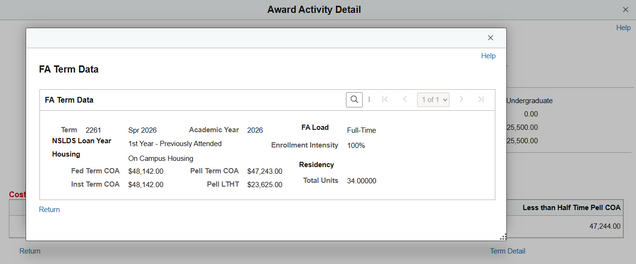
Within the Award Activity Detail pop-up window, Term Detail can be clicked to view more specific FA Term Data, including the student’s housing info and COA term breakdowns.
Page last updated April 2026. For a PDF copy, print this webpage as a PDF.