Unofficial Transcript Information
What can be viewed with the Unofficial Transcript? The following resource outlines the student academic data that can be referenced on this MyBU Student page.


The Unofficial Transcript page is available for students and for staff or faculty who have been granted the ‘Act As’ student function.
- Staff & faculty can review more detailed steps on using ‘Act As’ in the Act As Student resource.
Navigation: Academics Menu > View Unofficial Transcript
- The first options allow for the selection of Transcript Type and Career.
- Use the View button to open a PDF; it can be printed or downloaded from there.
- The initial summary data includes Enrollment, Transfer, & Combined Credit Totals and GPA Statistics.
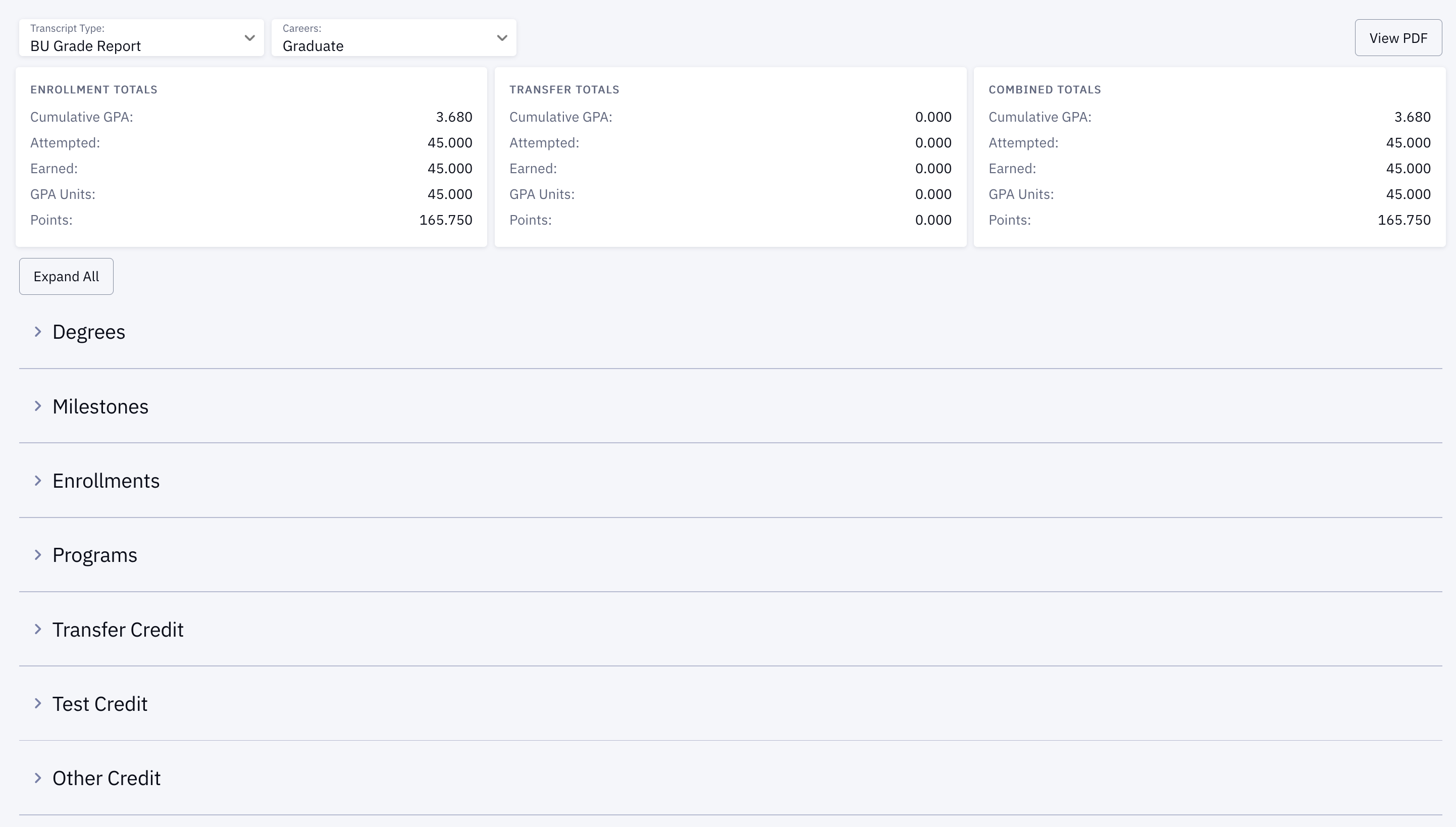
Expand each section or use the Expand All button to view the following information:
- Degrees: Degree (if applicable), Date, Associated Plan.
- Milestones: Milestone & Level, Associated Program, Status.
- Enrollment: Per Term, Courses Enrolled, Credits Attempted & Earned, Grades (if applicable), Points. Term Credit Totals & GPA.
- Programs: Program/Plan, Date, Status.
- Transfer Credit: Per Source Institution, Associated Program, Courses, Term Taken, Status, Units Taken, Grade.
- Test Credit: Per Term, Associated Program, Courses, Credits Attempted & Earned, Status, Grades (if applicable), Points. GPA Totals, Attempted & Earned Credits Totals.
- Other Credit: applicable credit details.
For a downloadable quick card, please click the PDF icon above.