This resource provides an overview of the areas in MyBU Student where students can update their personal information. This includes contact and address details, names changes, settings related to FERPA and the public directory, and important steps for international students.
Introduction
Personal data on a student record can be changed in a few different places. Refer to the sections below for details.
Note that BU maintains student data in accordance with the federal Family Educational Rights and Privacy Act (FERPA). More information about data privacy and FERPA can be found on the Registrar’s website.
⚠︎ Screen options and menus will vary by user; please note that displays may differ for you based on access that has been granted. All screens shown are for training purposes only.
Contact Info
Basic Contact Info can be updated in MyBU Student in My Profile, under Contact Info. Details entered here are for internal use by appropriate BU offices only and are not made externally available (unless authorized under FERPA).
This includes:
Phone Number(s), including BU Alert number
Mailing Address(es): see additional address information in next section
Requirement for F-1 & J-1 Students: must report physical residence address updates within 10 days of a move. Refer to information in the last section for more details.
Address Details
My Profile Address Updates
If adding or updating an address in the Contact Info area of My Profile as described above, a verification feature can display recommending potential edits based on address database comparisons.
US addresses will utilize US Post Office data for comparison and suggestions.
International addresses will run through a less rigorous verification process.
Compliance & Tasks
A Current (Local) Address Compliance item may be assigned prompting students to submit their address.
The address entered via that compliance activity will update the Contact Info page in My Profile (updating directly in My Profile will NOT satisfy the compliance item).
US Addresses Only: upon entering a US based current/local address in that compliance activity, a verification process runs. It’s possible that suggested edits will display to align with documented USPS data.
If any issues are encountered with the verification, please contact registrar@bu.edu.
A Diploma Information task will also be assigned to students in the lead-up to their graduation, requiring a mailing address for the diploma(s). For more instructions, refer to the Diploma Name & Address resource.
Your Display Name (the name that defines how you identify yourself and how you wish for others to identify you) can be updated individually in the following places:
Directory Information is defined as student data that, unless restricted by the student, can be released to third parties upon request. It includes the following:
Academic program (degree, major, minor)
Dates of attendance, full-time / part-time status
Degrees, honors, and awards received
Local address* and BU directory phone number
School or college
Listing in the Commencement program
Listing in the Bostonia Yearbook
Under the Family Educational Rights and Privacy Act (FERPA), you have the option to restrict this information from disclosure to external parties.
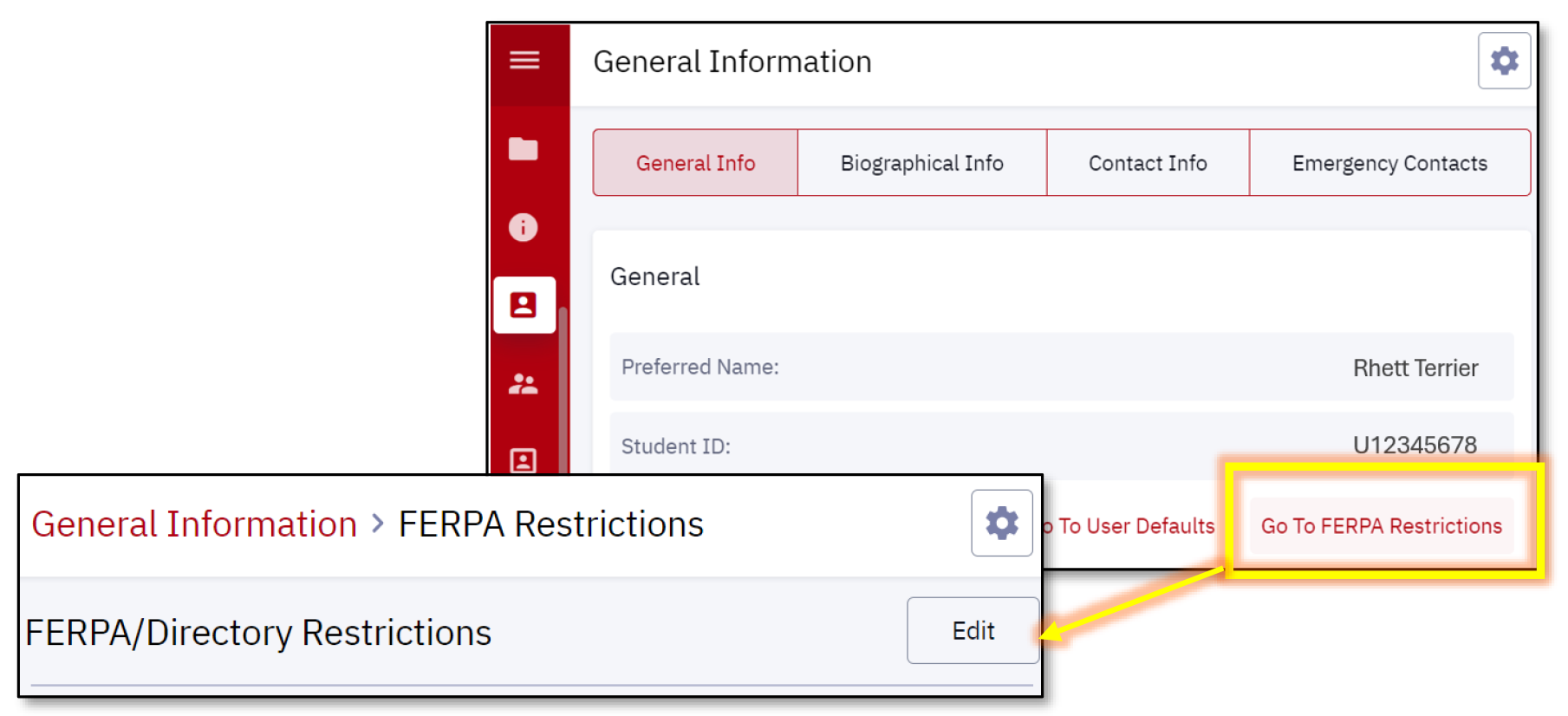
You can restrict directory information in MyBU Student in My Profile, under General Information. Click “Go to FERPA Restrictions” to review and/or edit your data restriction. This is an “all or nothing” restriction; at this time it is not possible to select specific pieces of information to restrict.
More information regarding Boston University’s compliance with FERPA can be found here.
Pronouns
Students can use the Update My Personal Information application to indicate their pronouns and/or gender identity information. Inputting this information is optional, and is also reflected on the BU Online Directory. (Refer to the Public Directory Listing section below for more information.)
The pronoun selection will be reflected in MyBU Student, and appear in such places as faculty’s class rosters.
Public Directory Listing
The BU Public Directory (available at www.bu.edu/directory) is a publicly available lookup tool with information about people across the BU community, including students, faculty, and staff.
The Update My Personal Information application can be used to add to, edit, or restrict the information in your BU Public Directory listing.
If you have selected the FERPA directory restriction in MyBU Student, you will automatically be removed from the Public Directory.
Additional resources regarding Boston University’s use of bio-demographic data can be found here.
International Students: Address Requirement
Requirement for F-1 & J-1 Students: must report physical residence address updates within 10 days of a move.
ISSO Address Process Information
Where to report address information varies depending on whether a student is currently enrolled or has completed a program of study:
At check-in and during the program of study: the current address and foreign immigration address must be updated through the ‘Contact Info’ section of the MyBU Student Portal (see image example in section below).
Click here for further instructions and sample addresses.
During the program of study, BU will automatically send address updates to SEVIS.
After program completion: (during a grace period, OPT, STEM OPT or AT) – initiate a ’Contact Information Update’ in the ISSO Portal.
Address Types
A physical residence is defined as where a student lives, not the school, lab, or P.O. Box.
ISSO will automatically forward all address updates to DHS through the Student & Exchange Visitor Information System (SEVIS).
A foreign immigration address is defined as the permanent address in the student’s home country.
MyBU Student Contact Info & Addresses
Addresses can be updated in MyBU Student in My Profile, under Contact Info.
Click on the Add Address button to update current address and foreign address. Use the Add Future Address button to enter address details for an upcoming move, if known.
This page was last updated April 2026. To download a PDF copy of this resource, print this webpage as a PDF.