Students: Accept or Decline Financial Aid Award
This resource provides steps for enrolled students to accept or decline an award in MyBU Student, including the ability to accept a reduced award amount.
Note that Staff cannot accept/decline awards for a student – this option is not visible when using the ‘Act As’ feature.
⚠︎ Screen options and menus will vary by user; please note that displays may differ for you based on access that has been granted. All screens shown are for training purposes only.
Accept/Decline Awards
- Login to the MyBU Student Portal.
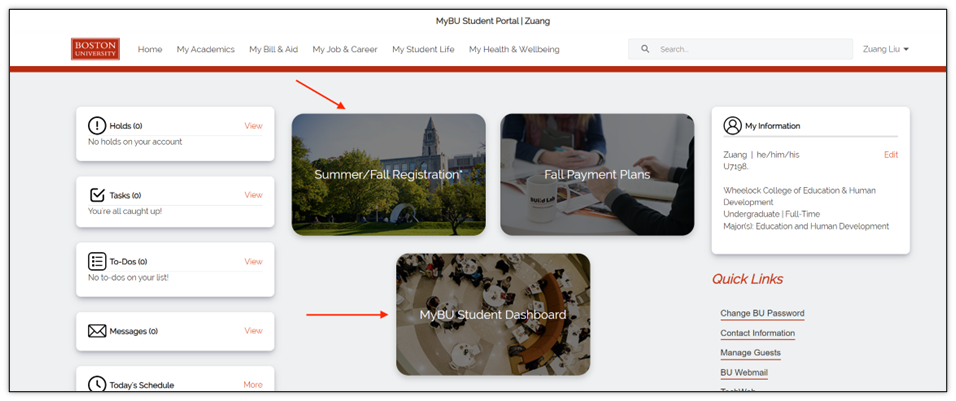
- On the Portal homepage, select the MyBU Student Dashboard tile.
- Shortcuts to view aid may also appear on the homepage. Depending on the page this directs to, it may still be necessary to navigate to the Accept/Decline Awards page.
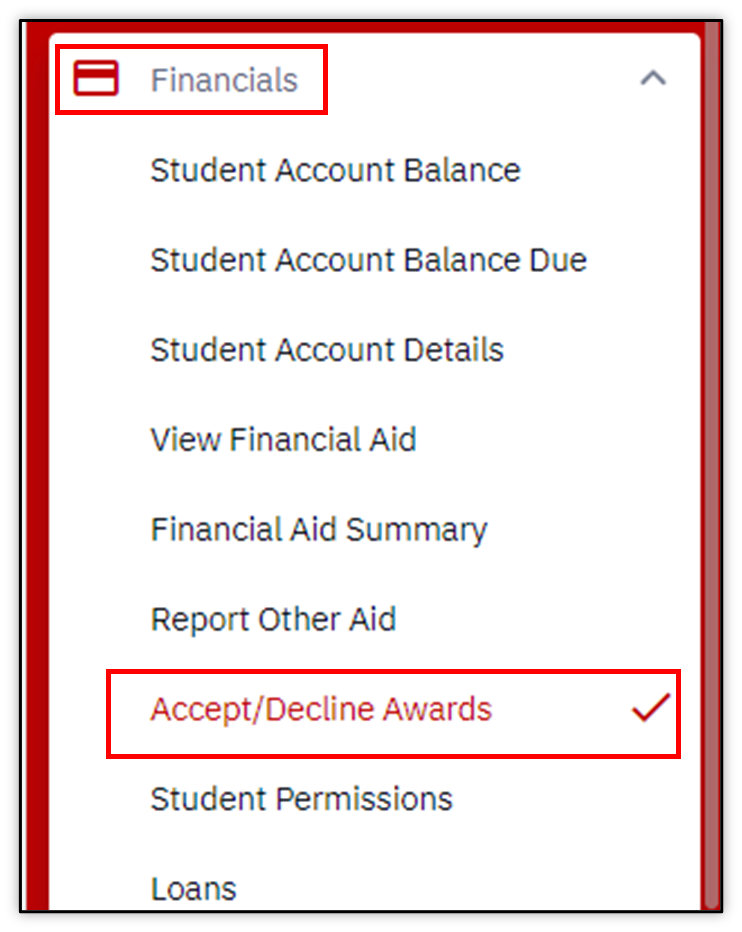
- In the left menu, navigate to Financials > Accept/Decline Awards.
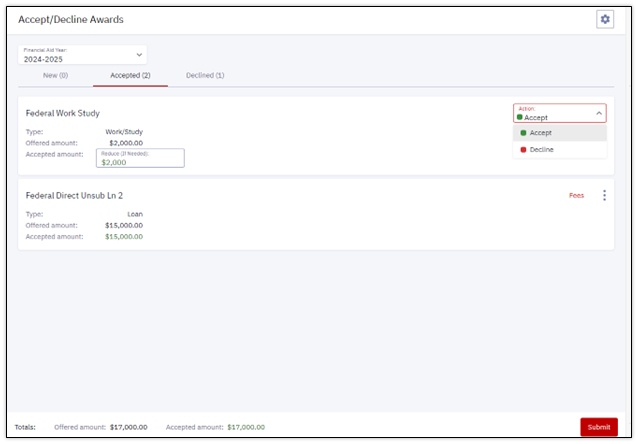
For the selected Term, active awards that need an accept or decline response (Awards in the Offer status) will show up in the New tab. Some elements of the financial aid package (e.g., scholarships) may not appear if they do not require the student to accept or decline.
- Click on the Action menu and choose ‘Accept’ or ‘Decline’.
- Selecting ‘Accept’ allows the student to enter a reduced amount. More details below.
- Click Submit.

Accepted Awards
Awards that have been accepted or awarded in the ‘Offer/Accept’ status will show up in Accepted tab. Applicable awards can be reduced or declined here.
- To reduce the amount or decline from the Accepted tab, click the three dots menu to Edit.
- Enter the reduced amount in the Accepted Amount field, or if desired, select the ‘Decline’ option in the Edit Action menu.
- Note that amounts cannot be adjusted after they have already been disbursed to the Student Account.
- Once the desired adjustments have been made, click Submit.
Declined Awards
Declined aid will show up in the Declined tab.
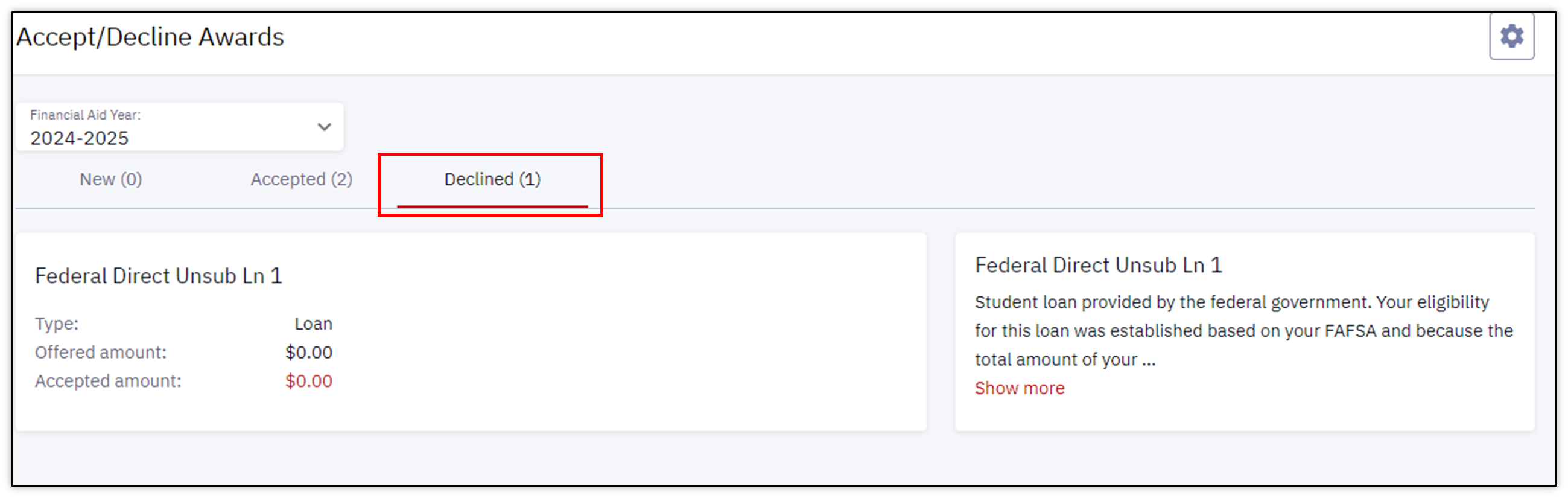
If an award was declined in error or there is a need to reinstate an amount that was declined, please contact BU Financial Aid.
This page was last updated June 2026. To download a PDF copy of this resource, print this webpage as a PDF.
