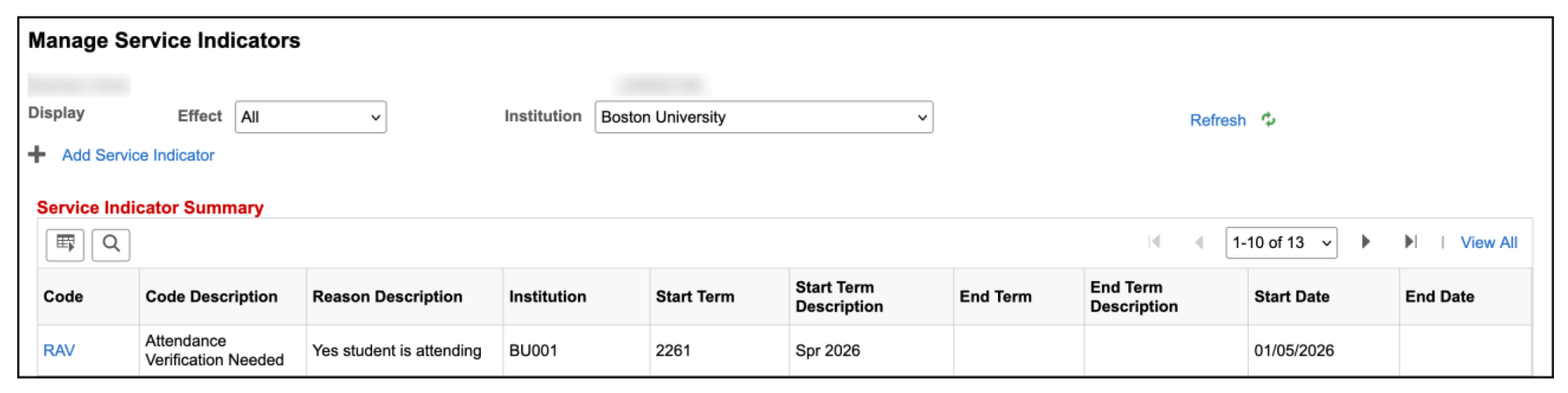
For comprehensive instructions on understanding queries and using Query Viewer, please refer to the
Staff Queries resource. Brief descriptions for queries that can help compile RAV Service Indicator data are below.
- BU_SR_SRVC_IND_DATA, Service indicator data by term
- BU_SR_SERVICE_IND_STDNT_LIST
- BU_R0046D_SR_BY_COLLGE_LIST, Student List By Prog/College
SERVICE INDICATOR DATA BY TERM
QUERY NAME: BU_SR_SRVC_IND_DATA, Service ind data by term
ABOUT: Lists students with a specific service indicator code along with indicator related data.
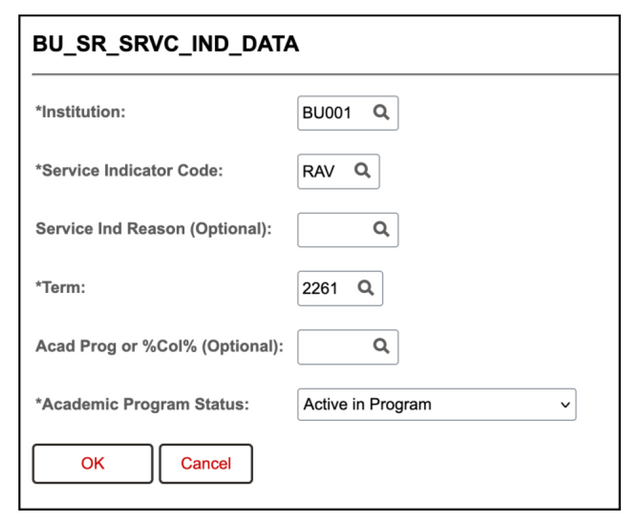
PROMPTS: **Institution, *Service Indicator Code, Service Ind Reason, *Term, Acad Prog or College, *Academic Program Status (Asterisks indicate required field)
Select RAV in the Service Indicator Code field. Enter other required fields and any other desired criteria.
DATA FIELDS DISPLAYED IN RESULTS:
| ID |
Last Name |
First Name |
Middle Name |
BU Email |
| Academic Career(s) |
Academic Program(s) |
Academic Plan(s) |
Admit Term(s) |
Program Status |
| Service Indicator Cd |
Service Ind Cd Description |
Reason Code |
Reason Code Description |
Service Impact |
| Service Impact Description |
Service Ind Active Term |
Service Indicator End Term |
Service Indicator Active Date |
Service Indicator End Date |
| Service Indicator Date Time |
Placement Method |
Placed By (User ID) |
Placed By (Name) |
Service Indicator Date Time |

SERVICE INDICATOR STUDENT LIST
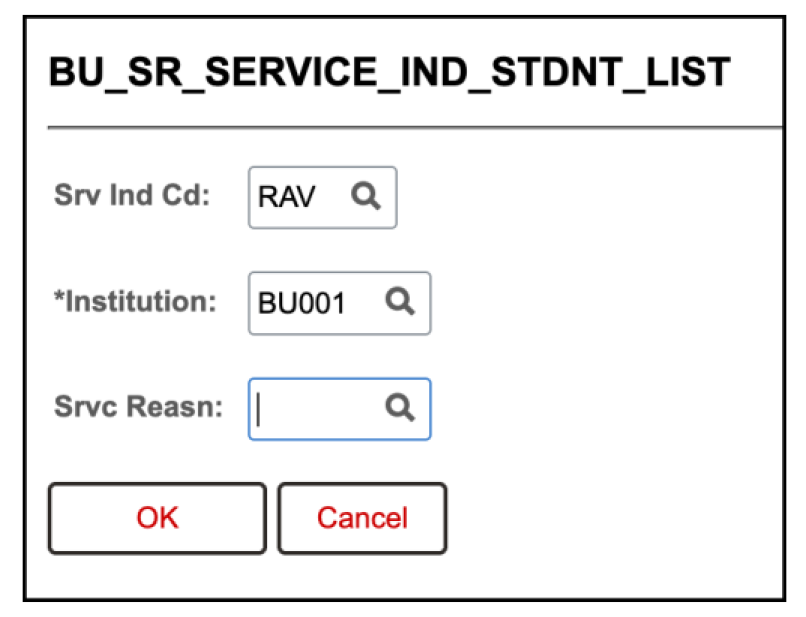
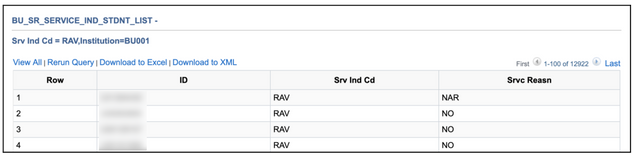
QUERY NAME: BU_SR_SERVICE_IND_STDNT_LIST
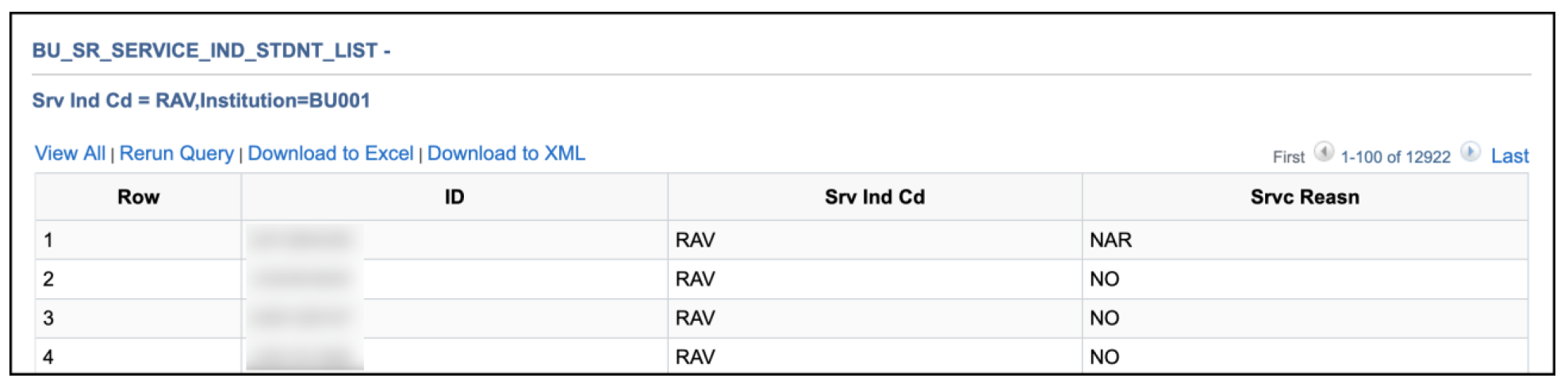
ABOUT: List of all UIDs with a particular service indicator applied (not specific to term or program).
PROMPTS: *Srv Ind Cd, *Institution, Srvc Reason (Asterisks indicate required field)
Select RAV in the Service Indicator Code field. Enter other required fields and any other desired criteria.

DATA FIELDS DISPLAYED IN RESULTS:
| ID |
Srv Ind Cd |
Srvc Reason
|
STUDENT LIST BY PROGRAM/COLLEGE
QUERY NAME: BU_R0046D_SR_BY_COLLGE_LIST, Student List By Prog/College
ABOUT: Lists students with their academic information for a particular program/college and term, which can be narrowed to a specific service indicator in the search prompts.
PROMPTS: *Institution, *Term, Academic Career, *Acad Prog or College, Academic Plan, Admit Term, Expected Grad Term, Student Group, Service Indicator (Asterisks indicate required field)
Select RAV in the Service Indicator Code field. Enter required fields and any other desired criteria.

DATA FIELDS DISPLAYED IN RESULTS:
| ID |
Last Name |
First Name |
Middle Name |
BU Email |
Pronouns |
Cell Phone |
International Indicator |
| Term |
Admit Term(s) |
Admit Term Description(s) |
Expected Grad Term(s) |
| Expected Grad Term Description(s) |
Academic Level-Term Start |
Student Enrollment Status |
Academic Program Status |
| Academic Program(s) |
Acad Program Description(s) |
Academic Plan(s) |
Acad Plan Description(s) |
| Sub-Plan(s) |
Sub-Plan(s) Descr |
Academic Load |
Degree |
| Current GPA |
Cumulative GPA |
Term Units Attempted |
Term Units Earned |
| Total Term Units |
Total In Progress Units |
Total Cumulative Units |
Withdrawal Code |
| Withdrawal Reason |
Withdrawal Date |
External System(s) |