Post Enrollment Requirement Checking for Staff
This resource provides information on how the Post Enrollment Requirement Checking activities work as part of the overall Enrollment Pre/Co-Requisite process. It focuses on how School/College department staff can review student enrollment eligibility and how to make changes.

Introduction
One part of the overall process for having pre or co-requisites associated to a class is Post Enrollment Requirement Checking (PERC). This evaluates student eligibility to remain enrolled in next term’s classes, specifically reviewing those students who were allowed to conditionally enroll based on being currently in progress in a requirement. After OUR runs the initial PERC steps, the department staff can use the Enrollment Requirement Roster (ERR) to review and manually adjust student enrollment eligibility.
The Enrollment Requirement Roster allows for:
- The selection of class requirements to see which requirement a student satisfied or did not satisfy.
- Easily navigate to student details, such as class history, to see how the student satisfied (or not) a requirement.
- Manage the Drop/Approved Indicator.
⚠︎ Screen options and menus will vary by user; please note that displays may differ for you based on access that has been granted. All screens shown are for training purposes only.
Pre/Co-Requisite Stages Overview
Pre-requisites for a class must first be set up in the curriculum management pages. Department schedulers can find more instructions in the Enrollment Requirement Groups and Maintain Schedule of Classes resources.
The following is an introduction to the foundational concepts. Additional details are provided throughout the remainder of these instructions.
Conditional Enrollment: student is permitted to enroll in, or waitlist, a course for the next semester based on current enrollment in the course’s pre-requisite.
- Example: student is currently enrolled in Generic 101 and wants to enroll in Generic 102 for next semester. Generic 102 requires successful completion of, or enrollment in, Generic 101. Because they’re currently enrolled in 101, they are able to conditionally enroll in 102.
Post Enrollment Requisite Checking (PERC): process that provides a way to manage conditional enrollments. It allows for the evaluation of those enrollments once grades are posted to determine if students can continue in their chosen course, or if they need to be dropped.
- Examples: once PERC is run, the student’s grade indicates:
- They passed Generic 101, therefore the 102 enrollment is automatically approved.
- They did not pass Generic 101, therefore their status in Generic 102 is set to ‘Drop Request’ as they did not satisfy the requirement.
- The Generic 101 grade is not yet entered, therefore their status in Generic 102 is set to ‘Drop Request’ on the basis that there is no passing grade present.
When a student attempts to register for a class where a pre or co-requisite is associated, the following general stages of the process will occur:
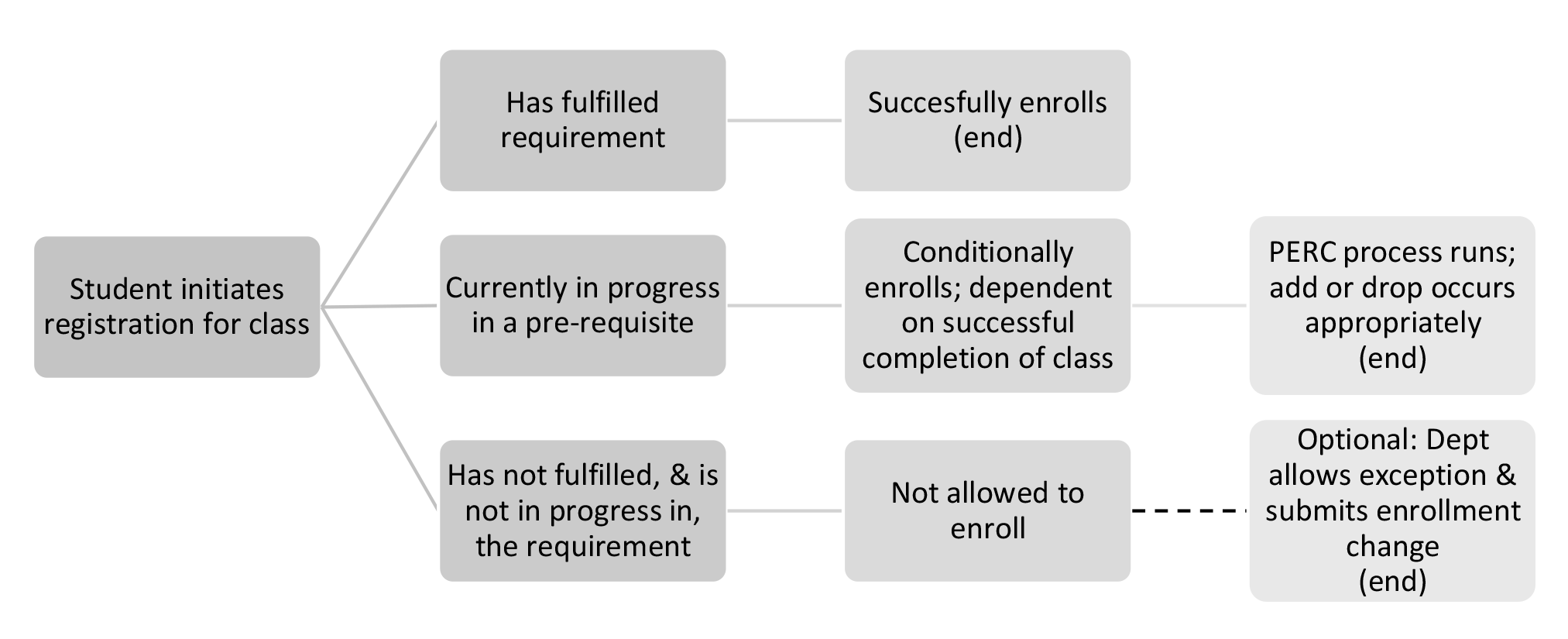
- For an understanding of what a student experiences when registering, please review the Student Enrollment Pre-Requisites resource.
- For information on department approval actions at the time of registration, please refer to the Staff Enrollment Pre-Requisite resource.
- This resource focuses on the Post Enrollment Requisite Checking (PERC) part of the process for department staff.
PERC Process
The following steps apply to the Post Enrollment Requisite Checking (PERC) process that occurs at the end of the term. This will evaluate the result for those students who are conditionally enrolled in a class for the next term based on their in progress status of the pre/co-requisite.
| When | Who | What |
|---|---|---|
| Within a few days after term grades are finalized | OUR | Runs the Post Enrollment Requirement Checking function.
|
| Upon OUR’s completion of PERC process | Dept Staff | Review the enrollment eligibility results using the Post Enrollment Req Roster query (instructions below).
|
After provided deadline for Dept review | OUR | Processes the drop action for students who did not meet the enrollment requirements. Students will be dropped from the class and receive a notification. |
TIP! PERC checks requirements as defined when the student is conditionally enrolled. If Requirement Group configuration has changed for a course or section since enrollment began, PERC is only checking what was there at the point the student enrolled.
Department Review
Once OUR compiles the initial PERC Roster, school/colleges staff can review student enrollment eligibility and determine in certain cases if requirement was satisfied another way or if exception is warranted.
- Review eligibility data via Post Enrollment Req Roster query.
- Enter manual adjustments via Enrollment Requirement Roster.
ⓘ NOTE: While manual updates are allowed at this point, if the prerequisites are set up correctly and all grades are in, there should be very few adjustments needed.
REVIEW ELIGIBILITY DATA
Navigate to Query Viewer: Dashboard Left Menu > Reporting Center > Query Viewer
- Or via Full Site > NavBar Menu > Reporting Tools > Query > Query Viewer
- Enter Query Name: BU_SR_PERC_POST_REQ_ROSTER
- Search; the Post Enrollment Req Roster query will display.
- Click the Run to Excel link (will help with filtering later).
- Term: enter the value for the next term.
- Enter remaining criteria as needed: Academic group, Org, Subject, or Catalog Nbr.
- Click OK or View Results.
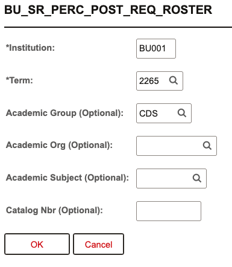
- In the Excel file, filter to view students with a ‘Not Satisfied’ status; these are students who are conditionally enrolled.
- Column Q – Post Enroll Reqs Status.

Review to see if any students have satisfied their eligibility another way and need their status updated. If no action is needed, this process is complete.
Adjustments in Enrollment Requirement Roster
Reminder: there should not be many adjustments needed. If cases arise, department staff can use the Enrollment Requirement Roster to enter manual updates.
Adjustment Examples:
- The student did not pass Generic 101. However, it was determined that one of their other courses will fulfil the requirement.
- The student’s grade for Generic 101 is not yet entered (therefore gets compiled as not eligible). However, the professor has indicated that they did pass the class.
The Enrollment Requirement Roster allows for:
- The selection of class requirements to see which requirement a student satisfied or did not satisfy.
- Easily navigate to student details, such as class history, to see how the student satisfied (or not) a requirement.
- Manage the Drop/Approved Indicator.
NAVIGATION & PAGE OVERVIEW
Navigate to Enrollment Requirement Roster: Full Site > NavBar Menu > Curriculum Management > Enrollment Requirements > Post Enroll Req Checking > Enrollment Requirement Roster
- Enter the criteria for a course or class for the desired term/session.
- If searching for a range of classes, at a minimum enter the Academic Institution and Term.
- Search.
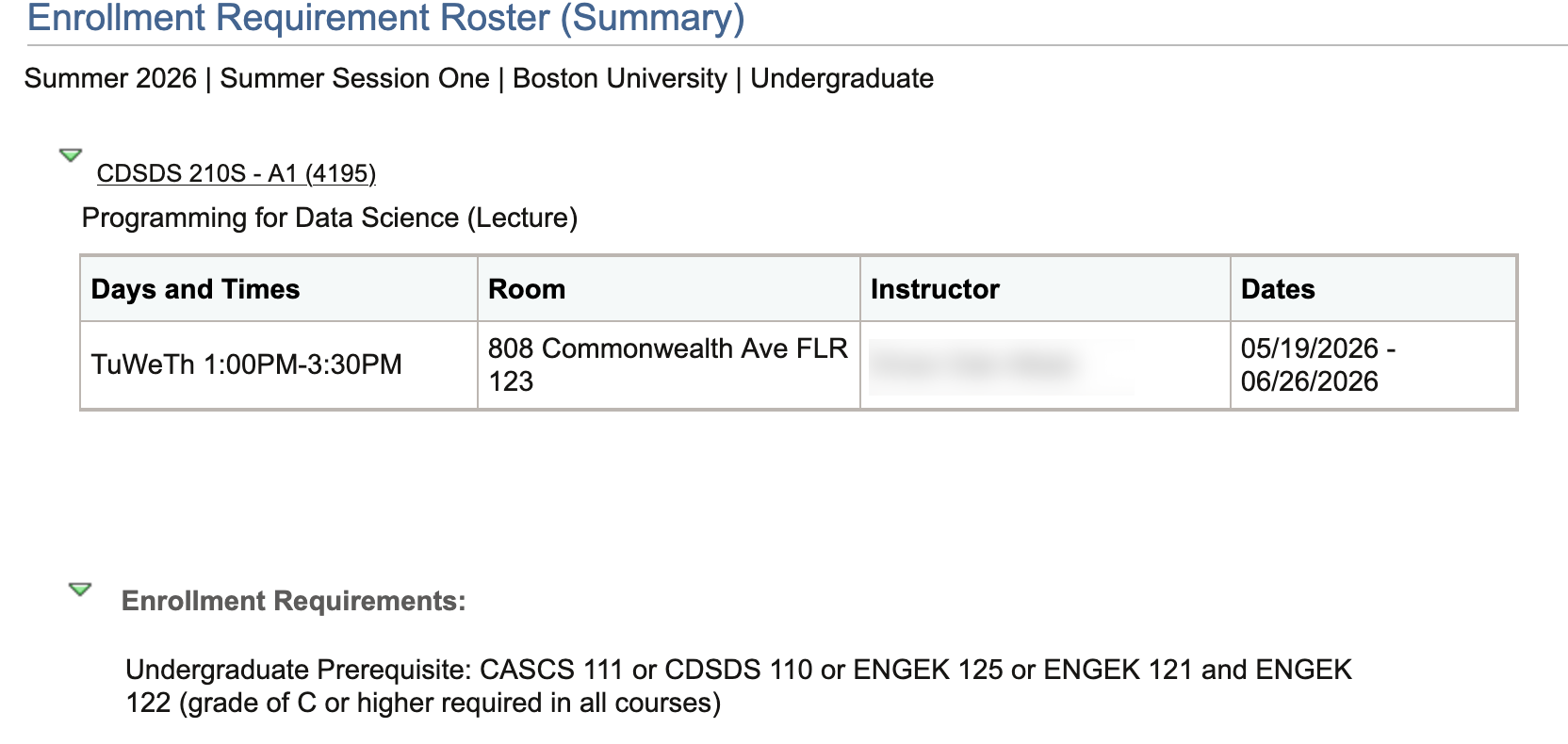
- Select the desired class from the results; or if a specific class has been searched, the Enrollment Requirement Roster (ERR) summary will open with class details and its associated requirements.
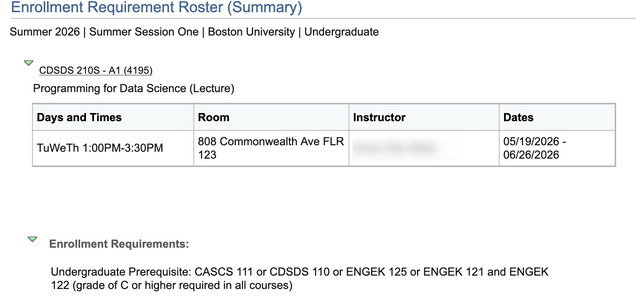
- In the center of the ERR page, review the Set Filter Options.
- Status: Enrolled and Waitlisted selections will default.
- Requirement Status: Not Satisfied and Conditionally Satisfied selections will default.
If interested in students who are enrolled and have not fulfilled the class requirement(s), confirm that the filters are set to display students in non-compliance.

- To display additional or different students, check or uncheck the boxes. Options are:
- Satisfied: The student met enrollment requirements at the time of enrollment.
- Conditional: The student conditionally satisfied enrollment requirements at the time of enrollment (i.e. enrolled in a prerequisite class).
- Overridden: The student was enrolled in the class by a staff member using an override. The student’s enrollment eligibility was not assessed at the time of enrollment.
- Permitted: The student was enrolled in the class using a permission number. The student’s enrollment eligibility was not assessed at the time of enrollment.
- Enrollment Component: The student was enrolled in the class using the Enrollment page. The student’s enrollment eligibility was not assessed at the time of enrollment, which bypasses all class enrollment requirements.
- Unknown: The student’s enrollment eligibility is unknown.
- Click the Filter button.
- The Enrolled Students section will display students based on above filter selections.
- Click the expand all arrow to see the Requirement Data and Audit/Information Links tabs together in one view.
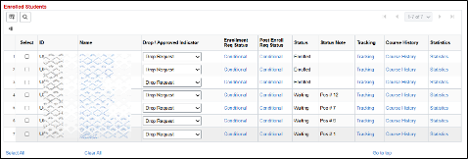
- Drop / Approved Indicator: set automatically to ‘Drop Request’ for both Enrolled and Waitlist students who are in a ‘Conditional’ or ‘Not Satisfied’ status. Note: If this space is blank, the process will still drop the student
- Enrollment Req Status: the student’s enrollment requirement status at the time of enrollment.
- Post Enroll Req Status: the student’s enrollment eligibility as assessed by PERC; click the individual student result to see how PERC evaluated the student’s status.
- Satisfied: student meets enrollment requirements.
- Conditional (Conditionally Satisfied): the student is in the process of satisfying requirements (currently enrolled in a prerequisite class which hasn’t yet been graded).
- Not Satisfied: the student does not meet enrollment requirements.
- Status: indicates a student’s current enrollment status (enrolled, on the waitlist, etc.)
- Status Note: additional information such as a student’s wait list position, penalty grade, graded, previously waitlisted, withdrawn, if the drop was initiated by PERC (PERC Drop), etc.
- Tracking: click link to access the Tracking of Key Transactions & User Notes page and view post enrollment requirement checking transaction history.
- Course History: click link to access the My Course History page as viewed from Student Self Service.
- Statistics: click link to access the Academics page as viewed from the Student Services Center.
- Click the expand all arrow to see the Requirement Data and Audit/Information Links tabs together in one view.

ENTER ELIGIBILITY UPDATES
Use the Enrolled Students list to make an update to a student’s enrollment eligibility.
- For the appropriate student, click the Drop / Approved Indicator dropdown field:
- Approved: select if student is allowed to remail enrolled or on the waitlist for the class.
- Drop Request: select if the student is to be dropped from the class or waitlist.
- Click Save.
ⓘ If the Drop/Approved Indicator is left blank, the process will drop the student if their Post Enroll Req Status is ‘Conditional’ or ‘Not Satisfied’.
Departments may set the Drop / Approved Indicator to ‘Approved’ for students on the Waitlist, so the student will not be dropped from the Waitlist.
- A warning message will display but the staff can continue and save. However, if a student is non-compliant, the waitlist process will bypass that student. The warning pop-up text reads: You are not allowed to “approve” a waitlisted student. Student in waitlist status is not allowed to be approved since the waitlist is not going to look at this status to do some sort of override.
Rerun and review the Post Enrollment Req Roster query to validate changes.
OUR COMPLETES PERC PROCESS
Upon the deadline provided for departmental review and updates, OUR will complete the drop enrollment action for students with a Drop / Approved Indicator status of:
- ‘Drop Request’
- Blank and a Post Enroll Req Status of ‘Conditional’ or ‘Not Satisfied’
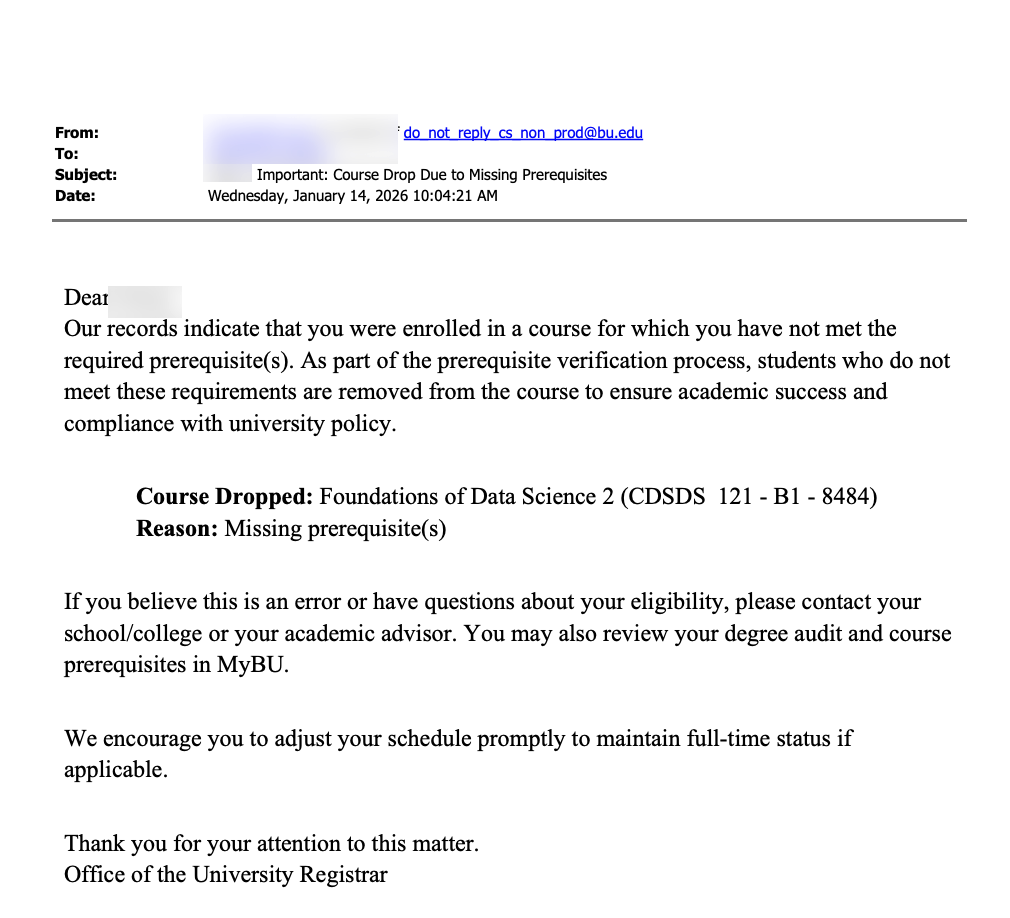
If a student is dropped in this process, they will receive a notification including the relevant details.
Page last updated June 2026. For a PDF copy, print this webpage as a PDF.