Approved Academic Load Updates: Request by Staff
This resource provides instructions for staff on how to enter requests to update a student’s Approved Academic Load. This process uses the Approved Academic Load Form.

Introduction
Use the Approved Academic Load Form in MyBU Student to request updates to a student’s Approved Academic Load (i.e., part-time or full-time enrollment). This resource outlines the steps to enter a request and view existing requests. The general process is as follows:
1. Enter the request (instructions outlined below).
2a. If staff who submit a request have access to approve requests, then the Approved Academic Load will automatically update for the student.
2b. If staff who submit a request do NOT have access to approve, then the submission will be sent to the appropriate department or school/college for approval.
In general, during a standard Fall or Spring term, students enrolled in 12 or more credits are considered Full-Time, and students enrolled in 1-11 credits are Part-Time. There are several exceptions to this for specific programs and circumstances.
TIP! The ‘Term Activated Student (Student Term Activated by Term)’ report may help with processes related to Academic Load. Refer to the report information in the Staff Queries resource for details.
⚠︎ Screen options and menus will vary by user; please note that displays may differ for you based on access that has been granted. All screens shown are for training purposes only.
Navigation
To access the Approved Academic Load form:
- Log into MyBU Student.
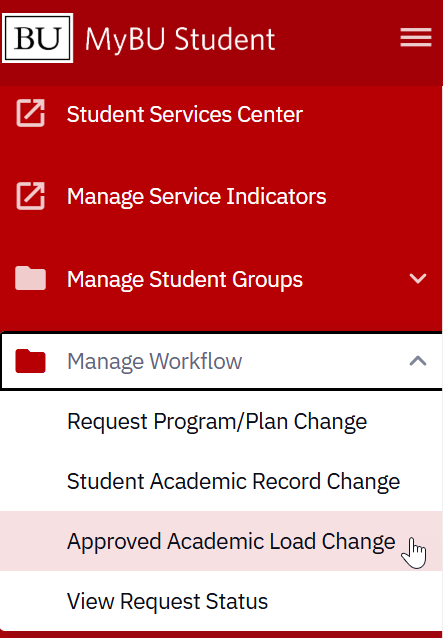
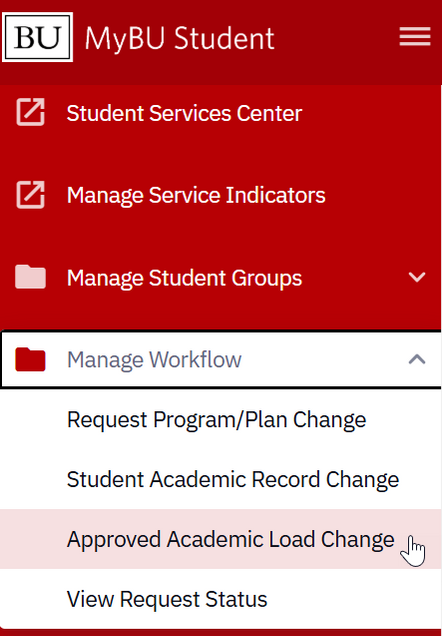
- In the left-side Menu, navigate to Manage Workflow > Approved Academic Load Change.
Create New Request
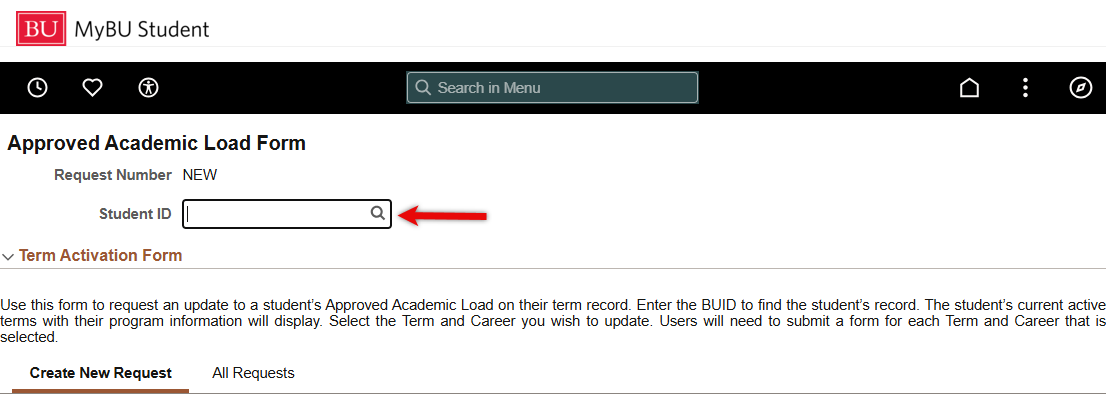
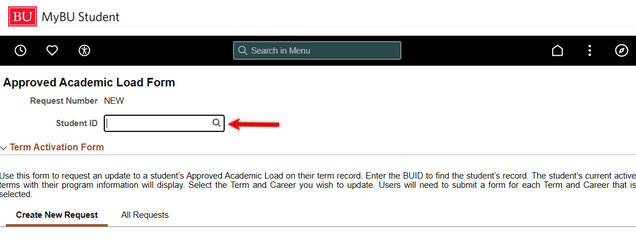
- At the top of the Approved Academic Load Form page, input the student’s BUID and hit enter/return, or click the magnifying glass to search additional criteria.
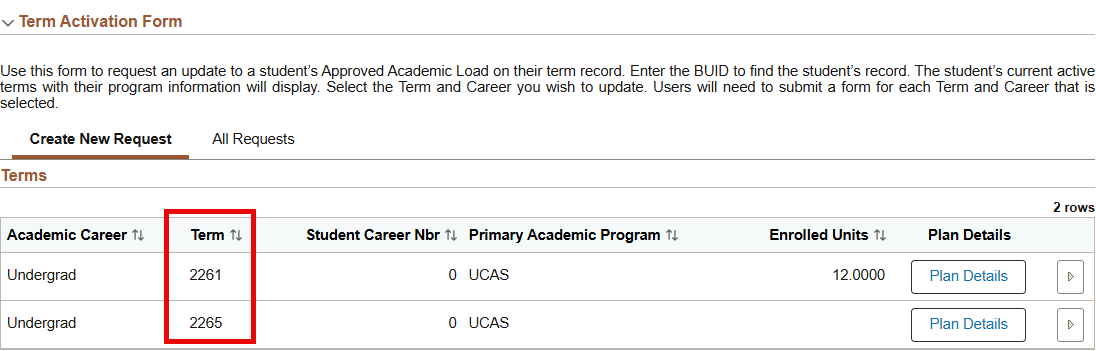
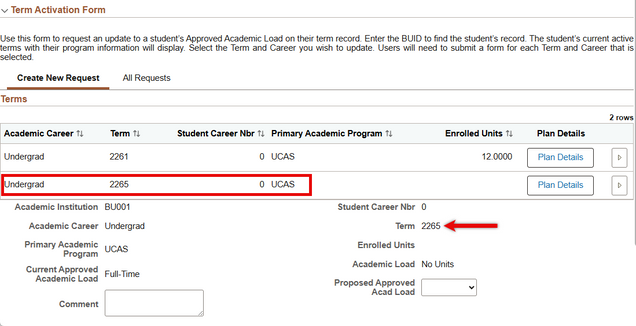
- A list of the student’s active terms will display.
- It’s possible for a student to be active in multiple terms at the same time; in this case, both (or more) terms will display as options.

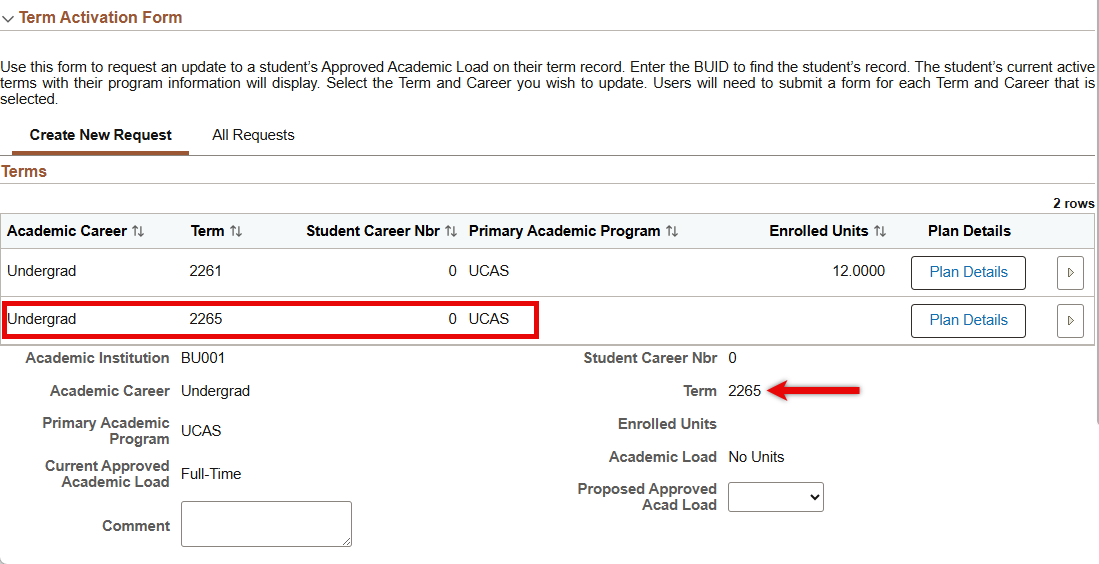
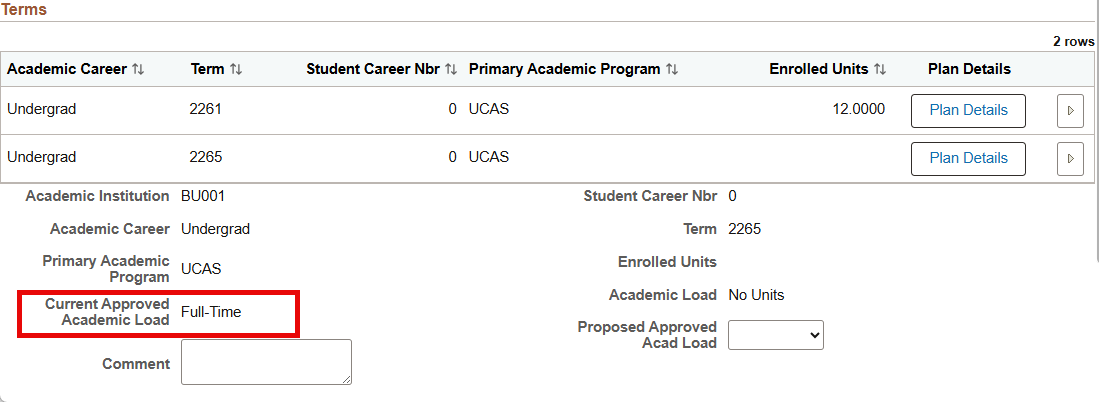
- Notice the data below the rows defaults to the first term on the list. To display the data from a different term, select that row. In the below example, clicking on the second row with the 2265 term is then reflected in the subsequent field.
- Double check the student’s Current Approved Academic Load for the indicated term.

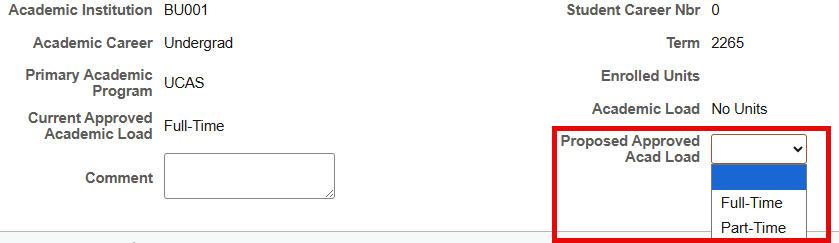
- Select the desired value in the Proposed Approved Acad Load field.
- Add a comment if needed.

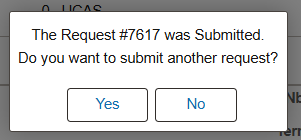
- Click the Submit button at the bottom of the page. A confirmation message will display with a Request number.
- Repeat the above process for any additional terms, if necessary.
What’s next in the process:
- If staff who submit a request have access to approve requests, then the Approved Academic Load will automatically update.
- If staff who submit a request do not have access to approve, then the submission will be sent to the appropriate dept/college for approval.
Service Indicators for Certified Load
If updating the Approved Academic Load to align with a student’s actual credit load, then no Service Indicator is necessary – simply complete the Approved Academic Load Form. However, for some uses cases, the Approved Academic Load update needs to be accompanied by the addition of a Service Indicator. Review the scenarios below:
If the desired result is…
- A student enrolled with Part-Time credits, but should be identified as a Full-Time student:
- Needs to have the Approved Academic Load entered as Full time.
- Needs a Certified Full Time (RFT) Service Indicator added
- A student enrolled in zero credits, but should be identified as a Part-Time student:
- Needs to have Approved Academic Load entered as Part-Time
- Needs a Certified Part Time (RPT) Service Indicator added.
For more information on managing Certified Full or Part Time Service Indicators, please refer to the Credit Overload Process resource.
View All Requests
- At the top of the Approved Academic Load Form page, input the student’s BUID and hit enter/return, or click the magnifying glass to search additional criteria.
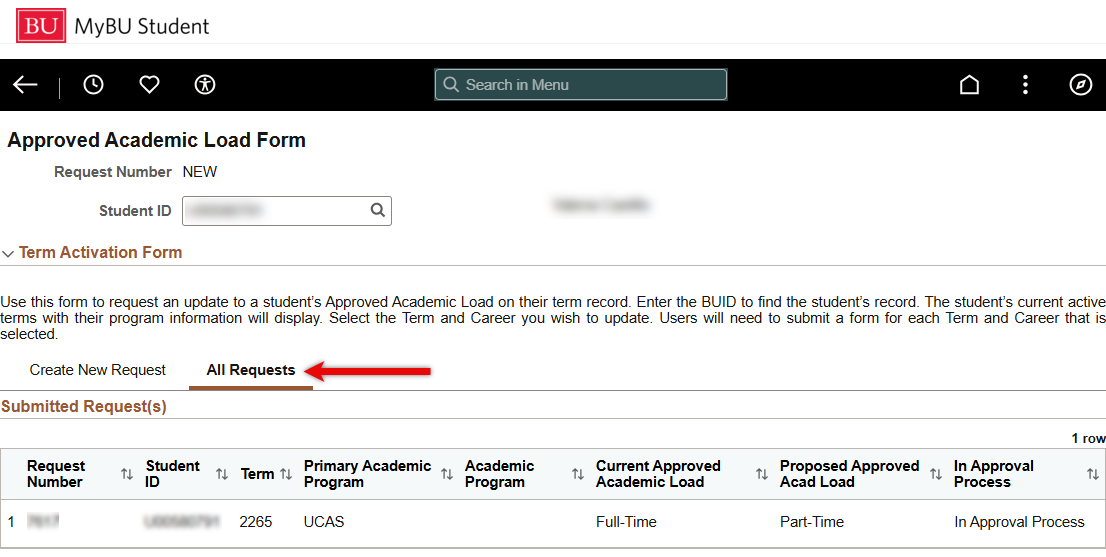
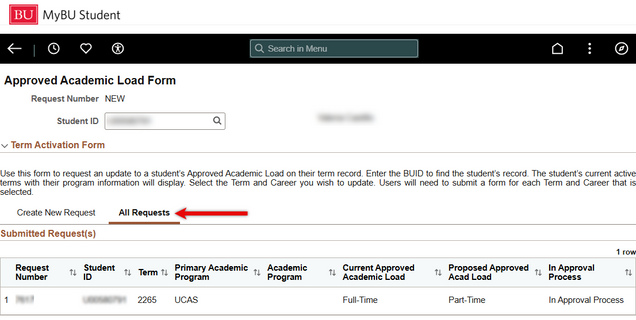
- Click the All Requests tab.
- Review the request details, including the current status.
Page last updated March 2026. For a PDF copy, print this webpage as a PDF.