View Undergrad Student Scholarship Status
Merit and Prestigious Awards are determined by Admissions and put into a custom BU Scholarship Processing page. Financial Aid staff can view this tracking page to see where an undergraduate student is within the scholarship process.
Note that the student’s UID must be known in order to pull up their Scholarship Processing page.
Navigation (Full Site): Menu > BU Custom Folder > BU Financial Aid > Scholarship Processing > Scholarship Processing Page
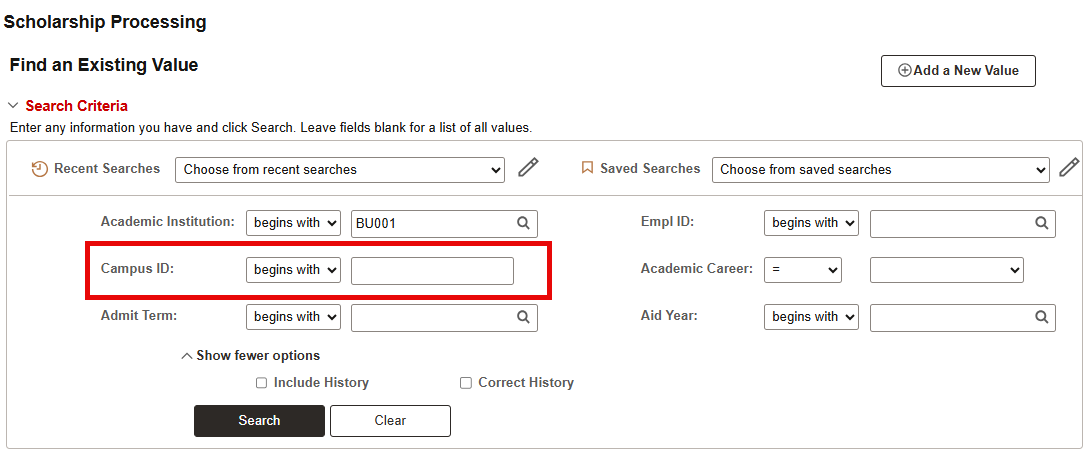
Search for the student by entering their UID in the ‘Campus ID’ field.
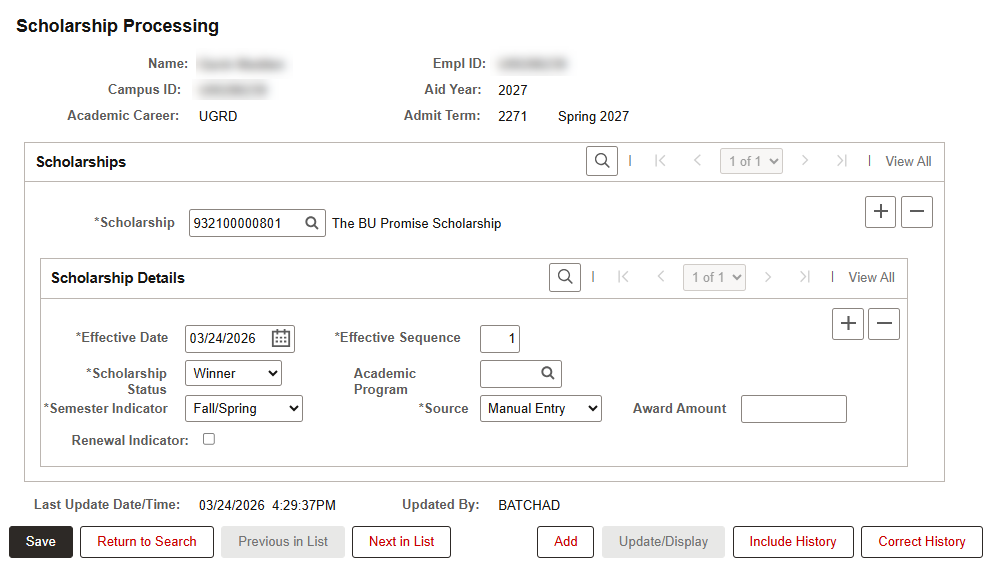
The Scholarship Processing page will display relevant scholarship information from Admissions. The below example shows a BU Promise Scholarship winner.
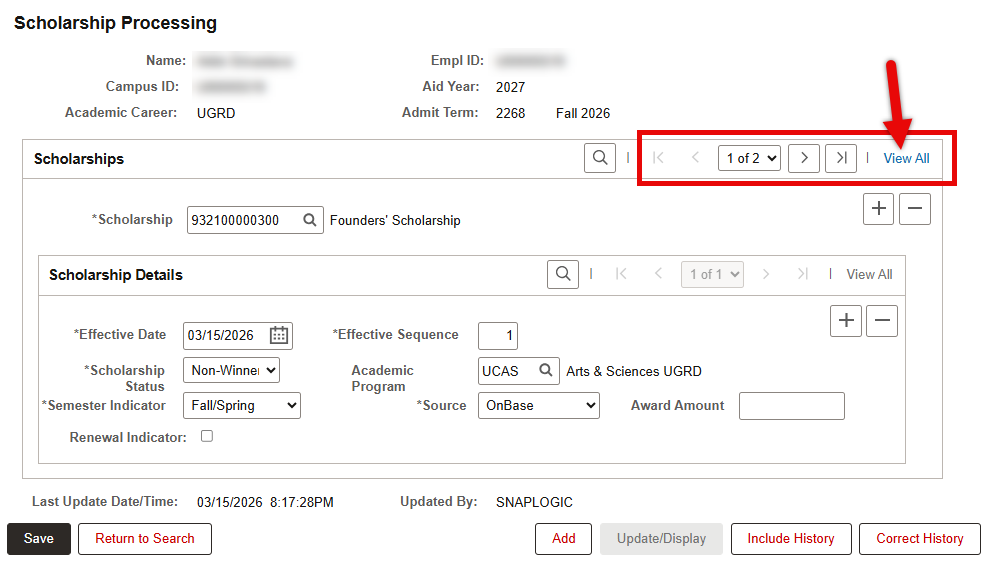
If the student was considered for multiple scholarships, there will be one data row for each scholarship considered. The page will default to display the first data row only. Note that a scholarship the student did NOT receive may appear before one they did receive. Click View All to see all scholarships.
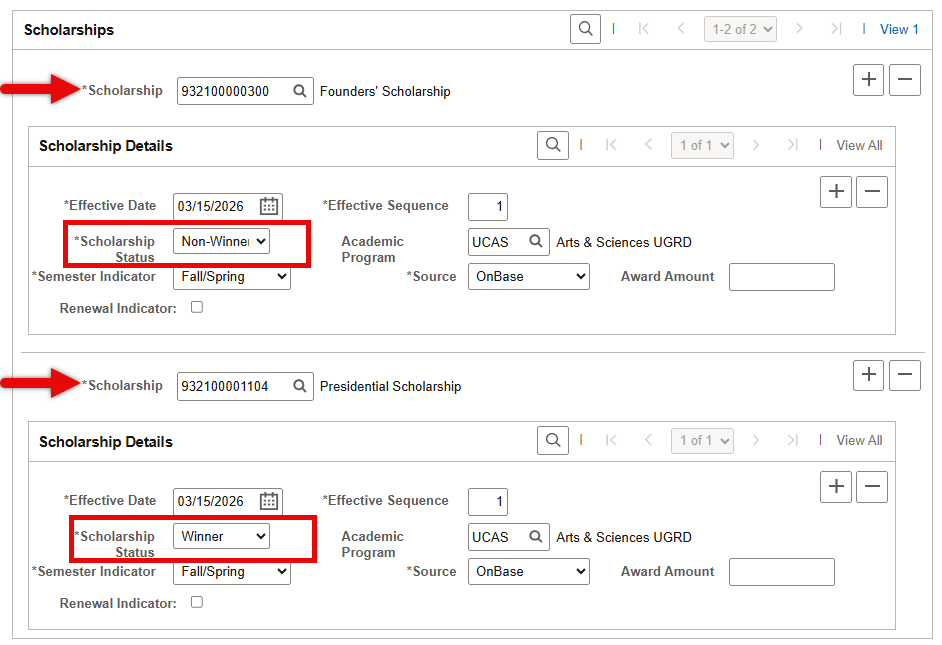
In the example expanded below, the first data row shows that the student was a non-winner for the Founders’ Scholarship, but the second data row shows that the student was a winner of the Presidential Scholarship.
It’s also important to note that for each scholarship, the page will display the most current effective dated row only (i.e., the most recent input for each scholarship).Those with requisite security access may click Include History to see any previous statuses that were input on a scholarship.
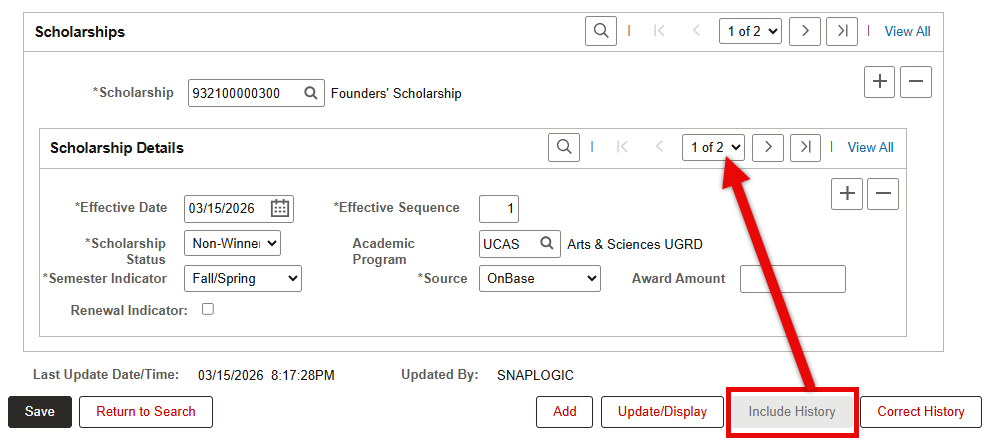
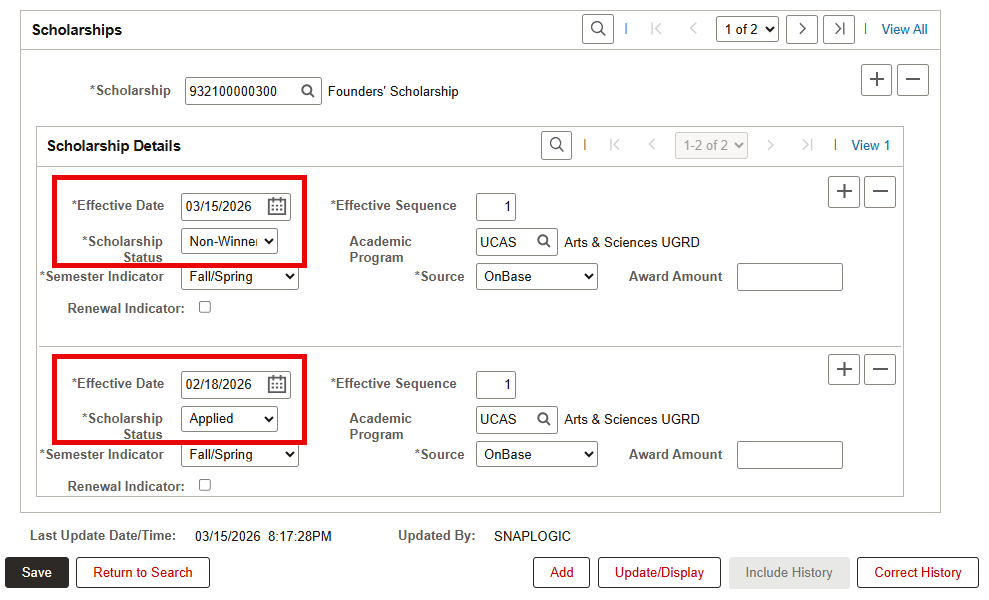
In the example shown above, clicking ‘Include History’ revealed an additional effective data row for the Founders’ Scholarship entry. Click View All within the effective dated row shown to view prior effective dated rows.
For more information on Data Rows and Effective Dates, refer to the Intro to Using MyBU Student resource.
This page was last updated October 2026. To download a PDF copy of this resource, print this webpage as a PDF.
