Financial Aid staff can access certain Student Records pages in the Student Information System in order to view relevant academic information. This resource provides information on how to access a student’s enrollment status and program/plan information.
Introduction
Due to security regulations, Financial Aid users may have somewhat restricted access to students’ academic data. However, these users can access the Enrollment Summary and Student Program/Plan pages within the Records and Enrollment modules of MyBU Student to verify a student’s basic academic data.
ⓘ NOTE: Financial Aid staff can also verify the dates a student added/dropped a class using the Customer Accounts page, which is part of the Student Financials module of the SIS. A resource on this functionality can be found here.
⚠︎ Screen options and menus will vary by user; please note that displays may differ for you based on access that has been granted. All screens shown are for training purposes only.
Navigation
The Student Records pages in this guide are accessed through MyBU Student Full Site.
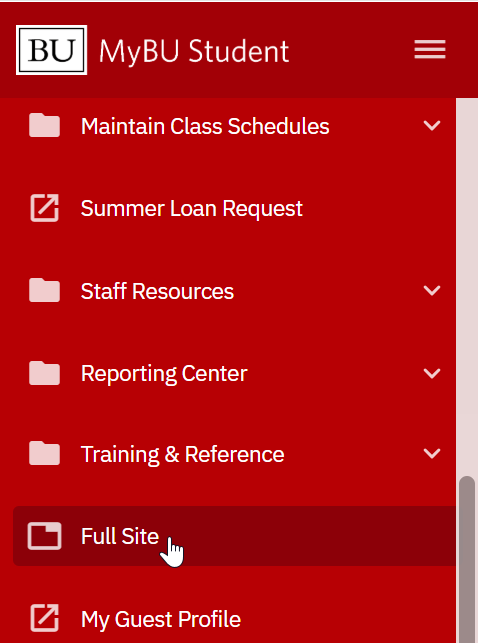
Upon login, if the MyBU Student Dashboard is the default, scroll to the bottom of the left-side menu to select the Full Site item.
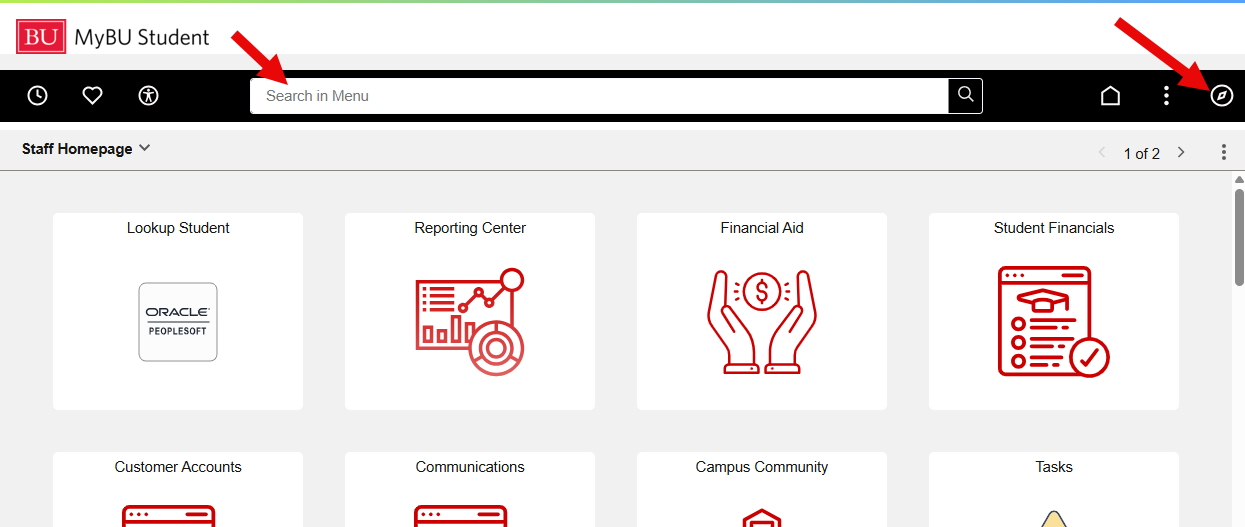
The appropriate Staff Homepage will display (this may be the default upon login for some staff). Navigate to the desired page using search bar, or click the top-right compass icon to access the menu.
The navigation pathways for the pages described in this resource are:
Records and Enrollment > Enrollment Summaries > Enrollment Summary
Records and Enrollment > Career and Program Information > Student Program/Plan
Verify Enrollment
To look up a student to verify their enrollment for a particular Term:
Navigate to the Enrollment Summary page.
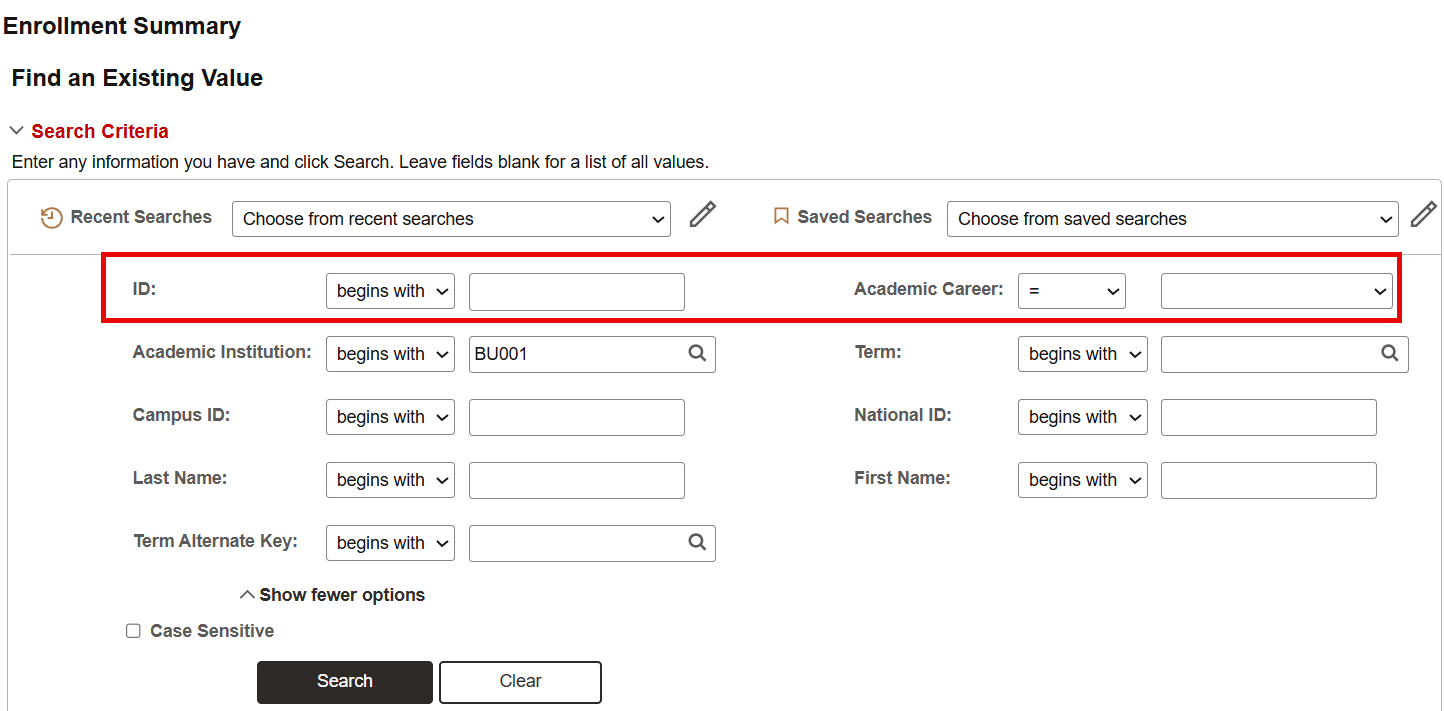
On the search screen, enter the student’s BUID and their Academic Career if known (e.g., Undergraduate, Graduate). Then click Search.
Remember, it’s possible for a student to have more than one Career, so entering the career may help narrow down search results.
Users can also search for a specific Term if desired. However, leaving the Term field blank will allow the user to scroll through all applicable terms for the student when viewing the Enrollment Summary.
Scroll down to view the Search Results, which will show one row for each applicable Term for the student. Click on a row to view the enrollment summary for that Term.
Click on the image above to view larger (then click the browser ‘Back’ button to return to this page).
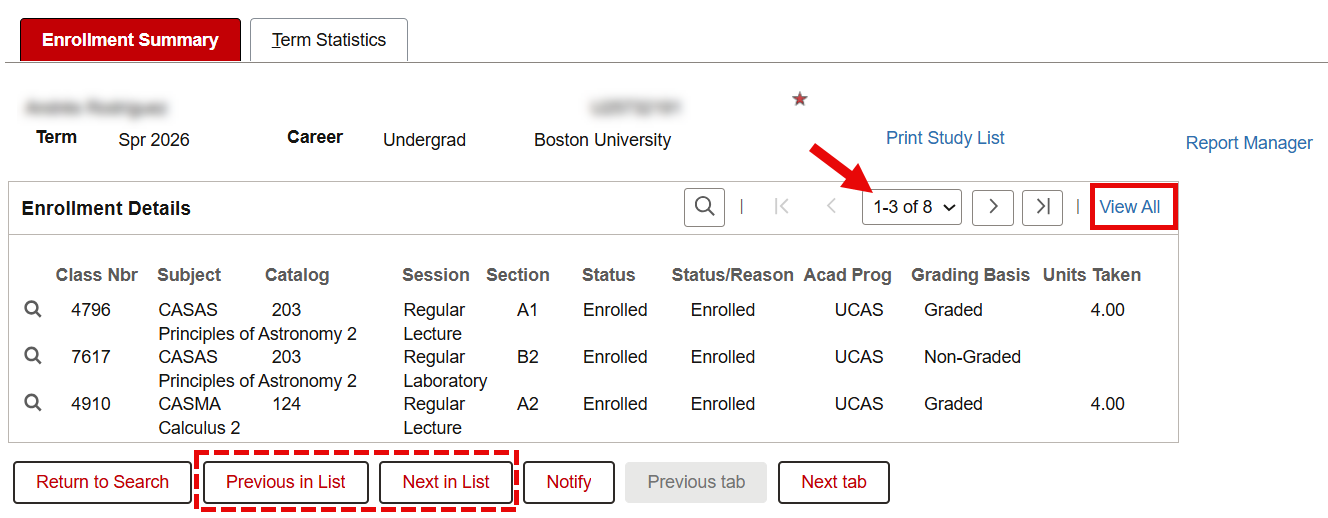
The Enrollment Summary tab will display, listing the student’s class enrollments for the selected Term.
Note that the Enrollment Details section will default to only show 3 lines (i.e., 3 classes). Click View All to see all enrollment for the term.
If multiple terms were shown in the search results, users can scroll through all applicable terms by using the ‘Previous in List’ / ‘Next in List’ buttons.
The Term Statistics tab is not needed to verify enrollment. It contains the student’s unit (credits) and GPA statistics for the term.
ⓘ NOTE:The Enrollment Summary will only display classes the student has been officially enrolled in. For instructions on how to see classes a student dropped, along with the dates classes were added/dropped, click here.
Verify Program/Plan
To verify the student’s academic program/plan (e.g., their major):
Navigate to the Student Program/Plan page.
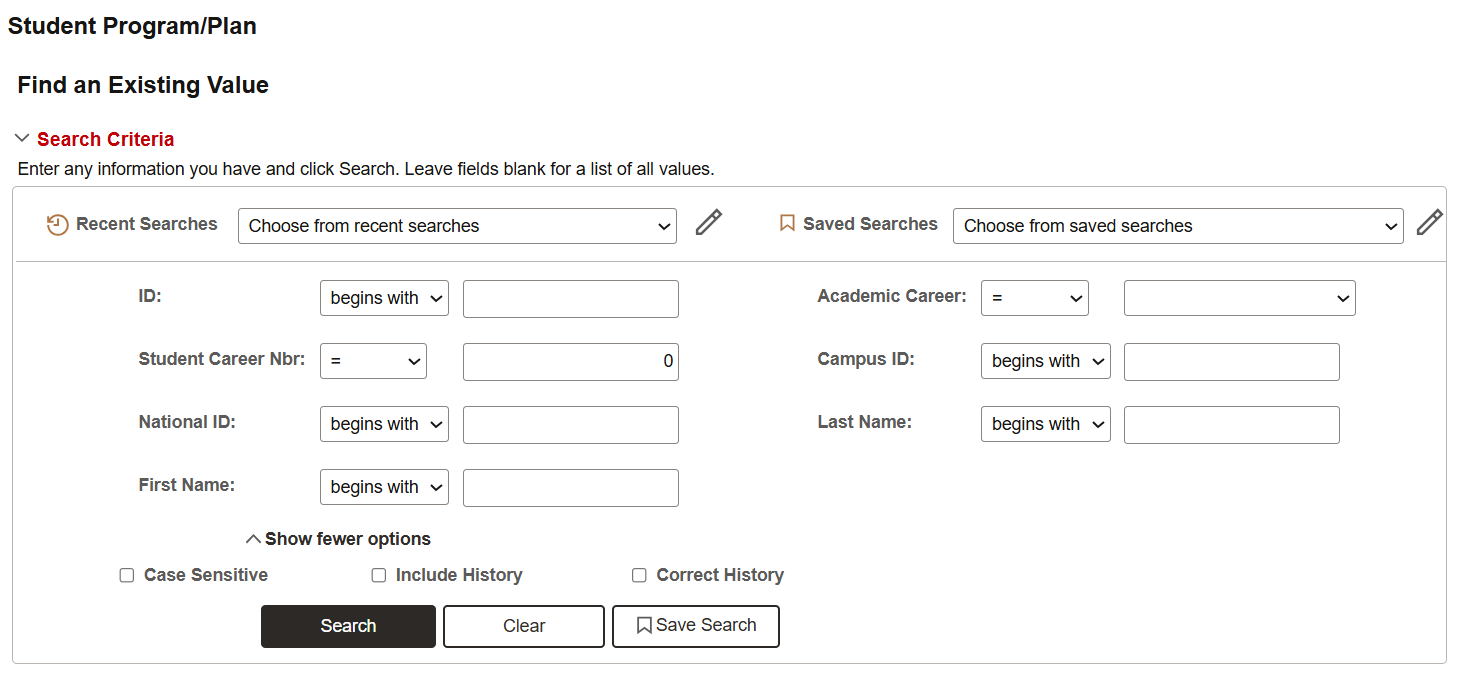
On the search screen, enter the student’s BUID and click Search.
Users may also search by entering the student’s National ID (SSN), and/or Last Name/First Name, if UID is unknown.
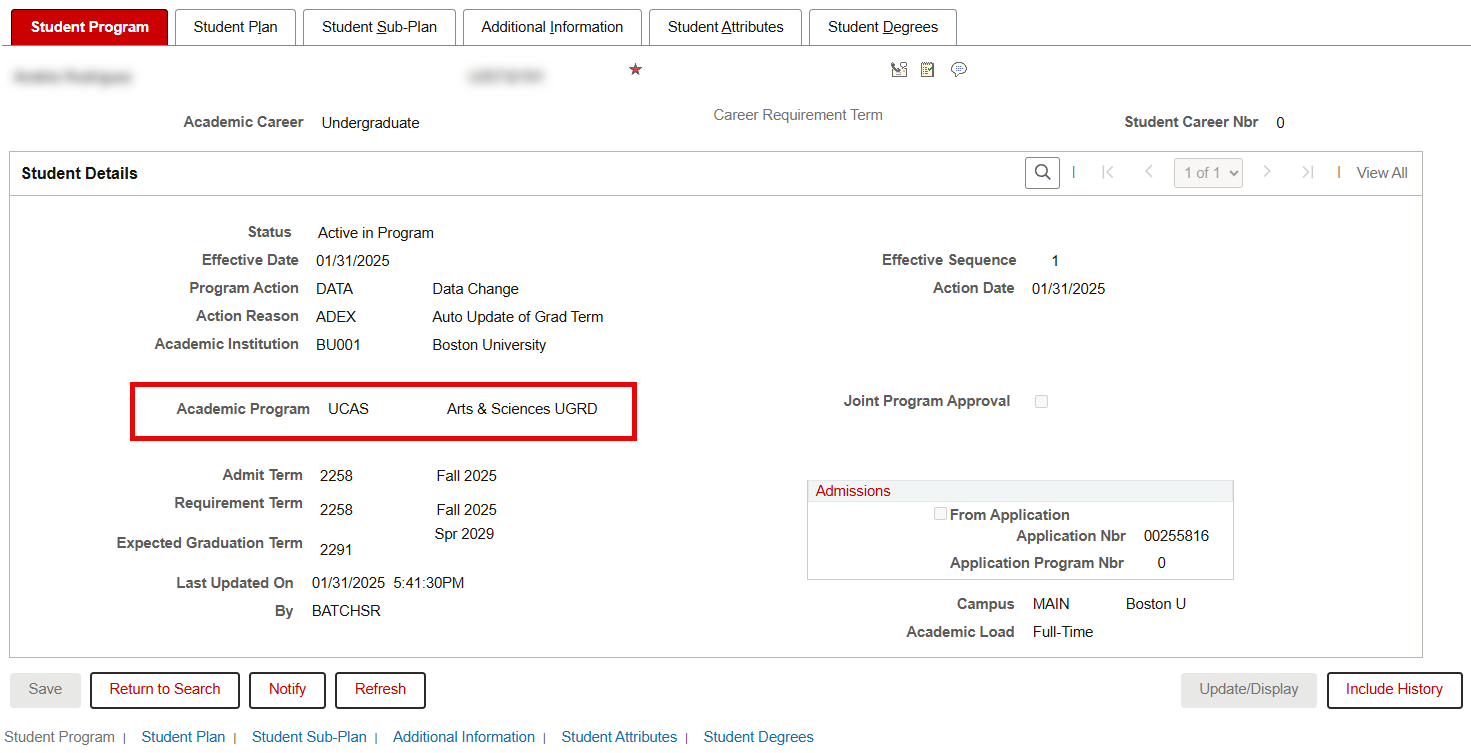
The Program/Plan page will open on the Student Program tab, with Student Details displayed. Here, the Academic Program can be verified.
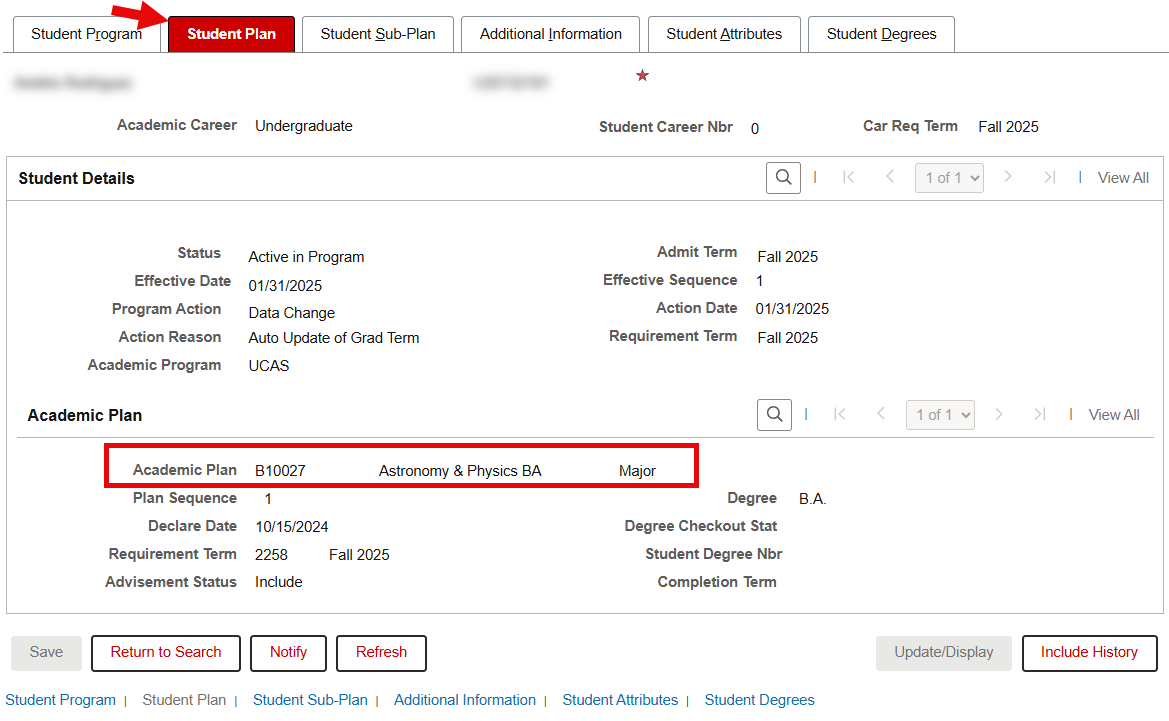
To verify the student’s Academic Plan, switch to the Student Plan tab.
Related Resources
The following links provide further details about certain elements described on this page. Note that in MyBU Student, the Term as it pertains to the academic calendar can differ from the concepts of Aid Year and FA Term.