Grade Changes
This information explains the grade change process for faculty in MyBU Student.

Introduction
Instructors should adhere first and foremost to any grade change request procedures and/or policies at the school/college/department for that class. In MyBU Stduent, the process for changing grades is determined by the status of the Grade Roster and the timing in the academic calendar.
Change Window: In general, faculty can change grades using the Grade Roster until the end of the following term (e.g., last day of Spring for a Fall class).
Grade Roster Statuses:
- NOT REVIEWED – Grades have not yet been submitted. Applies to any Grade Roster that has not yet been started or that has been partially completed and saved.
- READY FOR REVIEW – Grades have been submitted and are awaiting review by an authorized approver.
- APPROVED – Grades are recorded and have been approved by an authorized approver. Approved grades are not yet visible to students.
- POSTED – Approved grades have been processed through the Office of the University Registrar (OUR) and are considered official. Posted grades can be viewed by the students in MyBU Student and are reflected on their official transcripts.
ⓘ Note: For additional information about the process for approving and posting Grade Rosters, refer to the Grade Roster resource.
Before a Grade Roster is posted, grades can be EDITED in the Grade Roster. (See the Edit Grades section below for instructions.)
After a Grade Roster is posted, grade changes can be REQUESTED in the Grade Roster, provided it’s within the change window. (See the Request Grade Changes section below for instructions.)
After the change window closes (i.e., after the end of the following term), a grade change request would need to be sent to the Office of the University Registrar. Please work with the appropriate department administrator to submit that request.
⚠︎ Screen options and menus will vary by user; please note that displays may differ for you based on access that has been granted. All screens shown are for training purposes only.
Edit Grades
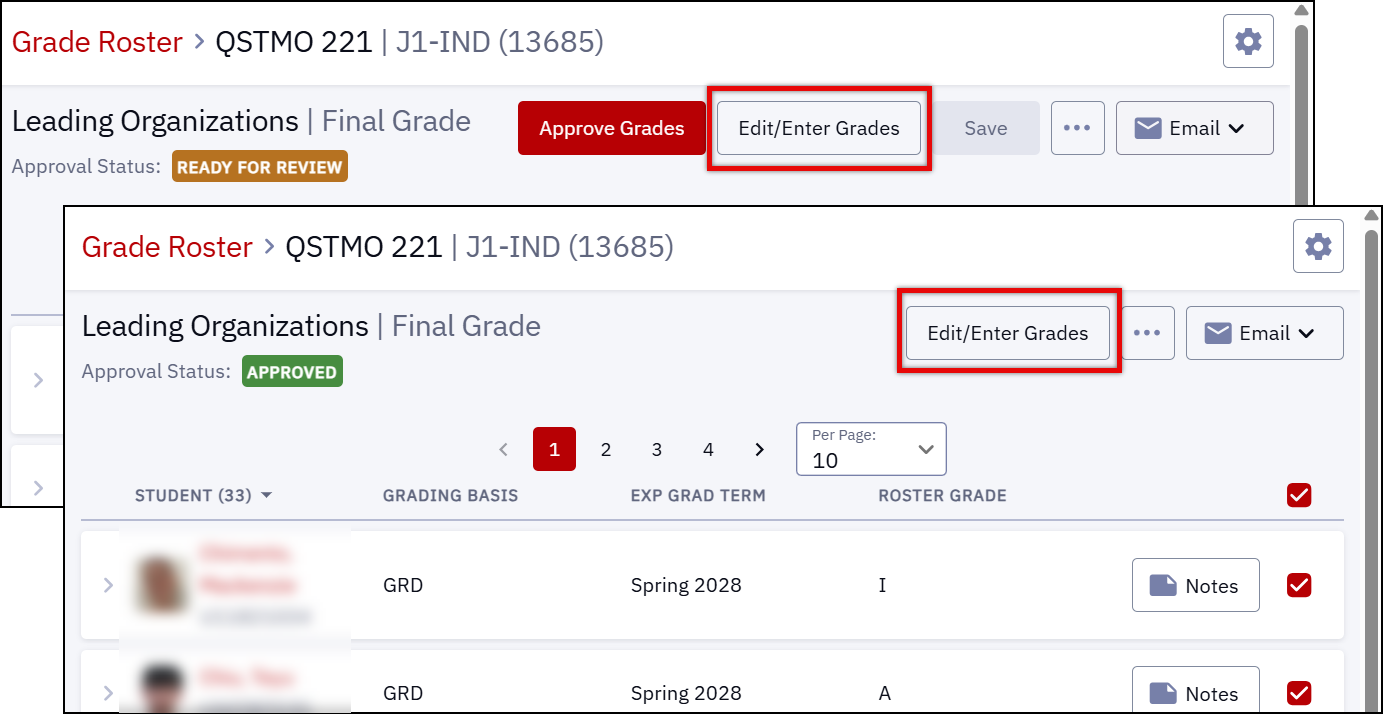
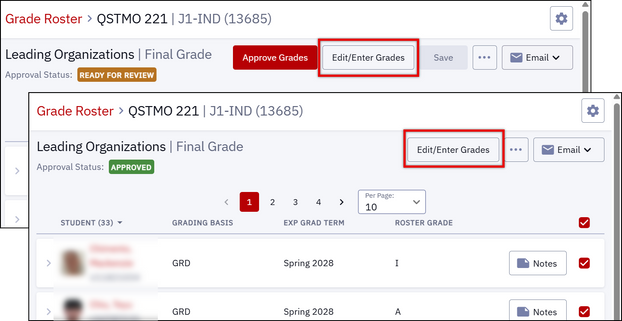
After grades have been submitted, the Grade Roster can still be edited if it’s in Ready for Review or Approved status.
Keep in mind the following important caveats:
- Grade rosters in Approved status run through an automatic posting process. Towards the end of the semester, this process runs multiple times a day. So once a Grade Roster is approved, there may be only a short amount of time during which it can still be edited.
- Grade rosters in Approved status can be edited only by faculty who are set up as an authorized approver for the class’s Grade Roster.
To edit grades:
- Click the Edit/Enter Grades button at the top of the Grade Roster page.
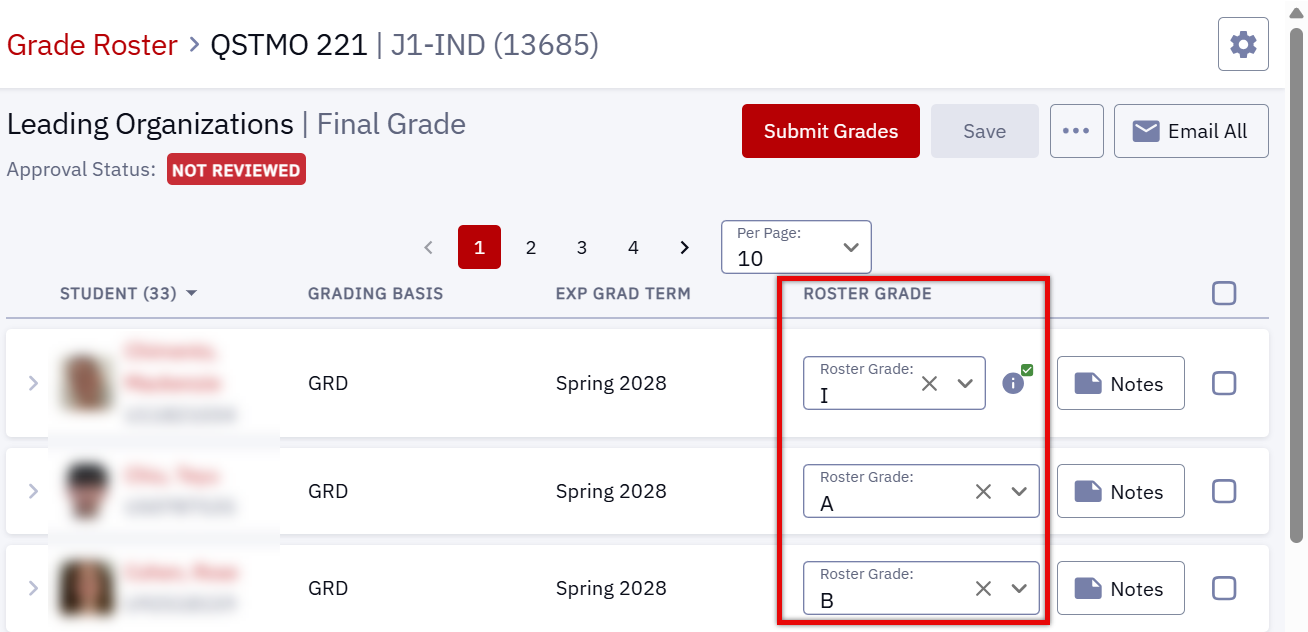
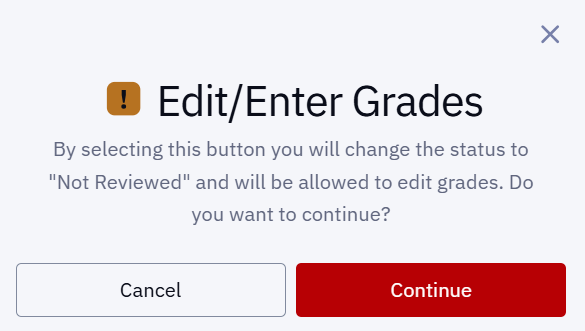
- A pop-up message will appear, explaining that this will change the grade roster’s status to Not Reviewed. Click Continue to confirm.
- The Roster Grade fields can now be edited. Update the desired grade(s) as needed.
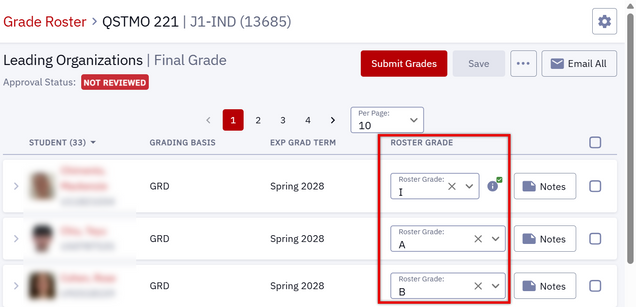
- Save the changes.
- Click Submit and/or Approve as appropriate.
Request Grade Changes
If the Grade Roster is in Posted status and the academic calendar is still within the change window defined above, grade changes can be requested via the Grade Roster. This can be used for updating an “I” grade after the student has completed any outstanding requirements.
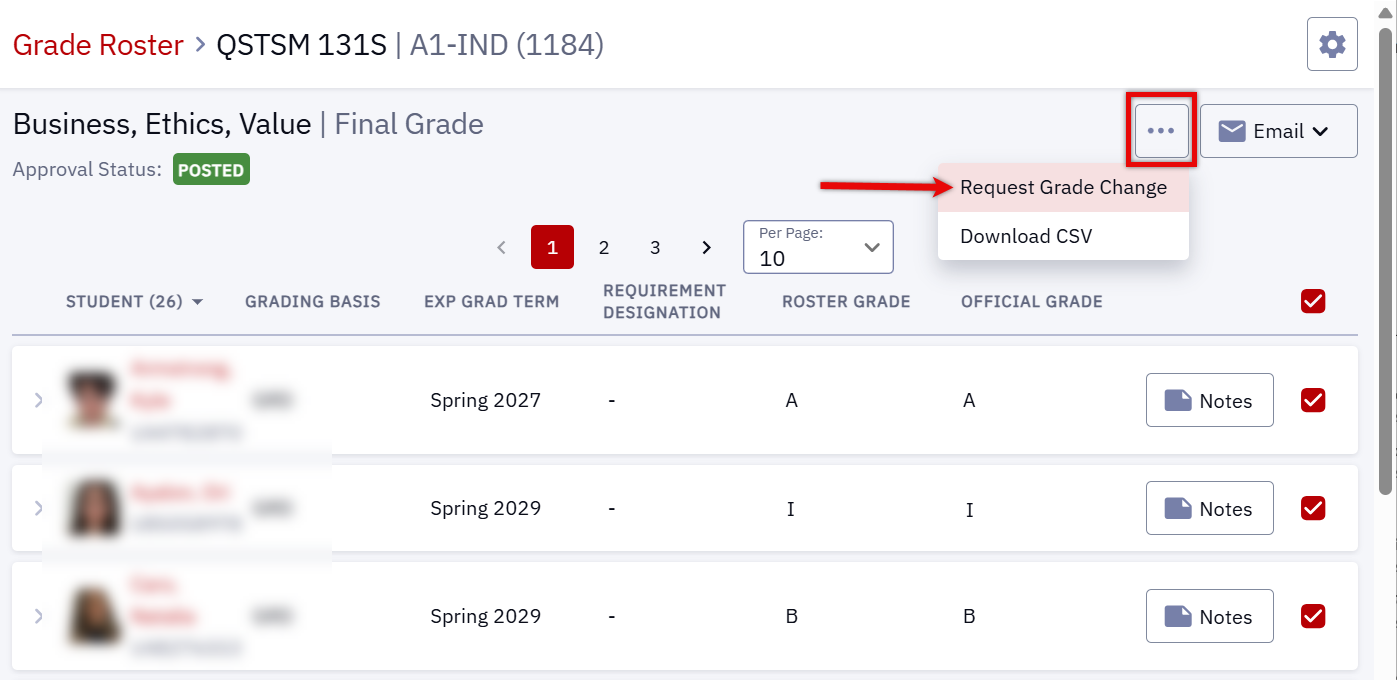
- To request a grade change (including to update an “I” grade), navigate to the Grade Roster for the class, click on the three-dot icon, and select Request Grade Change.
- There is no need to select/de-select specific students before entering the Request Grade Change screen.

- On the Request Grade Change screen, use the dropdown menu to select a new official grade for the student(s) whose grades need to be changed.
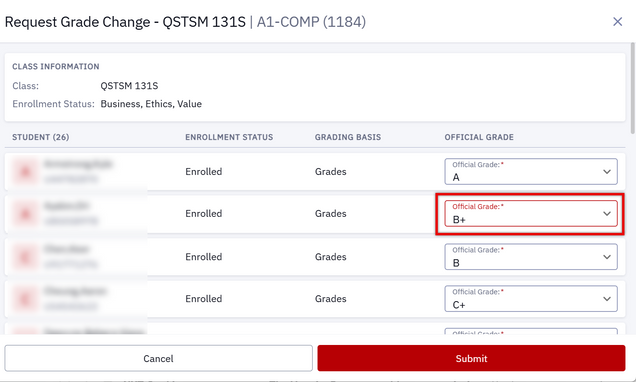
TIP! If you are unable to see the ability to scroll down the roster in the Request Grade Change window, try clicking anywhere within the window itself (e.g., in the white space between columns on a given row) for the scroll bar to display.
- Once all necessary grade changes have been input, click Submit at the bottom of the page.
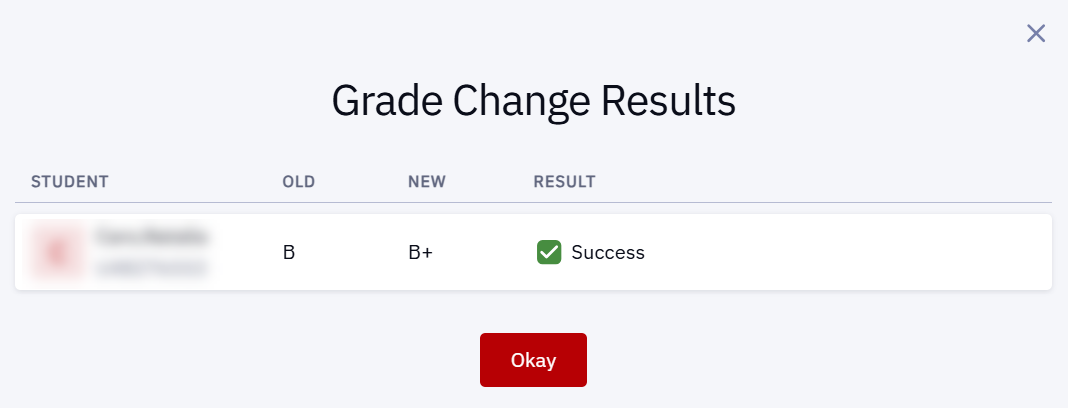
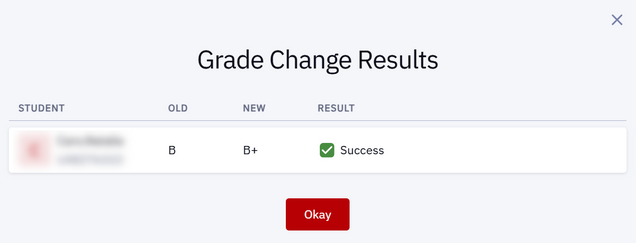
- A pop-up message will appear, confirming the results of the grade change request. Click Okay to return to the Grade Roster.
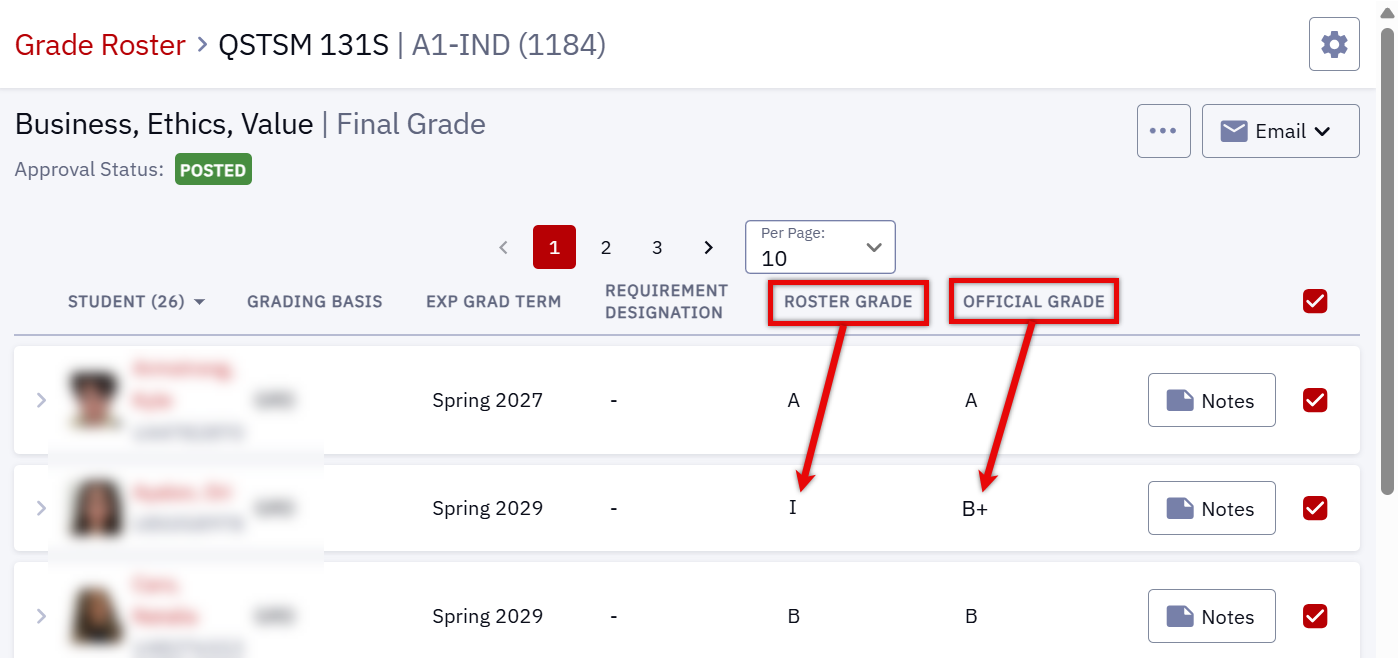
Grade Rosters with changed grades will display the Roster Grade originally entered as well as the Official Grade, reflecting any changed grades accordingly.
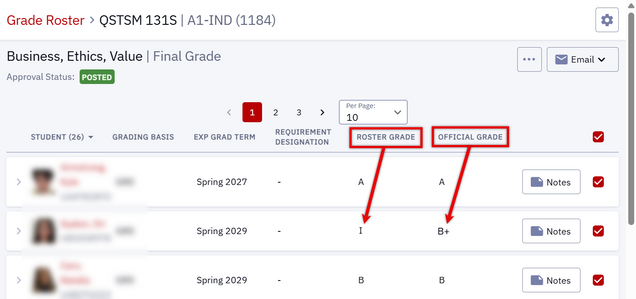
ⓘ NOTE: It may take up to one business day for the grade change to be visible to the student.
Outside Change Window: As a reminder, grade changes outside the defined change window (after the last day of the subsequent term, in most cases) must be requested through the Office of the University Registrar. These requests cannot be input in the Grade Roster; please work with the appropriate department administrator to submit the request.
Last updated December 2025. For detailed information about entering and submitting grades on the Grade Roster page, click here. To download a PDF copy of this resource, print this webpage as a PDF.
|