Enter Diploma Name & Address
The following instructions show students how to submit the contact information for their diploma. This is a required process for graduating students. For questions or assistance, please contact registrar@bu.edu.
- Log into the MyBU Student Portal and click on the MyBU Student Dashboard tile.
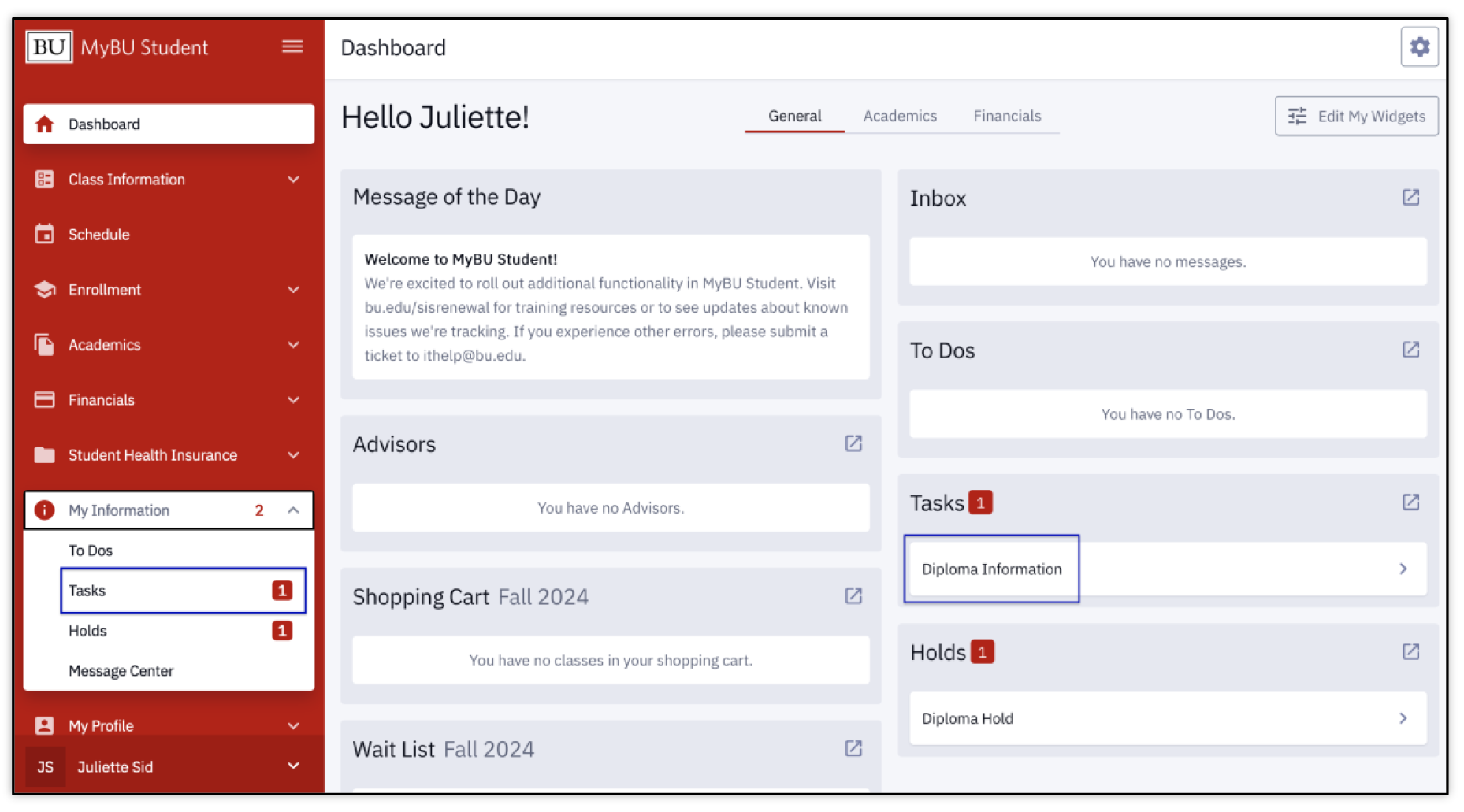
- On the Dashboard, a Task and a Hold display in the widgets and are indicated in the left menu. To begin the process, click on the Diploma Information Task through the widget or click Tasks in the left menu.
- The Tasks page will display. Select the Diploma Information Task.
- The Diploma Information page will launch in another tab or window, opening to step #1, the Instructions. Review and click the Next button in the top right corner.
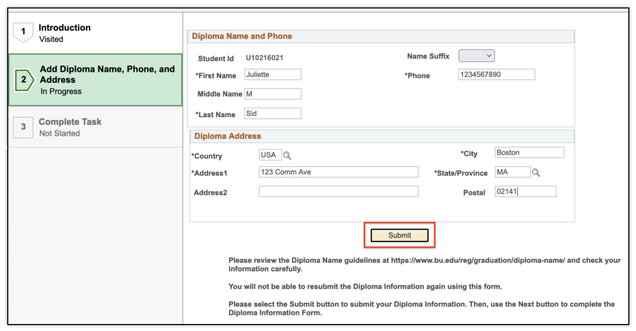
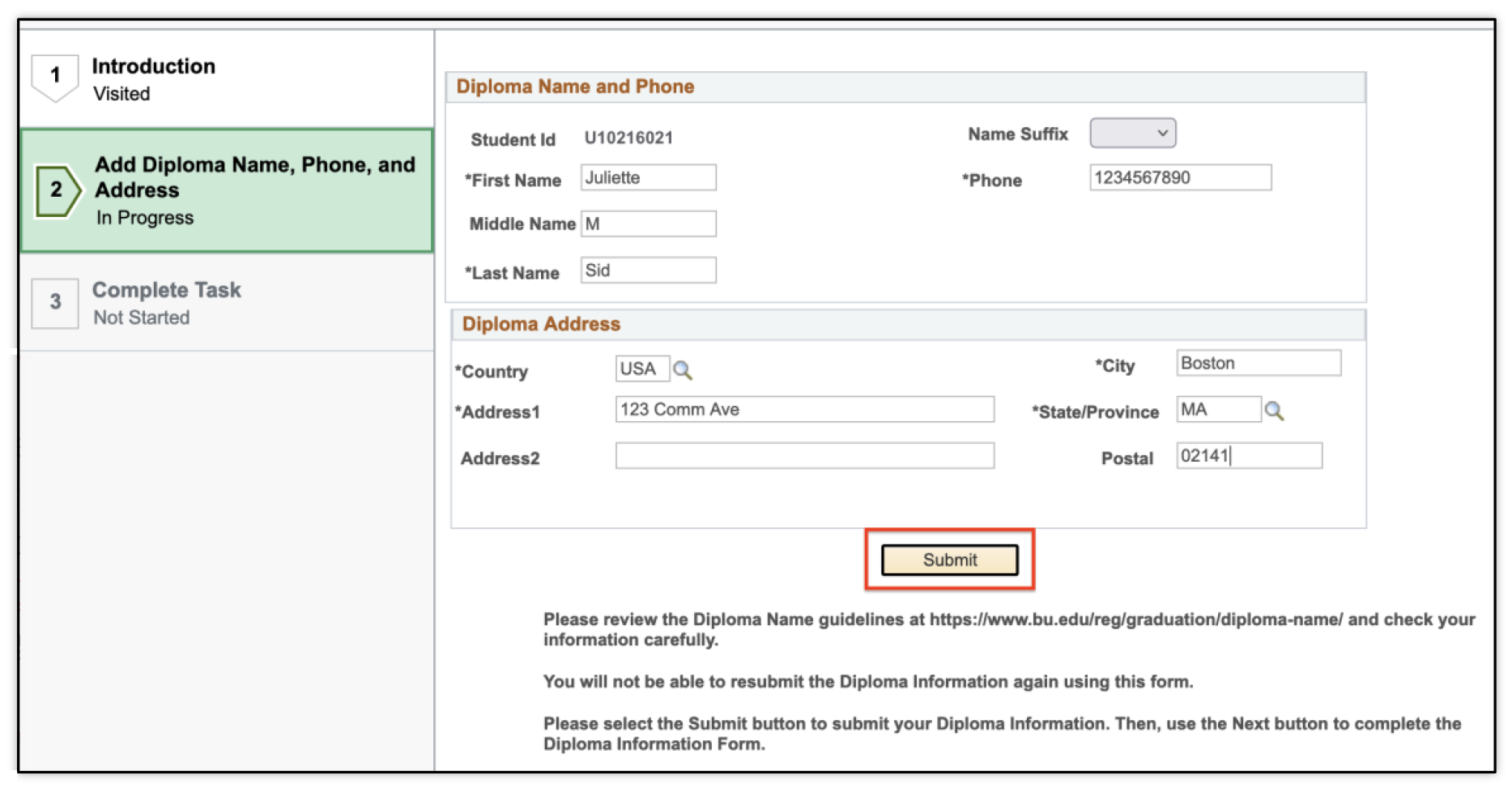
- Step #2 will display, where the Diploma Name, Phone, and Address can be added. Enter the correct information into the fields. Carefully review and click the Submit button below the form when completed.
ⓘ Check the information! Once submitted, the details cannot be edited in this form. Review the OUR Diploma Name website for guidelines regarding the diploma name.
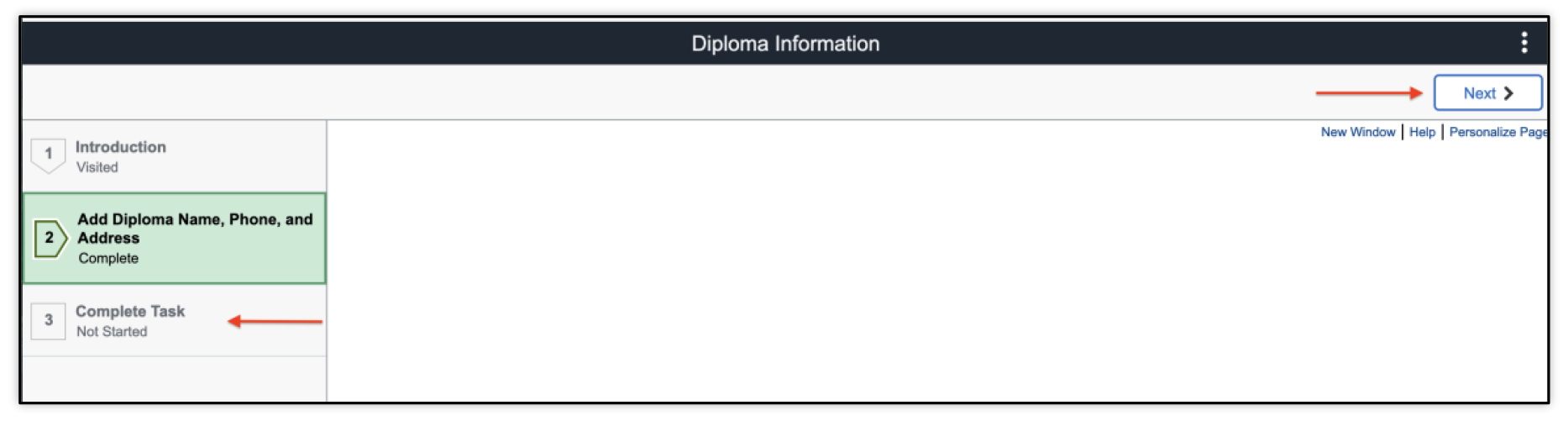
Upon submitting, the page may remain on this step to ‘Add Diploma Name, Phone, and Address’ and display a blank page. This is ok – notice the step reads ‘Complete’.
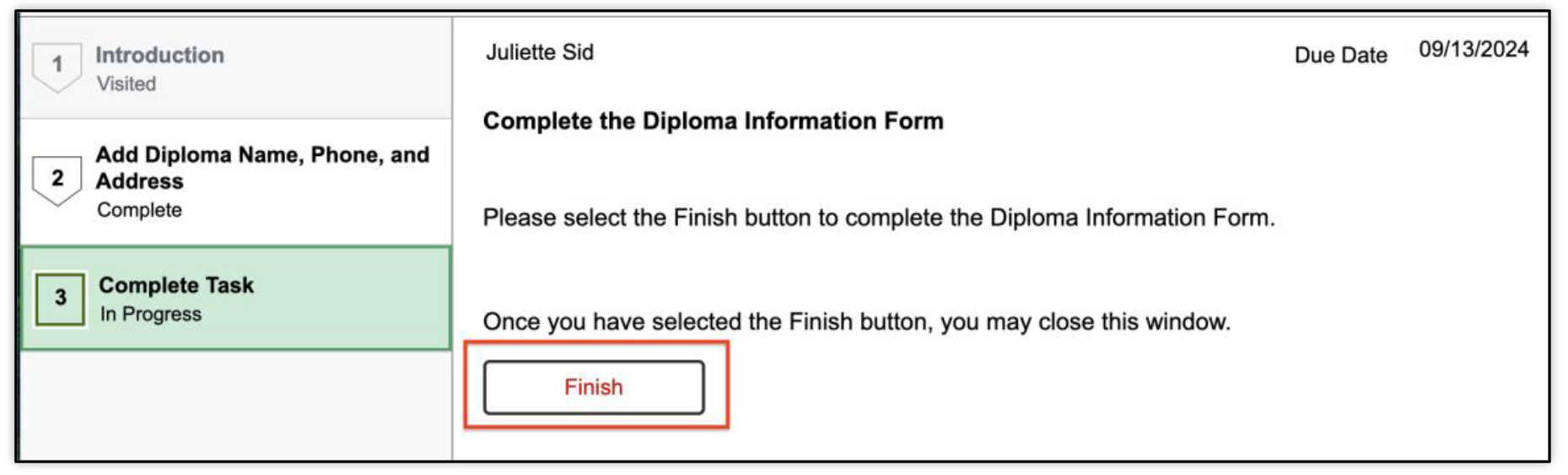
- To move on, click the #3 tab: Complete Task in the left menu, or click the Next button in the top right.
- Once on step #3, click the Finish button.
- Close the tab or window and return to MyBU Student.
- Verify that both the Diploma Task and Hold are no longer displaying.



This page was last updated October 2024. To download a PDF copy of this resource, print this webpage as a PDF.
