Advising Appointments: Analytics
This resource outlines how authorized users can access, view, and customize the Appointments Report within the Advising Relationship Management (ARM) module of MyBU Student.

Introduction
Authorized administrative staff can use the Appointments Report to view and track advising appointment data and trends. The report can be customized using a range of filters to view aggregate appointment data for a specified date range. The data can also be viewed as a compiled list that can be exported as a CSV file. In addition, the full details of each appointment on the list can be opened and viewed.
Note that security access to the Analytics functionality of ARM in MyBU may be restricted since the reporting includes data for multiple departments. Currently, Analytics access is included in the Department Admin security role and can be added to the Department Support security role.
⚠︎ Screen options and menus will vary by user; please note that displays may differ for you based on access that has been granted.
All screens shown are for training purposes only.
Navigation
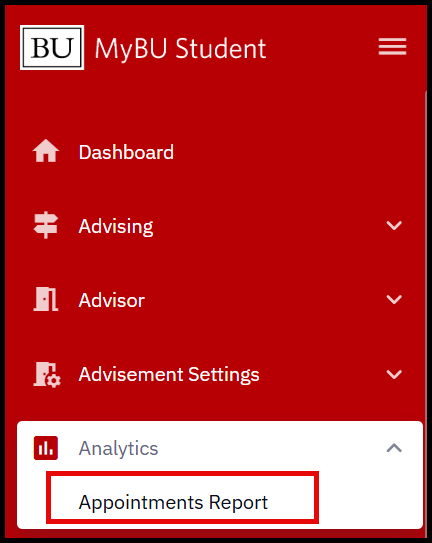 Users with the requisite security role(s) will see an Analytics section in their left-side menu in MyBU Student.
The Appointments Report is located in Analytics > Appointments Report.
Selecting Filters
The default display of the Appointments Report shows appointment data for ALL departments, with a timeframe for the prior month (e.g., if viewing the report on June 13, the default display will show appointments from May 13 through June 13). Filters must be applied to view the report for a specific department(s) or different timeframe. A range of other filters are also available to customize the view of the report.

- Click the Filters button to customize.
- A descriptive list of the available filters is in the next section of this resource.
- From the Filters menu, click into any field to specify that filter as needed.
- Depending on browser window dimensions, the thumbtack icon at the top-right may be used to pin the Filters menu within the report window.
- The ‘Reset Filters’ button can be used to revert to default viewing settings if needed.
- Once all desired filters have been selected, click the Apply Filters button.
- The Appointments Report will refresh with the selected filters applied. All currently applied filters will display at the top of the Appointments Report.

- To remove a particular filter from the current view, click the X beside that filter.
- To revert back to the default view, click ‘Clear Filters’.


AVAILABLE FILTERS
| Start Date | Select a start date for the date range from the calendar.
|
| End Date | Select an end date for the date range from the calendar.
|
| Department | Scroll and select from the dropdown or type into the field to search for a specific Department. Multiple Departments can be selected. |
| Meeting Type | Scroll and select from the dropdown or type into the field to search for a specific Meeting Type.
Note that Meeting Types are specific to each department:
|
| Appointment Status |
Select status(es) from the dropdown as needed:
Keep in mind that ‘Completed’ and ‘Past’ statuses are mutually exclusive, so both statuses should be checked to filter the results to all appointments that have already occurred. |
| Meeting Mode | Select Meeting Mode(s) from the dropdown as needed:
|
| Advisor |
Select one or more Advisors to include only their appointments in the report.
Keep in mind that some advisors serve multiple departments. |
| Student ID | Type UID(s) into the field to include only those students’ appointments in the report. If entering multiple UIDs, separate by commas. |
Viewing the Appointments Report
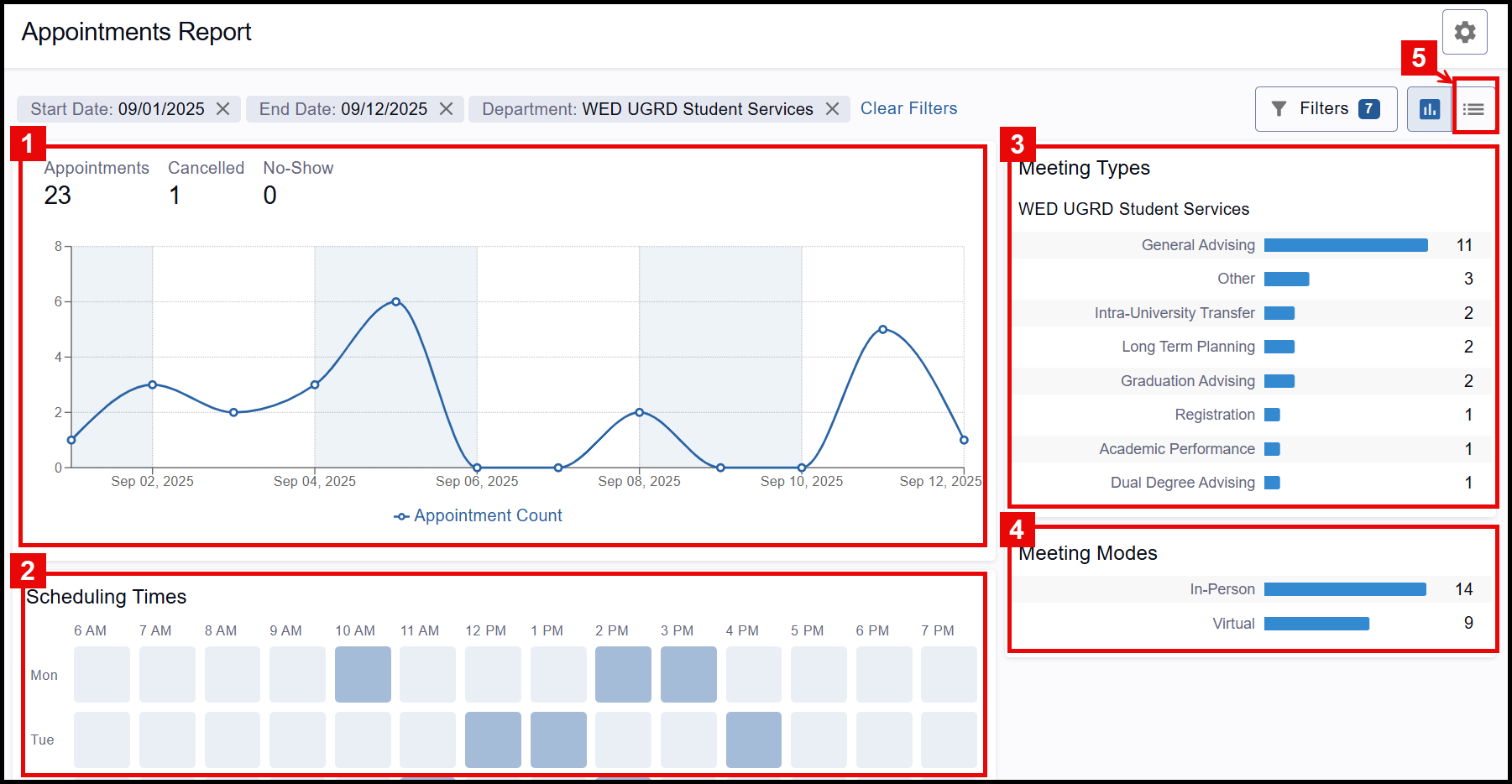
Report data can be viewed across five sections:
|
|
|
|
|
APPOINTMENT COUNT
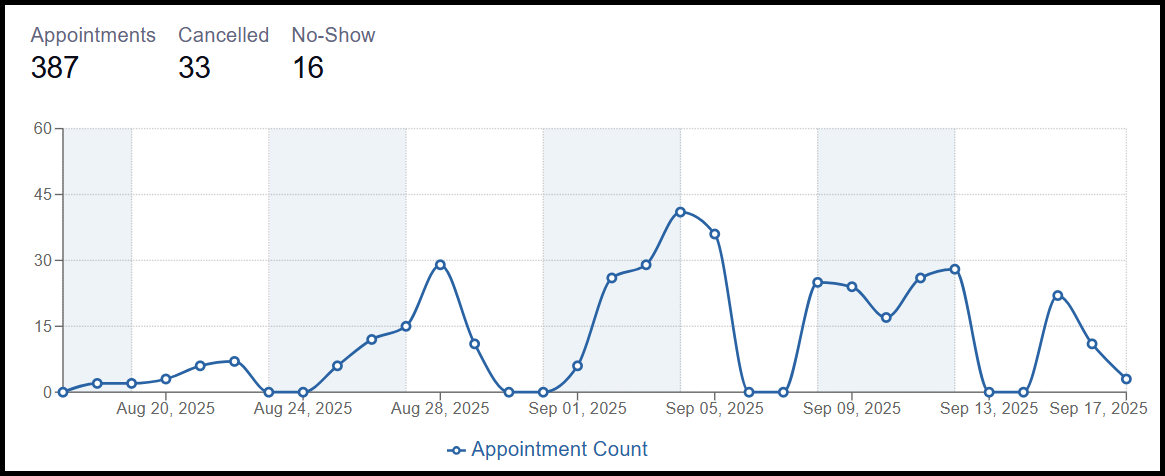
This line graph will display at the top of the Appointments Report, showing the appointment count over time, within the specified date range.
- The graph will dynamically respond to filter changes to allow for optimal visualization.
- The total count of appointments, including cancelled appointments, and no-shows within the time range, will display above the graph.
- Unless otherwise specified in the Appointment Status filter, the graph displays the TOTAL number of appointments, including cancellations and no-shows.
- Each point on the graph represents a day within the specified date range.
- Hover the cursor over a point to see the specific count on that day.
- Keep in mind that weekends will be included if they fall within the specified date range. It is not currently possible to exclude weekends from this visualization.
SCHEDULING TIMES
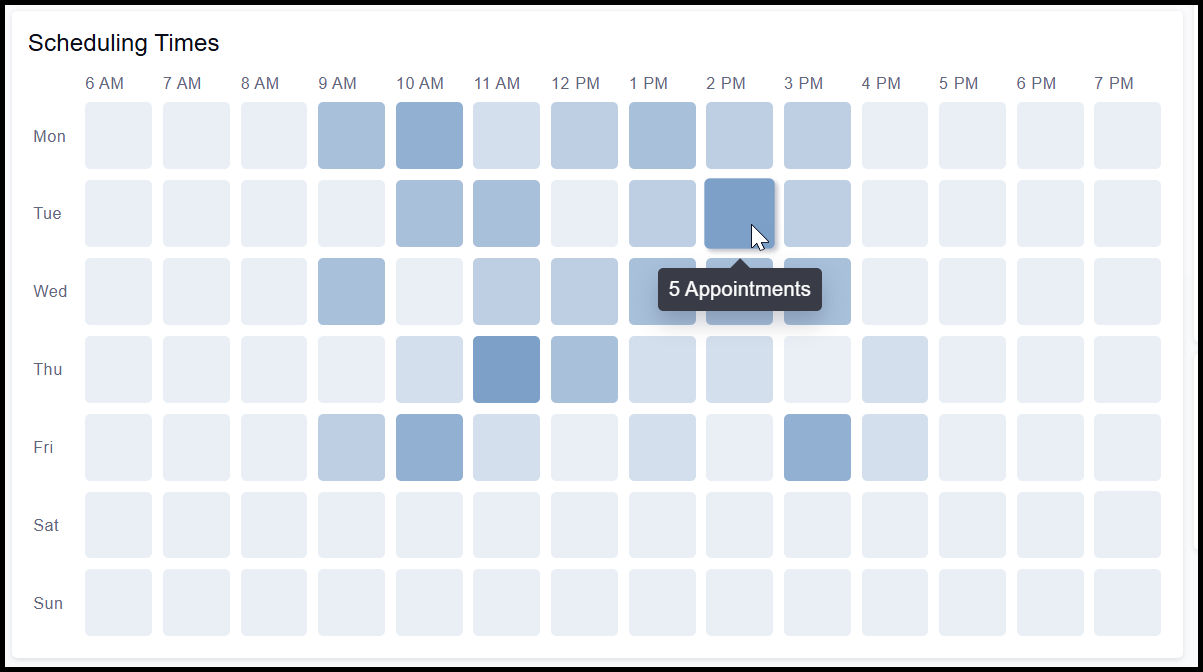
This heat map visualizes which weekly time blocks have the most appointments scheduled, with darker time blocks representing the busiest times.
- Hover over a time block to see the count of appointments during that block for the specified timeframe.
- Unless otherwise specified in the Appointment Status filter, the graph displays the TOTAL number of appointments, including cancellations and no-shows.
In example screenshot below, Tuesdays between 2 and 3pm is one of the busiest time blocks, with 5 total appointments during that hour-long window over the specified timeframe.
MEETING TYPES
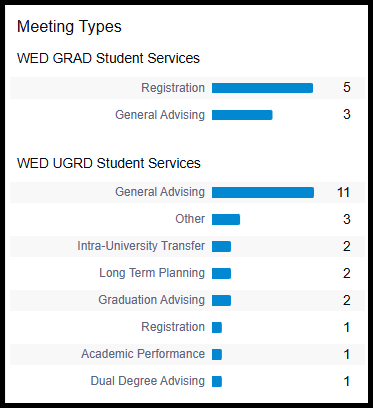
For each department selected in the filters, the count of each Meeting Type will display as an ordered bar chart.
- Any Meeting Types with a count of zero will not display.
MEETING MODES
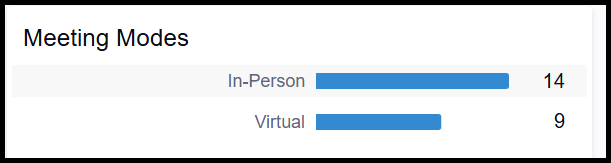
The counts of each Meeting Mode will display in this section, which can be found below the Meeting Type section. (If multiple departments have been selected in the filters, scroll down to find the Meeting Modes counts.)
- Any Meeting Modes with a count of zero will not display.
LIST VIEW
List view shows all appointments within the specified filters in a tabled list format. From this list, the details of each appointment can be individually opened and viewed. The complete list can also be downloaded as a customized CSV file. (Jump to the next section of this resource for instructions on exporting.)
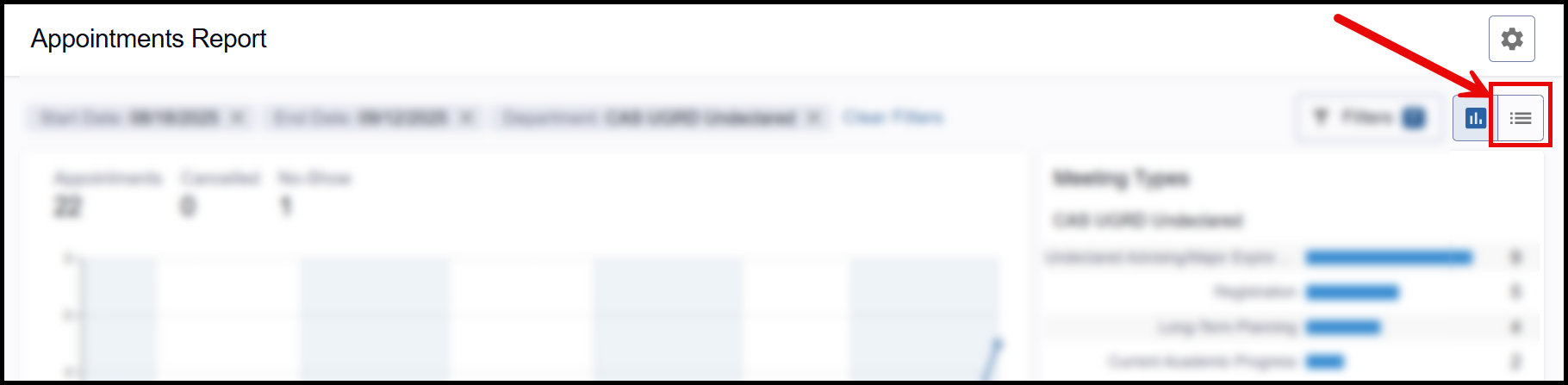
- Toggle to the list view by clicking the list button at the top-right corner of the report.
- The tabled list will display.
- The following data will display for each appointment in the list:
- Student
- Advisor
- Department
- Meeting Type
- Date
- Status
ⓘ Note: Additional appointment data fields can be included in the CSV export.
- The default display lists the appointments in reverse-chronological order, starting with the date furthest in the future.
- Click on any column to change the sort order.
- The default display shows 10 line items per page. Navigate between pages as needed at the bottom of each page, or use the dropdown to change how many lines display on a page.
- To view the full details of a particular appointment, click the View button on that row.
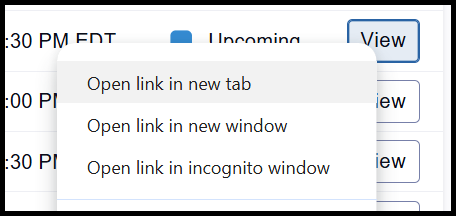
- TIP! To ensure easy navigation back to the Appointments Report, it may be helpful to right-click the View button and open the appointment in a new browser tab or window.
- The following data will display for each appointment in the list:
Exporting to CSV
Follow these instructions to export the report dataset:
- After applying desired filters, toggle the report to the List view.
- Click the Download CSV button.
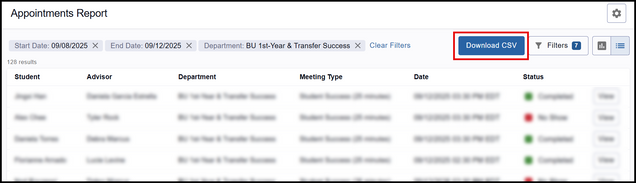
- A Configure Columns window will appear. Use the left-side checkboxes to disable or enable columns, and the right-side arrows to modify column order as desired.
All available data fields:
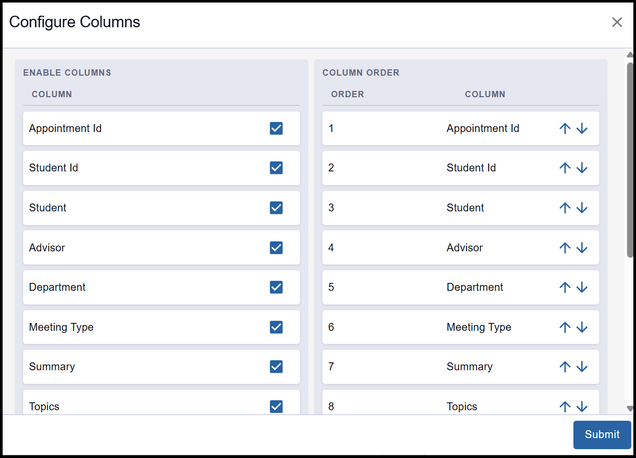
- Appointment ID
- Student ID
- Student
- Advisor
- Department
- Meeting Type
- Summary
- Topics
- Created On
- Meeting location
- Appointment Reason
- Start Time
- End Time
- Status
- When the columns are configured as desired, click the Submit button.
- A dialogue box will appear to download the file. Edit the file name and location as desired and save.
- When opened in Microsoft Excel, the downloaded file will retain the column configurations as specified.
Last updated September 2025. To download a PDF copy of this resource, print this webpage as a PDF.